
Hyundai Key Fob Not Working? A Practical Troubleshooting Guide for Drivers

If your Hyundai key fob suddenly stops unlocking the doors, won’t start the car, or only works when you’re standing right next to the vehicle, don’t assume the worst. In a lot of cases, the problem is something simple: a weak coin cell battery, a weak vehicle battery, interference, or a fob that needs to be resynced.
The good news is that you can narrow this down pretty quickly with a few basic checks before you pay for dealer service.
Quick Diagnosis: What the Symptom Usually Means
The way your Hyundai key fob fails gives you the first clue. Use this quick if/then checklist to separate the most common causes:
- If the fob won’t unlock or lock the doors at all: check the fob battery first, then try the spare fob, then look for damage or a vehicle-side issue.
- If the fob unlocks the car but won’t start it: check for a smart key detection issue, a weak fob battery, or a weak vehicle battery.
- If it works only sometimes: think weak battery, worn buttons, dirty contacts, or signal interference.
- If it works only very close to the car: that usually points to a fading fob battery or interference.
- If it stopped working after a battery change: confirm the battery type, orientation, and contact fit.
- If the spare fob works but the original does not: the original fob is likely the problem, not the car.
A spare fob is the fastest way to separate a fob problem from a vehicle problem. If the spare works normally, the issue is likely with the original fob, not the Hyundai itself.
First Checks You Can Do in 2 Minutes
Before opening the fob, run this quick triage:
1) Try the spare key fob
If the spare works, the car is probably fine and the original fob is the problem.
2) Stand right next to the driver’s door
If the fob works only at close range, that points to a weak fob battery or interference.
3) Test every function
Try lock, unlock, trunk release, and panic if equipped. If only one button fails, the issue may be a worn button or internal contact problem.
4) Look for interference
Move away from other electronics, parking garages, metal structures, or a bag full of devices and try again.
5) Check whether the car itself seems weak
Dim lights, slow cranking, or a sluggish start suggest the vehicle battery may be part of the problem.
How to Tell if the Problem Is the Fob Battery, Vehicle Battery, Interference, or Programming
This is the fork in the road that saves people the most time.
Signs the fob battery is the likely problem
- The fob works only at very close range
- It works sometimes, then not at all
- The doors respond inconsistently
- The smart key is detected only intermittently
- The fob is old, dropped often, or has never had its battery changed
Signs the vehicle battery may be the problem
- The car has been sitting for a while
- Interior lights are weak or behave oddly
- The engine cranks slowly
- The car won’t detect the smart key even after a fresh fob battery
- Multiple electrical features are acting up
Signs interference may be involved
- The fob works in one place but not another
- It works near the car but not from a normal distance
- Nearby electronics, metal structures, or other devices seem to affect it
Signs programming or sync may be involved
- The fob stopped working after the vehicle battery died or was disconnected
- A fresh battery made no difference
- The spare fob works, but the original does not
- The fob was replaced, dropped, opened, or exposed to moisture
A weak fob battery usually affects range and reliability first. A weak vehicle battery usually causes broader electrical symptoms. If the fob battery is fresh and the car still acts like it can’t detect the key, shift your attention to the vehicle battery or a sync issue rather than buying another fob battery.
How to Replace the Hyundai Key Fob Battery
Many Hyundai fobs use a CR2032 coin cell, but you should still confirm the battery type for your specific fob before buying one. Not every key looks the same.
The basic replacement process is usually straightforward:
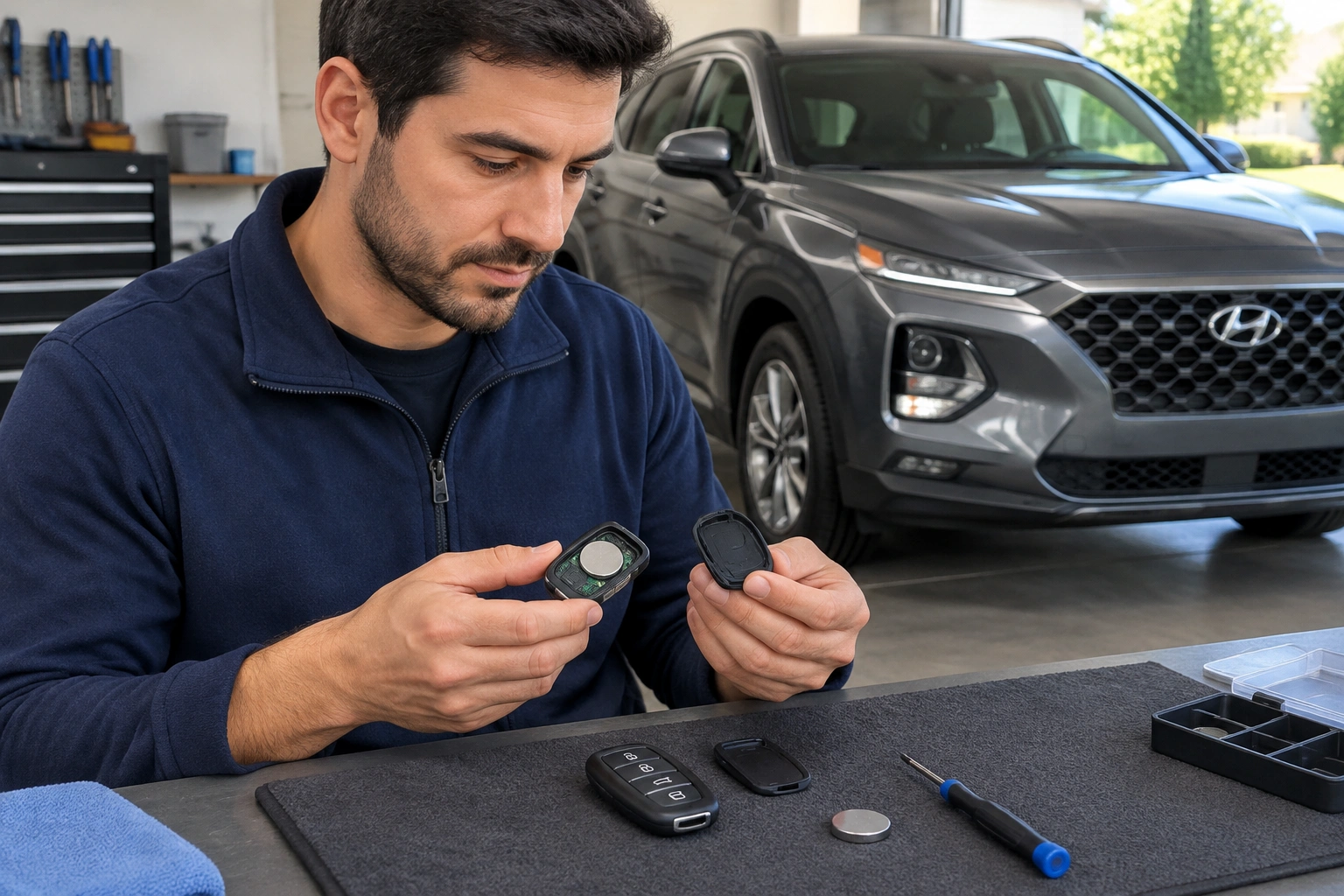
- Pry off the battery cover on the back of the smart key.
- Remove the old coin cell carefully.
- Install the new battery with the plus (+) side facing up.
- Refit the cover and make sure it snaps fully into place.
- Test the buttons immediately.
After replacement, check that the battery is seated properly and that the contacts are clean. If the battery is slightly crooked or the contacts are dirty, the fob may look “dead” even though you just installed a new battery.
If the fob still does not work after a battery swap, don’t assume the new battery is bad right away. Reopen the fob and confirm the battery orientation, contact cleanliness, and cover fit.
How to Start a Hyundai When the Smart Key Battery Is Dead
If the smart key battery is dead, you may still be able to get into the vehicle and start it using the emergency key and the backup start method.
Many Hyundai smart keys include an emergency key hidden inside the fob. That key lets you unlock the door manually. Once inside, some Hyundai models allow the fob to be placed against the start button or in a marked detection area so the car can read it even when the battery is weak or dead.
That backup method is useful when the fob battery has failed completely, but the exact procedure varies by model. Check your owner’s manual for the correct starting location and instructions for your specific Hyundai before trying to force a general method.
When Reprogramming or Resyncing May Be Needed
A battery swap fixes a lot of Hyundai key fob problems, but not all of them.
You may be dealing with a sync or programming issue if:
– The fob stopped working after a vehicle battery replacement or deep discharge
– A fresh battery made no difference
– The spare fob works, but the original does not
– The fob had been dropped, opened, or exposed to moisture
Some Hyundai models may not need any reprogramming after a battery replacement. But if the vehicle battery went dead, was disconnected, or reset, a temporary sync issue can sometimes show up.
That said, many Hyundai key fobs are not owner-programmable. If the problem is true programming rather than a simple sync issue, you may need a locksmith or dealer to complete the setup.
Intermittent or Range-Related Failure: What It Usually Means
When a Hyundai key fob works one minute and not the next, the pattern matters.
A fob that only works at close range usually points to a weak battery or interference. A fob that works from one side of the car but not the other can also suggest a signal issue. If the problem comes and goes after pressing the buttons several times, worn internal contacts are possible.
Here’s a simple example: if the doors unlock only when you’re standing right beside the driver’s door, but not from a normal walking distance, I’d check the fob battery before anything else. If the battery is new and the range is still poor, look for interference or internal fob damage.
Physical Damage, Water Exposure, or Worn Buttons
A fob that’s cracked, bent, or exposed to water may not be worth chasing with repeated battery changes.
Watch for these signs:
– Buttons that feel soft, sticky, or don’t click normally
– A cracked shell that won’t stay closed
– Corrosion inside the battery compartment
– Intermittent function after the fob has been dropped
– Moisture under the battery cover
At that point, replacement is often more practical than repair. The internal circuit board may be damaged even if the outside looks only slightly worn. If the case won’t close properly, battery contact problems can keep coming back.
Replace, Repair, Reprogram, or Call a Professional?
Here’s the decision I’d make in the real world:
| Problem pattern | Best next step | DIY possible? | Locksmith or dealer? |
|---|---|---|---|
| Short range, intermittent operation, old battery | Replace the fob battery | Yes | Not usually |
| Fresh battery but no response | Check contacts, try spare fob, test vehicle battery | Sometimes | Maybe |
| One fob works, the other doesn’t | Likely fob issue or programming issue | Sometimes | Often locksmith first |
| Cracked shell, worn buttons, water damage | Replace the fob | Limited | Yes |
| No fobs work and the car won’t detect any of them | Professional diagnosis and programming | No | Yes |
If the casing is damaged, the buttons are worn out, or there’s water intrusion, replacement usually makes more sense than trying to repair the fob piece by piece. If the electronics are fine but the issue is programming or a lost key, a locksmith is often the cheaper and faster option than a dealer. A dealer may still be the better choice when your Hyundai model needs factory-specific programming or OEM-only support.
For comparison shopping and general ownership context, Edmunds and Car and Driver both have useful consumer-focused vehicle coverage, though your Hyundai owner’s manual still matters most for exact fob procedures.
When to Consult a Locksmith
Call a locksmith when:
– You’ve replaced the battery and the fob still won’t work
– The fob needs programming or resyncing
– You lost your only working key fob
– The emergency start method doesn’t help
– The fob is damaged but the vehicle itself seems fine
Call the dealership when:
– Your Hyundai model requires specialized programming
– You need an OEM replacement and want the dealer route
– All keys are lost and you want the factory process handled end to end
– You’ve already tried the simple fixes and the car still won’t recognize the fob
A locksmith is often the more convenient first call when the issue is likely to be the fob itself. A dealer makes more sense when the vehicle-side programming path is model-specific or when you need factory-level support.
FAQ
Why is my Hyundai key fob not unlocking the car?
The most common causes are a weak fob battery, a dead fob battery, interference, or a damaged fob. Try the spare fob first if you have one.
Can I still start my Hyundai if the key fob battery is dead?
Often yes. Many Hyundai smart keys have an emergency key, and some models allow a backup start method when the fob battery is dead. Check your owner’s manual for the exact procedure.
Do I need to reprogram the key fob after replacing the battery?
Usually no, but if the fob still doesn’t work after a correct battery replacement, a resync or programming issue may be involved.
Why does the key fob work sometimes and not others?
That usually points to a weak battery, worn buttons or contacts, or signal interference.
Could a weak car battery cause the key fob to stop working?
Yes. A weak vehicle battery can affect keyless entry and push-button start behavior, especially if the car has been sitting or shows other low-power symptoms.
When should I replace the fob instead of trying to fix it?
Replace it if the casing is cracked, the buttons are worn out, there’s water damage, or the internal electronics seem unreliable even after a battery change.
Is a locksmith better than a dealer for a Hyundai key fob problem?
If you need battery help, simple replacement, or programming and want a faster or sometimes lower-cost option, a locksmith is often the practical first call. The dealer is better when your model needs specialized factory support.
