
Why Your Key Fob Battery Keeps Falling Out and How to Fix It

If your key fob battery keeps falling out, the problem is usually mechanical, not electrical. In other words, the coin cell may be fine, but something inside the fob is no longer holding it where it belongs.
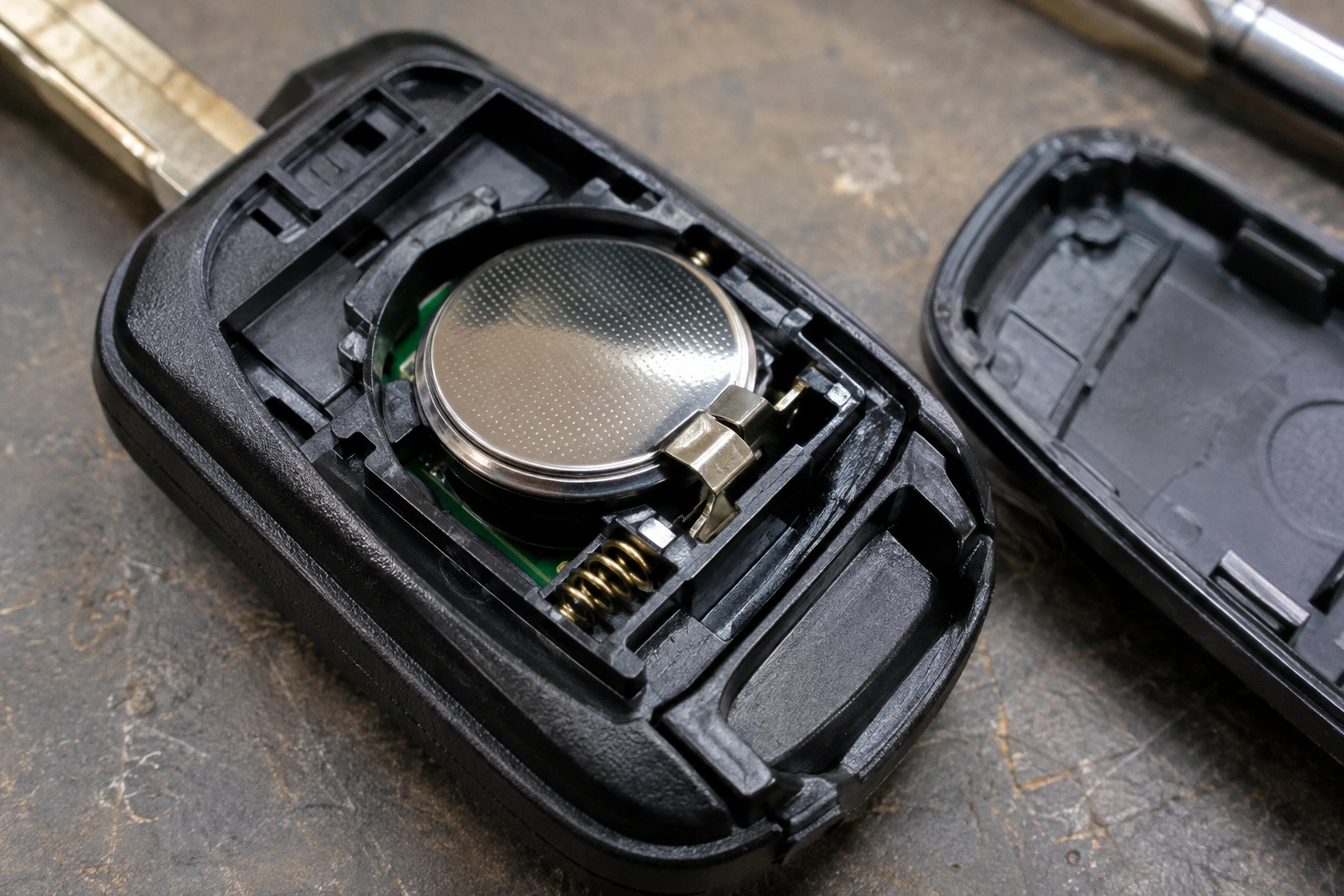
That matters because a loose battery can cause intermittent lock and unlock failures, random “dead fob” moments, or a remote that only works when you press the case together just right. I’ve seen plenty of these come down to a wrong-size battery, a bent contact, or a cracked battery tray rather than a bad battery itself.
The good news: you can usually diagnose this at home with a close look and a little patience.
Why a Key Fob Battery Falls Out
A coin cell should sit snugly in its holder. If it moves around, one of four things is usually happening:
- the battery is the wrong thickness
- the battery was installed incorrectly
- the retaining clip or spring contact is weak or damaged
- the plastic shell or tray is cracked, warped, or worn
A loose battery can behave like an intermittent electrical problem in practical terms. One moment the fob works, the next it does nothing, especially after the fob has been dropped or opened repeatedly.
If you’re also dealing with a fob that seems out of sync after the battery issue, this guide on diagnosing a key fob that’s out of sync with your car may help once the battery is seated correctly.
Check the Battery Size and Thickness First
The easiest mistake to catch is the wrong coin cell. Two batteries can look nearly identical but fit differently.
The most common comparison is CR2032 vs CR2025:
- CR2032: thicker
- CR2025: thinner
That thickness difference matters. Some fobs are designed for a specific battery thickness, and forcing the wrong coin cell can damage the retainer or prevent the case from closing properly. A fob designed for a CR2032 may let a CR2025 shift around because it doesn’t press firmly against the contacts. The battery may seem “close enough” when you drop it into the tray, but once the case is snapped shut, it can still rattle or slip out of the retainer.
Check the old battery for its printed code before buying a replacement. If the code is hard to read, compare the new battery’s thickness side by side with the old one.
Quick fit check
Hold the battery in the tray without forcing the case closed:
- If it sits flush and stays put, the size is probably right.
- If it rocks side to side, the battery may be too thin.
- If it won’t seat fully, it may be too thick or upside down.
Don’t force a thicker battery into a tray that wasn’t designed for it. That can bend the contacts, crack the shell, or damage the retainer.
Make Sure the Battery Is Installed Correctly
A battery can be the correct size and still fall out if it’s not seated the right way.
Most coin cell fobs use a spring contact on one side and a retaining lip or clip on the other. The battery needs to slide under the lip and press firmly against the contact. If it’s only partially under the clip, it may pop out the first time you close the case.
Check three things:
- Orientation — the positive and negative sides must match the markings in the fob.
- Position — the battery should sit centered in the tray.
- Retention — the edge of the battery should be caught by the holder, not just resting on top of it.
A common example: the battery works for a minute while you hold the shell together, but once you release pressure, it loses contact. That usually points to improper seating or a weak clip, not a dead battery.
Inspect the Retainer Clip, Spring Contacts, and Battery Tray
If the battery size is correct and the installation looks right, inspect the parts that actually hold it in place.
Look closely for:
- a bent spring contact
- a cracked battery tray
- a missing or broken retaining tab
- contacts that look flattened instead of springy
A spring terminal should apply pressure. If it has been bent flat from repeated battery changes, the battery may no longer stay seated. Likewise, if a retaining clip has snapped off, the battery can sit in the tray but still lift out when the fob is opened or dropped.
This is where a loose battery becomes more than an annoyance. The battery may touch the terminals only sometimes, which can lead to intermittent operation that feels random.
If the metal contact is only slightly bent, you may be able to restore a little tension with careful adjustment. If the plastic clip is broken, the fix is usually a new shell or battery holder rather than another battery swap.
Look for a Cracked, Warped, or Worn Key Fob Shell
A damaged shell can create the same symptoms as a bad battery holder.
Dropped fobs are a common culprit. Even if the case still closes, a hairline crack near the battery compartment can let the battery shift every time you pick up the remote. Warping from heat or age can also change the way the halves meet, which reduces the pressure that keeps the battery secure.
Check for:
- cracked corners around the battery pocket
- worn plastic where the battery edge rests
- case halves that no longer snap together tightly
- a battery door that feels loose or misaligned
If the shell is the problem, replacing the outer housing is often more practical than chasing the issue with tape. You keep the original electronics and swap them into a new body, which is usually cleaner than trying to build up a broken case.
For a related symptom that can show up when the fob is acting irregularly, see why a car alarm keeps going off when the key fob is involved.
Step-by-Step Fixes to Keep the Battery Secure
Use the least invasive fix first.
1. Remove the battery and inspect the tray
Take the battery out and look for debris, corrosion, or broken plastic. Even a tiny fragment of plastic can stop the battery from sitting flat.
2. Reseat the battery with the correct orientation
Place the battery exactly as the markings show. Make sure it slides fully under the retaining edge and sits level.
3. Gently restore contact pressure
If a metal contact looks flattened, very slight repositioning may help. The goal is light spring tension, not a dramatic bend. If you have to force it, stop and reassess.
4. Test the case before snapping it shut
Close the shell carefully and check whether the battery shifts. If the battery only stays in place when you press on the fob, the holder is still not secure enough.
5. Replace the shell or battery tray if damage is obvious
If the clip is broken or the tray is cracked, this is usually the durable fix.
6. Move to a full replacement fob only if needed
If the electronics are damaged too, or the housing is no longer available, a full replacement may make more sense than piecemeal repairs.
Temporary Fixes That Can Hold the Battery in Place
Sometimes you just need the fob working long enough to get through the week. In that case, a temporary stabilizer can help.
Two common short-term options are:
- thin foam
- small pieces of tape
Use them carefully. The goal is to keep the battery from shifting, not to glue the fob shut.
What works best
Place a thin piece of foam behind the battery, in the empty space opposite the spring contact or retaining clip, so it gently pushes the coin cell into the holder. If you use tape, place a small piece on the outer plastic shell or battery tray edge where it adds light pressure without covering the terminals.
What to avoid
- Don’t use thick foam or stacked tape that prevents the case from closing.
- Don’t cover the battery terminals.
- Don’t use foil, wire, conductive tape, or any metal-backed material.
- Don’t let adhesive touch the circuit board or bridge the contacts.
- Don’t create pressure that bows the circuit board.
Temporary fixes are useful when the battery is only a little loose, but they are not a substitute for a broken clip or cracked shell.
Temporary Fixes Versus Permanent Repair
| Option | Best for | Trade-off |
|---|---|---|
| Thin foam or tape | Slight battery looseness | Quick fix, but may need frequent rework |
| Contact adjustment | Weak spring tension | Works only if the metal is still intact |
| New shell | Cracked or worn housing | Costs more than tape, but restores proper fit |
| New battery tray | Broken holder or clip | Best when the electronics are still good |
| Full replacement fob | Damaged electronics or unavailable parts | Most expensive route, but sometimes the only practical one |
If the battery keeps falling out after a temporary fix, that’s a sign the underlying holder is worn out.
When to Replace the Shell, Tray, or Entire Key Fob
A replacement shell makes sense when the electronics still work but the plastic no longer holds the battery correctly. That’s often the sweet spot: better than repeated tape fixes, and cheaper than replacing a whole remote.
Replace the battery tray or holder if:
– the battery pocket is cracked
– the clip is missing
– the contacts are loose but the board is fine
Replace the entire key fob if:
– the circuit board is damaged
– the buttons are failing too
– the housing and internal supports are both worn out
– parts for your exact fob are hard to find
A simple decision rule helps here: if the battery problem is isolated to the plastic or holder, repair the shell. If the problem includes the board or multiple failing functions, consider replacing the whole unit.
How to Avoid Damaging the Circuit Board While Opening the Fob
This is where a small repair can turn into a bigger headache.
Use a plastic pry tool if you have one. Metal screwdrivers can slip and crack the shell or gouge the board. Open the fob slowly and watch for tiny parts that may spring loose, especially around the battery compartment.
A few habits help:
- remove the battery before prying when practical
- don’t twist the case apart aggressively
- keep track of small rubber pads, springs, or clips
- avoid touching the board more than necessary
If the fob has already been opened several times, the plastic tabs may be weaker than they look. One hard pry can finish them off.
When to Consult a Locksmith
A locksmith is worth considering when you need help with the shell, battery tray, or transferring the internal components into a replacement housing, especially if you’re not comfortable opening the fob yourself. That’s where they’re usually most useful.
A professional can also tell you whether the fob body is still worth saving or whether replacement is the smarter move. If the issue is tied to a broader electrical fault, it’s better to find that out before you keep buying batteries and shells.
For another helpful comparison, this article on whether a bad car battery can cause key fob problems can help you separate a loose coin cell from vehicle-side issues.
FAQ
Why does my key fob battery keep falling out after replacement?
Usually because the battery is the wrong thickness, not fully seated, or the retainer clip/contact is worn or broken.
Can I use tape to hold the battery in place?
Yes, as a temporary fix, but keep tape away from the terminals and make sure the case still closes properly.
Is a CR2025 the same as a CR2032?
No. They look similar, but the thickness is different, and that can affect how securely the battery fits.
Will a loose battery damage my key fob?
It can cause intermittent operation and may stress the contacts or shell over time, so it’s worth fixing sooner rather than later.
Do I need a new key fob if the battery keeps slipping?
Not always. If the electronics work and the issue is just the shell or holder, replacing the housing is often enough.
What if the battery fits but the fob still acts dead?
Then the battery may be losing contact inside the fob, or there may be another issue beyond the battery fit.
Can I bend the contacts back myself?
Sometimes, if the contact is only slightly out of shape. If it’s cracked, loose, or missing tension, replacement is the better path.
What’s the safest first step?
Open the fob carefully, check the battery code, and inspect the holder before buying another battery.
