
How to Resync a Key Fob to Your Car: A Practical Troubleshooting Guide

A key fob that suddenly stops working can feel like a bigger problem than it really is. In many cases, the fix is simple: replace a weak battery, resync the fob, or reprogram it using the correct vehicle-specific procedure. The tricky part is that “key fob problem” can mean several different things, and the right fix depends on whether your car uses remote keyless entry, a transponder chip, or a push-to-start smart key.
Before you start, use this quick decision tree:
- Check the battery — if the fob is weak, replace it first.
- Test a spare fob or key — if the spare works, the problem is likely in the original fob.
- Confirm whether your vehicle supports self-programming — check the owner’s manual or a vehicle-specific guide.
- Choose the next path — try DIY resync/reprogramming if the vehicle supports it; otherwise, contact a locksmith or dealer for professional programming.
I’m Jason Carter, and after years around car electronics, I can tell you this: diagnose first, then try a resync only if the symptoms point that way. That saves time, avoids unnecessary parts, and helps you know when the issue is really on the car side.
Quick diagnosis: is it out of sync, low on battery, or damaged?
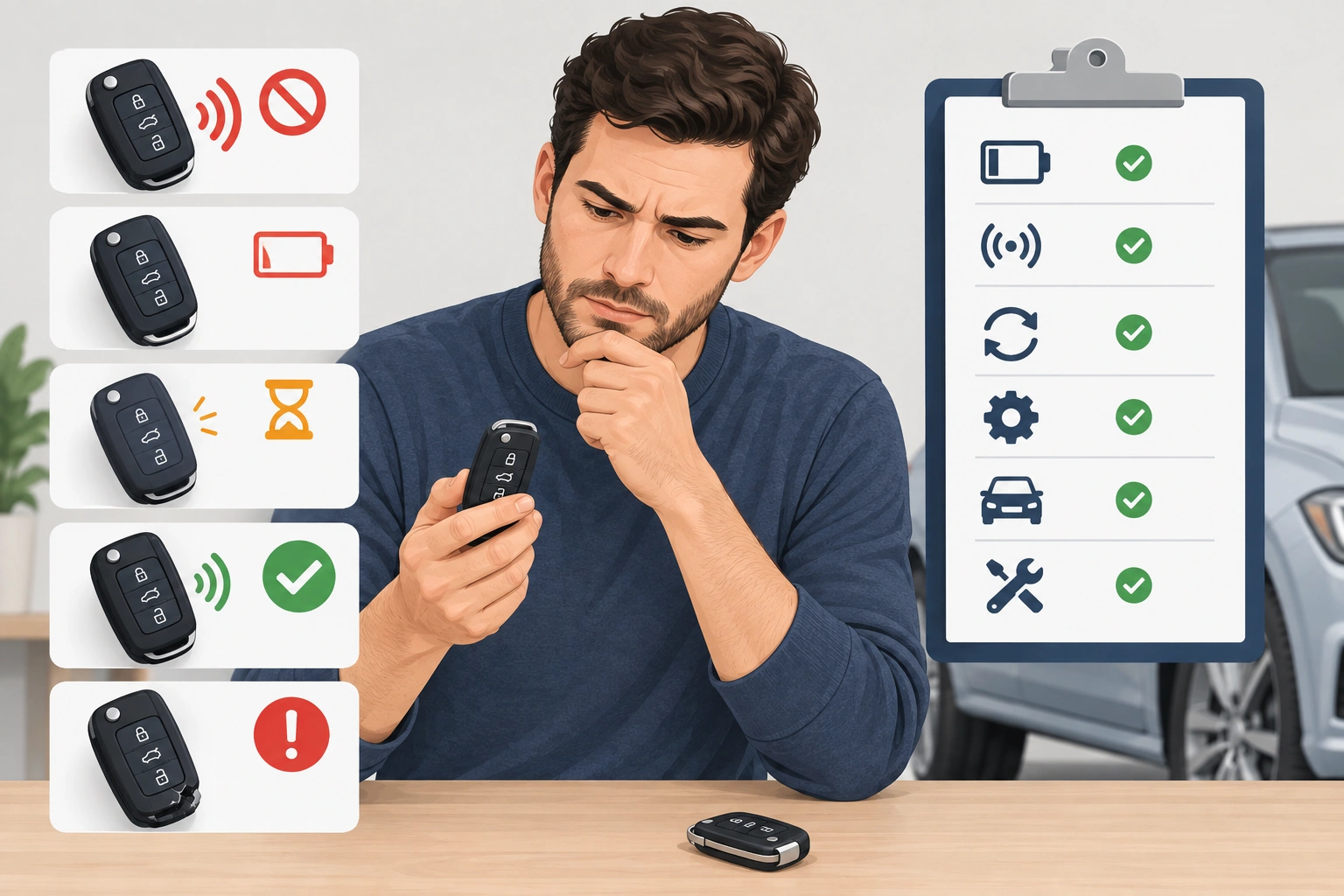
Before you try any programming steps, look at what the fob still does.
| Symptom | Most likely cause | What to try first |
|---|---|---|
| Buttons work only sometimes | Weak fob battery or poor battery contact | Replace the battery and check the contacts |
| Lock/unlock stopped after battery change | Fob lost sync or battery installed incorrectly | Recheck battery orientation, then resync |
| Doors unlock, but car won’t start | Immobilizer or transponder issue, not just remote entry | Test with the spare key or follow vehicle-specific start programming |
| Panic button works, but lock/unlock doesn’t | Partial fob function or button/contact issue | Inspect the fob shell and buttons |
| Nothing works at all | Dead battery, damaged fob, or vehicle-side issue | Replace battery first, then test a spare fob |
The most useful clue is whether the fob still does anything at all. If the panic button, lock light, or one of the buttons still responds, the fob may not be dead. If it worked yesterday and stopped right after a battery swap, the battery may be fine but the fob may need to be resynced.
A useful comparison: remote lock/unlock and engine start are not always controlled by the same system. On some vehicles, the remote entry portion can fail while the immobilizer still recognizes the key, or the reverse can happen. If your doors unlock but the push-to-start system refuses to crank, that usually points away from a simple remote-battery issue and toward a pairing or immobilizer problem. I cover that in more detail in this guide on when a key fob unlocks doors but the car still won’t start.
Check the battery before you re-sync anything
A weak battery is the easiest problem to rule out, and it causes more confusion than people expect. A fob can seem “out of sync” when the battery is really just too weak to send a reliable signal. Make sure you use the correct replacement battery for the fob and confirm it is seated and oriented properly after installation.
Here’s the practical order I use:
- Open the fob carefully.
- Replace the battery with the correct type for that fob.
- Make sure the battery is seated flat and oriented correctly.
- Reassemble the fob firmly.
- Test lock, unlock, and panic.
If the fob starts working again after the battery swap, you probably did not have a sync issue at all. If it still fails, the battery replacement may have exposed the real problem: lost programming, worn contacts, or a damaged fob.
One simple warning: if the battery compartment looks corroded, bent, or loose, don’t assume a new battery will solve it. A poor connection can mimic a dead battery every time.
For more on the battery side of the problem, see why a key fob won’t lock the car after a battery change and why your key fob won’t unlock the car after a battery change.
Can your car be reprogrammed at home?
This is the decision point that saves the most frustration. Some vehicles allow self-programming or a simple resync procedure. Others require dealer equipment, a locksmith tool, or an existing working key.
A good rule: if your owner’s manual or manufacturer instructions describe a programming sequence you can do yourself, try that first. If your vehicle requires a scan tool, security access, or a special immobilizer procedure, stop before you waste time on guesswork.
You may also need:
– a working spare key
– a second fob
– the original key, not just an aftermarket replacement
– access to the vehicle interior with all doors closed
Some vehicles won’t enter programming mode unless a spare key is present or a specific sequence is completed within a short time window. Others will accept additional fobs only after the first one is recognized.
Signs DIY support is more likely:
– the owner’s manual has a “program remote” or “program key fob” section
– the vehicle uses a basic remote keyless entry system
– the procedure only asks you to cycle the ignition or press a sequence of buttons
– you already have a working key or fob and the manual says additional remotes can be added
Signs you likely need a locksmith or dealer:
– the vehicle uses a smart key or push-to-start system and the manual does not provide a home procedure
– the car says “key not detected” even with a known-good fob
– the immobilizer light stays on or flashes after battery replacement
– the fob will unlock doors but the car will not start
– the vehicle needs a scan tool, security code, or module initialization
– all fobs stopped working at once, which can point to the car’s receiver or immobilizer system rather than the fob itself
If you’re unsure whether your vehicle supports DIY programming, check the owner’s manual first. If the manual is unavailable, look for the exact year, make, and model in the manufacturer’s support pages or a vehicle-specific repair source before trying random button sequences.
For broader guidance on vehicle electronics and key-related issues, the NHTSA is a solid starting point for official safety and owner information, while Edmunds and Car and Driver often explain newer keyless systems in plain language.
How to resync a key fob to your car
Because procedures vary so much, the safest way to think about this is as a framework, not one universal sequence. Your exact steps may differ, but most DIY resync methods follow the same pattern.
Example: a common DIY-style remote resync pattern
On some older vehicles with basic remote keyless entry, the process is similar to this:
- Sit in the driver’s seat with the doors closed.
- Insert the key and turn it to the ON position, then back to OFF in the sequence specified by the manual.
- Wait for a confirmation sign such as a chime, lock cycle, or indicator flash.
- Press the button on the fob you want to program, usually the lock or unlock button, exactly as the manual directs.
- Repeat for any additional remotes if the vehicle supports more than one.
- Exit programming mode and test all functions.
That is only an example of the kind of sequence many vehicles use. Exact steps vary by make, model, and year, and some vehicles use a completely different process.
For vehicles with a documented procedure, use the exact steps in the owner’s manual or manufacturer instructions. If the vehicle does not provide a self-programming method, do not keep guessing at random button presses.
One important distinction: some cars allow remote entry resync at home, but not immobilizer or smart-key programming. In those cases, you may be able to restore lock/unlock yourself while still needing professional help for start authorization.
How to confirm the resync worked
Don’t stop at one button press. A successful resync should be verified in more than one way.
Test these functions if your vehicle has them:
– Lock
– Unlock
– Panic
– Remote start
– Push-to-start ignition
– Trunk or hatch release
If the doors lock and unlock but the car still won’t start, the remote side may be fixed while the immobilizer side still needs attention. That’s a common split-system problem on newer vehicles.
A good test sequence is:
1. Stand near the car and test lock/unlock.
2. Move a little farther away and test again.
3. Try the start function if your vehicle uses one.
4. Compare the result with a spare fob, if available.
If the fob only works when you’re right next to the car, the battery may still be weak or the fob signal may be marginal. If it works inconsistently, the problem could be the fob shell, worn buttons, or the car’s receiver.
If the resync fails: most likely causes and next fixes
When a DIY attempt doesn’t work, the most likely explanation is usually not “the whole car is broken.” It’s usually one of these:
1. The wrong procedure was used
This is the most common failure point. A sequence that works on one model may do nothing on another, even if the vehicles are from the same brand.
2. The battery is still the problem
A new battery that is installed backward, loose, or the wrong size can make the fob seem unprogrammed.
3. The aftermarket fob is not fully compatible
Aftermarket replacement fobs can be cheaper, but they sometimes support lock/unlock and still fail to start the car. That usually means the remote portion and immobilizer portion are not fully matched to your vehicle.
4. The transponder chip is damaged
If the fob was dropped, crushed, or exposed to water, the shell may look fine while the chip inside is no longer readable.
5. The car-side receiver or security module has an issue
If multiple fobs fail at once, the problem may be in the vehicle rather than the remote.
A practical troubleshooting move is to test a spare fob if you have one. If the spare works and the main fob doesn’t, the problem is in the fob. If neither works, look harder at the car-side system. If the vehicle uses a smart key or immobilizer-based start system and you have no working spare, that is a stronger sign that scan-tool or dealer/locksmith programming may be required.
When you need a dealer or locksmith
Stop DIY attempts and get professional help if:
– your vehicle requires scan-tool programming
– the fob is a smart key tied to the immobilizer and the manual doesn’t provide a home procedure
– you need a security reset or module programming
– the vehicle won’t recognize any fob at all
– the fob is physically damaged, water-damaged, or missing parts
– you’ve tried the correct procedure and confirmed the battery is good
– the car needs a second working key or fob that you do not have
An automotive locksmith can often handle programming that a home procedure cannot. A dealer may be the better route if the vehicle needs factory-level access or module pairing.
If the car unlocks but won’t start, don’t keep pressing the buttons hoping it will “wake up.” That usually doesn’t solve an immobilizer pairing problem and can waste time when the issue needs proper programming.
Replacement fob vs. resync: which makes sense?
If the fob is healthy and the issue is just lost sync, resyncing is the logical first move. If the fob is damaged, incompatible, or still dead after battery and programming attempts, replacement starts to make more sense.
Here’s the trade-off:
- Resync the existing fob if it still has good buttons, a clean battery compartment, and no water damage.
- Choose an OEM replacement fob if you want the best chance of full feature compatibility.
- Consider an aftermarket fob if cost matters and you’re comfortable verifying compatibility carefully.
- Replace and program professionally if the vehicle uses a more complex immobilizer or smart-key system.
A real-world example: an aftermarket fob might unlock the doors but fail to start the car. That usually means the remote feature is only partially compatible, or the immobilizer portion wasn’t properly programmed. In that case, buying the cheapest replacement can cost more in the end if you still need a dealer or locksmith.
Common mistakes that prevent a successful resync
A few small mistakes cause a lot of failed attempts:
– using the wrong fob for the vehicle
– skipping the exact timing in the procedure
– leaving a door open when the car expects it closed
– forgetting to remove a weak battery before testing
– assuming lock/unlock and start use the same programming method
– testing only one function and calling it fixed too early
If you’re following a guide and nothing happens, go back and check the small details. Many “failed” resyncs are really missed steps.
FAQ: common key fob resync questions
Does replacing the battery always fix the problem?
No. A battery swap fixes a lot of key fob issues, but not all of them. If the fob lost programming or the chip is damaged, you’ll still need resyncing or replacement.
Why did my key fob stop working after a battery change?
That usually means the battery was installed incorrectly, the contacts aren’t seated well, or the fob needs to be reprogrammed for that vehicle.
Do I need a working key to resync a fob?
Sometimes yes, sometimes no. Some vehicles require a spare key or second fob to enter programming mode.
Why does my fob unlock the doors but not start the car?
That often means the remote entry function is working, but the immobilizer or transponder side is not paired correctly.
Can I resync every key fob at home?
No. Some vehicles allow it, but many newer systems require dealer or locksmith programming.
How do I know if the fob is dead or just out of sync?
If the battery is good and the buttons still produce some response, the fob may be out of sync. If nothing works at all, the battery, fob, or vehicle receiver could be the issue.
Final check before you buy a new fob
If the battery is fresh, the vehicle-specific procedure was followed, and the fob still won’t respond, the next step depends on what you learned from testing. Replace the battery again only if you suspect a bad install or poor contact. If a spare works, retry DIY programming on the original fob. If no fob works, or the vehicle uses a smart key or immobilizer system that won’t enter self-programming mode, contact a locksmith or dealer for professional programming.
