
Key Fob Range Problems After Battery Replacement: How to Diagnose the Real Cause

If your key fob range got worse right after a battery swap, the battery is only one possible suspect. A fresh battery can be the fix — but it can also expose a weak contact, a dirty battery compartment, a bad replacement cell, or a vehicle-side issue that was already waiting in the background.
The good news is that most post-battery range problems can be narrowed down at home with a few simple checks. You do not need to tear the fob apart or jump straight to a dealer visit. The trick is to test the easy, high-probability causes in the right order.
Quick diagnosis: what the range problem looks like
The symptom pattern matters.
If the fob still works, but only when you stand close to the car, that usually points to weak power delivery, poor contact, or a marginal battery. If it works sometimes and fails other times, I’d look harder at the battery seating, dirty terminals, or internal wear inside the fob. If the fob suddenly does nothing at all after the battery change, then the battery orientation, contact pressure, or a dead replacement cell moves to the top of the list.
That distinction helps you avoid replacing parts blindly. A weak-range problem is not the same as a complete failure, and the fix is often different.
Most likely causes, ranked from easiest to least likely
Here’s the order I’d check them in:
- Wrong battery type or voltage
- Battery installed backward or not seated firmly
- Dirty, bent, or corroded contacts
- A defective or low-quality replacement battery
- Signal interference or environmental range limits
- Fob resync or reprogramming issue
- Vehicle receiver or antenna problem
- Internal fob hardware failure
That order saves time because the first four are common, cheap to check, and easy to miss. A fresh-looking battery can still be the wrong size, the wrong thickness, or simply poor quality.
Step 1: Confirm the replacement battery is the correct type and voltage
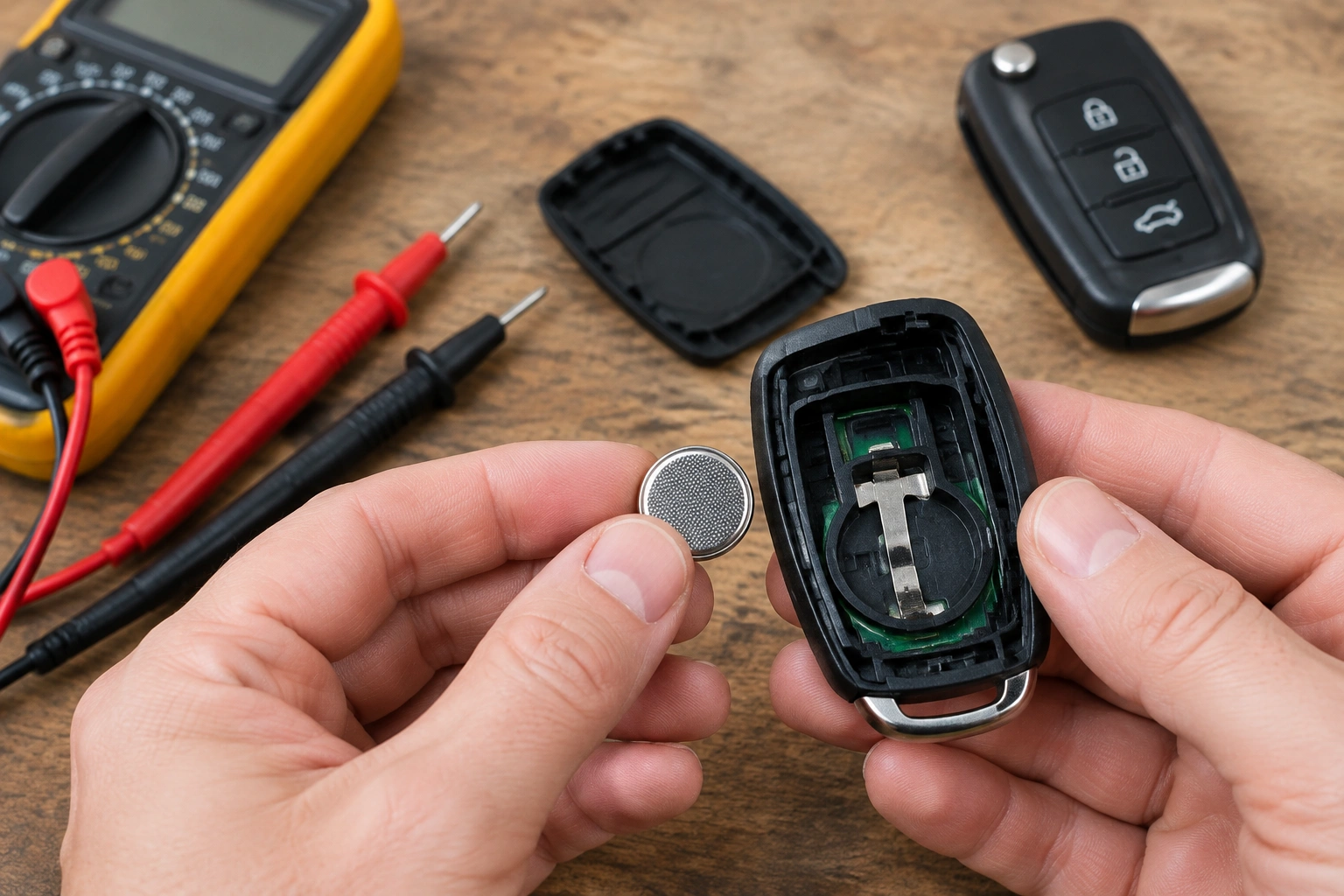
Most key fobs use a coin-cell battery, but not all use the same one. CR2032 is common, yet some fobs use a different coin-cell size or thickness. The exact battery type matters because even a battery that looks close can sit loosely or make weak contact.
Check the old battery part number and compare it with the owner’s manual or the battery label in the fob. If the manual calls for a CR2032, don’t assume a CR2025 or CR2016 will behave the same way just because it fits in the tray. A thinner cell may power the fob at first, but the contact pressure can be weak enough to reduce range or make the remote intermittent. When possible, the replacement should match the old battery’s size and thickness exactly, not just the voltage.
Also pay attention to voltage and battery quality. A low-cost battery from old stock may test “okay” on a basic meter and still perform poorly under load. That kind of problem can show up as short range, delayed response, or a fob that only works when you’re very close to the car.
For a related symptom where the car does not detect the key after a battery swap, see our guide on what to check when a key fob is not detected after replacing the battery.
Step 2: Check battery orientation, fit, and contact pressure
A battery can be the correct type and still be installed poorly.
Open the fob again and look at the polarity markings. The positive side is usually marked with a “+” and should face the side shown in the fob housing. If the battery is reversed, the fob may fail completely or act strangely.
Now check how firmly the battery sits in the tray. It should not rattle or sit at an angle. If the cell is loose, one terminal may only touch intermittently when you press the case together. That can create the classic “works from one foot away, not across the parking lot” complaint.
A simple at-home check is to press the case halves together or reseat the battery and see whether the range changes. If the fob works better when squeezed or after the cell is reseated, that points to a contact problem rather than a dead battery.
If the battery compartment has a retaining clip, make sure it is actually holding the cell down. I’ve seen fobs where the battery was technically the right part, but the edge was riding high enough to lose solid contact. Re-seating the cell fixed the range immediately.
Step 3: Inspect the battery contacts and fob interior
If the battery is correct and seated properly, inspect the metal contacts inside the fob. Look for:
- white or greenish corrosion
- dust or pocket debris
- bent spring contacts
- cracked plastic around the battery tray
- signs the circuit board shifted when the case was opened
A little dirt can cause a lot of trouble. The fob transmitter needs stable power, and even slight resistance at the contacts can weaken the signal enough to cut range.
Clean the contacts gently with a dry cotton swab or a small amount of isopropyl alcohol on a swab if the surfaces look dirty. Do not scrape aggressively or bend the terminals unless you are sure of what you’re doing. The goal is to improve contact, not damage the board.
If you see battery leakage or heavy corrosion, stop using that battery and replace it safely. Corrosion can spread and damage the board beyond a simple cleaning fix.
Step 4: Rule out a defective or weak new battery
A new battery is not automatically a good battery.
This is where a lot of people get misled. The package says “fresh,” but the cell may have been sitting on a shelf for a long time, stored badly, or sold as a low-quality replacement. A Toyota Nation forum post described a non-smart key fob that showed reduced range, then stopped working after battery replacement even though both the old and new batteries still had voltage when tested. That kind of case is a good reminder that voltage alone does not always tell the full story.
The simplest test is to try a known-good battery from a reliable source. If the fob immediately regains normal range, the first battery was the issue. If nothing changes, keep moving down the checklist instead of buying another coin cell right away.
Cheap battery vs quality battery is a real trade-off here. The cheaper option saves a few dollars up front, but a better battery often gives you more consistent output and fewer headaches. I’d rather see someone spend a little more on a reputable brand than troubleshoot the same problem twice.
Step 5: Check for signal interference and environmental range limits
Sometimes the fob is fine, and the environment is the problem.
Parking garages, dense urban areas, nearby electronics, and even some buildings can reduce remote range. Cold weather can also make battery performance less predictable. If your fob works normally at home but seems weak only in one location, that points more toward interference than a broken remote.
This is where a quick comparison helps. Test the fob:
- in your driveway
- in an open parking lot
- next to the driver’s door
- from the same distance in a different location
If the range changes a lot from place to place, the fob may not be the failure point at all. That saves you from replacing parts that are still working.
For a broader look at vehicle electronics and key system issues, Edmunds’ car maintenance resources can help you understand how battery and electrical problems can show up in everyday use.
Step 6: Try a resync or reprogramming step if the fob still acts up
Some vehicles may need a resync after battery replacement, but not every fob does. I would not assume reprogramming is required unless your owner’s manual or OEM instructions say so.
If your vehicle does call for a resync, follow the exact procedure in the owner’s manual or the manufacturer’s service information. Avoid generic reset steps you find online unless they are clearly specific to your make and model.
That said, if the battery is correct, the contacts are clean, and the fob still has weak or inconsistent response, a resync can be worth checking. If the vehicle responds to the fob in a limited way but range is still poor, a synchronization issue may be part of the problem.
Step 7: Use a spare key fob to isolate the problem
A spare fob is one of the fastest diagnostic tools you have.
If the spare works normally from the same distance, the problem is probably in the original fob, not the car. That points you back to the battery compartment, contacts, internal circuitry, or case damage.
If both fobs have poor range, the odds shift toward the vehicle’s receiver or antenna. That is a big clue because it changes the repair path completely. At that point, replacing the battery again will not help.
This is also where you can separate “fob issue” from “car issue” without special tools. If one remote works and the other doesn’t, the vehicle is probably fine. If neither remote behaves correctly, the car may need diagnosis.
When the problem is likely in the vehicle, not the fob
If both key fobs suddenly lose range, or both stop responding in the same way, I’d suspect the vehicle-side system.
A vehicle-side issue is more likely when:
- both fobs act the same
- the range problem appeared suddenly
- the issue persists after a known-good battery
- the fob works only inconsistently from very close range
In that situation, the likely causes are the vehicle’s receiver, antenna, or related security module rather than the locks themselves. If those components are not receiving or processing the signal correctly, the fob can seem weak or dead even when the remote is fine.
If you’re seeing those signs, the car may need professional diagnosis rather than more battery swaps.
For a deeper related problem where the car does not recognize the remote after a battery change, see car key not detected after battery change.
When to repair, replace, or reprogram the key fob
Use this simple decision rule:
- Reinstall or replace the battery if the wrong type, wrong orientation, or weak contact is likely.
- Clean the contacts if the battery is correct but the fob is intermittent or sensitive to how the case is pressed together.
- Try a resync if the battery and contacts look good but the fob still behaves inconsistently.
- Replace the fob housing or internal parts if the case is cracked, the contacts are worn, or the board shows damage.
- Replace the whole fob if the electronics are failing and repair is not practical.
A fob that only works when squeezed together is usually telling you something specific: the problem is mechanical, not just electrical. That’s a strong sign the case clips, battery tray, or contact springs have worn out.
When to consult a locksmith
Call a locksmith or dealer when basic troubleshooting does not restore range, especially if both fobs are affected or the vehicle-side receiver seems suspicious. A locksmith can often confirm whether the problem is in the remote, the car, or the programming without you having to guess.
That’s the point where DIY stops being the most efficient option. If you have already checked battery type, orientation, contact fit, interference, and a spare fob, professional diagnosis is the next sensible move.
For general vehicle safety and electrical-system awareness, the NHTSA homepage is a reliable place to start when you want official automotive guidance.
FAQ: key fob range issues after battery replacement
Why is my key fob range worse after I changed the battery?
The most common reasons are the wrong battery type, poor battery contact, a weak replacement battery, or dirt/corrosion inside the fob. Environmental interference can also make the range seem worse than it really is.
Do I need to reprogram the key fob after battery replacement?
Not always. Some vehicles may need a resync or reprogramming step, but many do not. Check the owner’s manual or OEM instructions before assuming the remote needs programming.
Can a brand-new battery still be bad?
Yes. A replacement battery can be old stock, low quality, counterfeit, or partially depleted. If a known-good battery fixes the issue, the first battery was likely the problem.
How do I tell if the problem is the fob or the car?
Use a spare key fob. If the spare works normally, the original fob is the likely culprit. If both fobs have the same weak range, the vehicle’s receiver or antenna may need attention.
When should I replace the whole key fob?
Replace the whole fob when the case is damaged, the contacts are worn, the circuit board is failing, or troubleshooting shows the battery is not the real issue. If the fob is physically worn out, another battery will not solve it.
What if the fob only works when I’m very close to the car?
That usually points to weak contact, a marginal battery, or internal wear in the fob. If both fobs behave that way, the vehicle-side receiver, antenna, or security module becomes more suspicious.
Should I try cleaning the contacts myself?
Yes, if the contacts just look dusty or lightly oxidized. Clean gently and avoid bending the terminals. If you see heavy corrosion or leakage, stop and consider replacement.
