
How to Reset a Car Key Fob Without Guesswork

If your key fob suddenly stops locking, unlocking, or starting the car, don’t assume the whole unit is dead. In many cases, the fix is as simple as replacing the fob battery or resynchronizing the remote with the vehicle. In other cases, the fob needs full reprogramming, which is a different job entirely.
The trick is figuring out which problem you actually have before you waste time pressing buttons in the wrong sequence.
Quick decision guide: battery, DIY resync, or dealer/locksmith?
Use this simple path before you try any reset steps:
| What you notice | Most likely next step | DIY? |
|---|---|---|
| Weak range, intermittent response, dim or no LED | Replace the fob battery first | Yes |
| Fob stopped working after a fob battery change or vehicle battery event | Try a vehicle-specific resync from the owner’s manual | Sometimes |
| Fob still won’t work after a fresh battery and manual-based resync | Check whether the vehicle needs full reprogramming | Often no |
| Smart key, proximity key, immobilizer issue, or all keys lost | Call a dealer or automotive locksmith | Usually no |
Plain-language distinction:
– Reset / resync = restoring communication between a fob that already belongs to the car and the vehicle.
– Reprogramming = teaching the car to recognize the fob again, or adding a fob to the system.
– Immobilizer-related problems = the car may see the remote, but not accept it for engine start.
Quick diagnosis: battery, lost sync, or bigger programming issue?
A key fob that works only at very short range, needs multiple button presses, or acts flaky after a battery replacement usually points to a weak fob battery. A fob that worked yesterday and stopped after the vehicle battery died, was disconnected, or was replaced is more likely to need resynchronization.
If the remote buttons do nothing at all, even from close range, check the fob battery first. If the buttons light up an LED but the car still ignores the remote, the fob may have power but lost its pairing. If the car recognizes a backup fob but not your main one, that’s a strong sign the problem is in the fob itself, not the car.
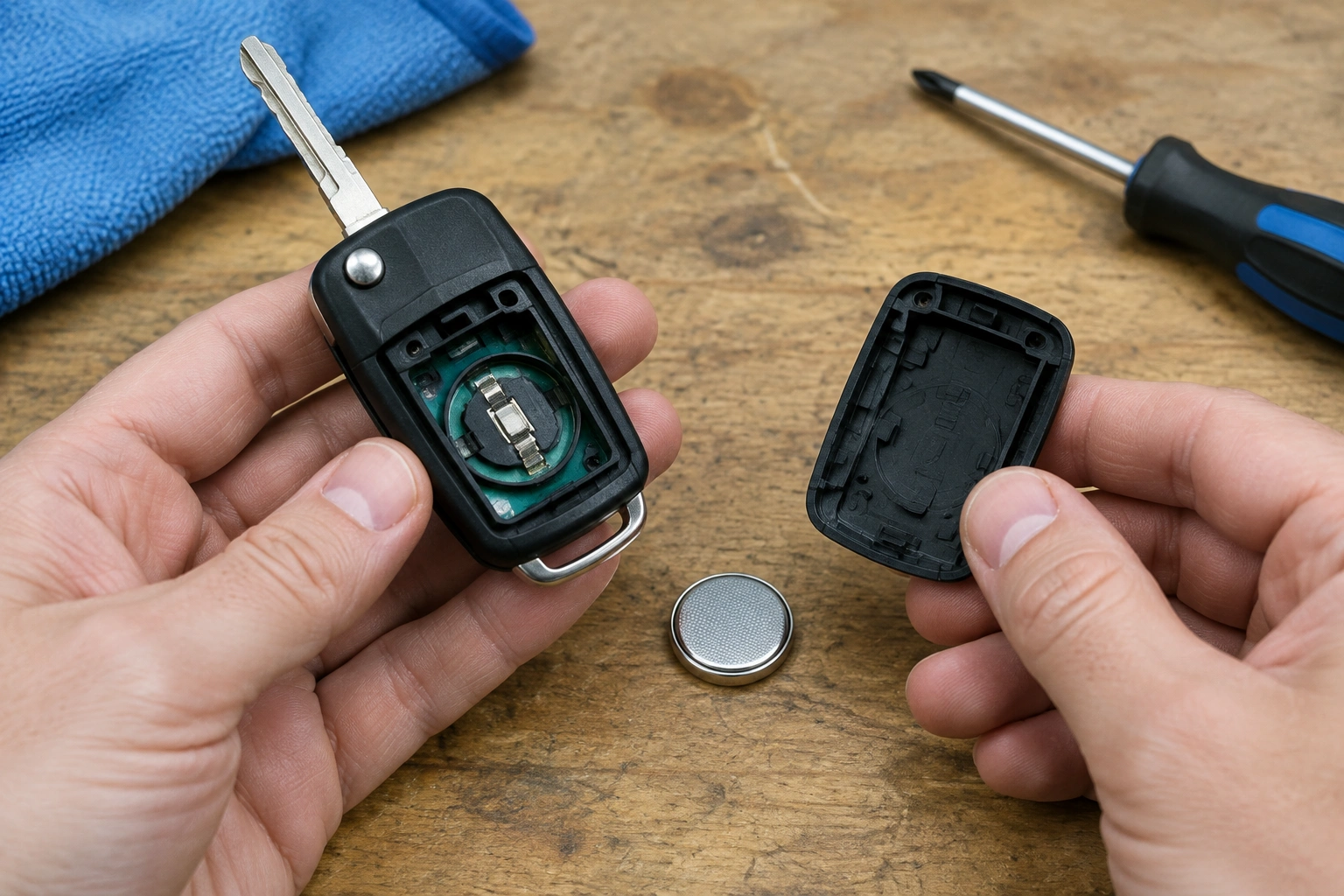
A useful rule: battery problems usually affect range and consistency. Sync problems usually affect communication with the car. Full programming issues often show up when the car won’t accept the fob at all, especially on smart key and push-button start systems.
Signs your key fob needs a battery replacement vs a reset
A weak key fob battery and a lost sync can look similar at first, but the clues are different.
Signs the battery is likely the problem
- The remote works only when you stand very close to the car.
- One button works and another doesn’t.
- The LED on the fob is dim or doesn’t light up.
- The remote gets worse over a few days or weeks instead of failing all at once.
Signs a reset or resync may be needed
- The fob stopped working right after a battery change in the fob.
- The car battery died, was disconnected, or went flat.
- The remote still has power, but the vehicle doesn’t respond.
- The backup fob works normally, but the main one does not.
A battery swap is cheap and fast, but it won’t fix a lost pairing. A reset can restore communication, but only if your vehicle supports that procedure. Some cars need a simple owner-level sync; others need dealer-level programming.
If you’re still unsure whether the vehicle battery is involved, our guide on can a bad car battery cause key fob problems explains the common symptoms in more detail.
Before you start: check the vehicle battery, backup fob, and basic conditions
Before trying any reset sequence, confirm the basics. A weak car battery can create confusing symptoms, especially on vehicles with remote keyless entry or smart key systems.
Here’s the short checklist I use:
-
Try the backup fob.
If the spare works, the car is probably fine and the problem is isolated to the main fob. -
Check the vehicle battery.
If the dash is dim, the car cranks slowly, or electronics act odd, deal with the car battery first. A weak vehicle battery can disrupt remote operation and push-button start behavior. Our article on weak car battery and key fob issues covers that connection. -
Replace the fob battery if it’s old or questionable.
If the remote has been acting weak for a while, put in the correct battery type before you attempt a sync. -
Close all doors and sit in the driver’s seat if the procedure calls for it.
Some vehicles won’t enter programming mode with a door open or the wrong electrical state. -
Keep the other fob away from the car.
On some models, a nearby spare can interfere with the programming process.
That last point matters more than people think. I’ve seen owners chase a “bad” fob for an hour when the spare was sitting in a jacket pocket inside the house and confusing the system.
How to reset or resynchronize a car key fob
This is where caution matters: there is no universal reset method that works on every car. The exact sequence depends on the make, model, and year. Some vehicles use an ignition-key pattern. Some use lock-button timing. Others require a push-button start sequence or a dealer scan tool.
The steps below are examples only. Before trying any DIY sequence, match the procedure to your exact vehicle’s owner’s manual or OEM service information. If your manual does not list a user-level reset or resync, stop there and move to professional help.
Step 1: confirm the fob has power
If your fob has an LED, press a button and see whether it lights up. That only tells you the remote has some power; it does not prove the car will accept it. If there’s no light at all, replace the fob battery first.
Step 2: look for a manual-listed resync procedure
Some vehicles allow an owner-level resync after a battery change or vehicle battery disconnect. The manual may describe:
– a lock/unlock cycle with the driver door
– an ignition ON/OFF pattern
– a push-button start sequence
– a key-slot or backup-start location inside the cabin
If your owner’s manual gives a sequence, use that exact sequence rather than a generic online pattern.
Step 3: try only the procedure that matches your vehicle
A few common examples appear below, but they are not universal.
- Example ignition ON/OFF resync: some older vehicles use an ignition pattern and a lock button press to re-establish communication after a battery change.
- Example repeated cycle procedure: some vehicles use multiple ON → button press → OFF cycles to enter programming mode.
- Example smart-key procedure: some push-button start models require the fob to be inside the cabin or in a specific slot before the car will learn it.
Step 4: confirm whether the vehicle responded
A successful resync is usually signaled by one of these:
– door locks cycle
– hazard lights flash
– the car enters a programming mode
– the remote functions return normally
If nothing changes, do not keep repeating random sequences. That usually means the procedure is wrong for your vehicle, or the system needs full reprogramming.
If the reset fails: what to try next
If the first attempt doesn’t work, don’t just repeat the same steps blindly. Work through the likely failure points.
Replace the fob battery again if needed
A fresh battery can still be the wrong battery. Make sure the replacement matches the fob’s required type and is installed with the correct polarity. If the battery contacts are dirty or bent, the remote may power up inconsistently.
Retry with all doors shut and the vehicle battery healthy
Some vehicles won’t enter programming mode if a door is open, the hood is open, or the battery voltage is too low. If the car has been sitting, put a charger on the vehicle battery or confirm it’s fully charged before trying again.
Keep the backup fob away
A second programmed fob can sometimes interrupt the learning process. Try the procedure with only the problem fob present.
Look for a vehicle-specific procedure
If your car is newer, uses a smart key, or has an immobilizer-linked system, the correct method may not be a DIY sequence at all. At that point, the owner’s manual or OEM service information is the safest source.
Test whether the issue is remote-only or start-related
If the remote buttons work but the car still won’t start, the issue may involve the transponder chip or immobilizer, not the lock/unlock function. That’s a different fault path. Our guide on car key fob turns on but won’t start engine explains what to check next.
When reprogramming is required instead of a simple reset
A reset or resynchronization usually restores communication between the remote and the car. Full reprogramming goes further. It teaches the vehicle to recognize the fob’s identity, which is often necessary after certain replacements or on more advanced systems.
You’re more likely to need full reprogramming when:
– the fob is part of a push-button start or proximity key system
– the transponder chip is involved in engine starting
– the car lost all key memory after electrical work
– the fob was replaced, not just resynced
– the vehicle requires a dealer diagnostic tool or security access
Think of it this way: a reset is like reconnecting a device that already belongs to the car. Reprogramming is like enrolling a new device into the system.
That difference matters because a reset may restore lock and unlock functions, but it may not solve a no-start issue if the car isn’t sensing the key properly.
When to call a dealer or locksmith
Call a dealership or automotive locksmith when the DIY steps stop making sense or the car’s security system is involved.
Professional help is usually the right move if:
– the vehicle uses a smart key or proximity system and won’t enter programming mode
– the fob is completely dead even after a fresh battery
– the backup fob works but the main one won’t sync
– the car has lost all programmed keys
– the immobilizer is preventing the engine from starting
– the owner’s manual says a scan tool or security code is required
A locksmith with the right equipment can often program an OEM key fob or diagnose whether the problem is the remote, the vehicle receiver, or the immobilizer. A dealer may be necessary for some systems, especially when security access is locked down.
For background on how vehicle battery health can trigger these symptoms, NHTSA’s consumer guidance on car battery and electrical issues is a useful starting point. If you want a broader consumer explanation of keyless-entry behavior, Edmunds’ car tech coverage is also worth a look.
How to prevent key fob problems after battery changes or low-voltage events
The easiest way to avoid repeat problems is to be careful during battery changes and low-voltage events.
- Replace the fob battery before it gets weak enough to act erratic.
- Use the correct battery type and install it the right way around.
- Keep the spare fob in a separate place so it doesn’t interfere during programming.
- Avoid letting the vehicle battery drain completely if you can help it.
- If the car battery has been disconnected, check the remote before you assume the fob failed.
- Save the owner’s manual procedure for your exact model in case you need it again.
One small habit saves a lot of hassle: test the remote immediately after a battery change while you’re still near the car. If it fails, you’ll know right away whether you need a resync instead of discovering the problem later in a parking lot.
FAQ
Do I need to reprogram my key fob after replacing the battery?
Usually no. In many vehicles, a battery replacement only requires the fob to be checked and, if needed, resynchronized. If the remote stops working right after the swap, the issue may be the vehicle-specific reset procedure rather than the battery itself.
Will a dead car battery cause my key fob to stop working?
It can. A weak or disconnected vehicle battery may disrupt the car’s ability to recognize the fob or enter programming mode, especially on smart key systems.
How do I know if the problem is the fob battery or the programming?
If the range is weak and the buttons act intermittently, suspect the fob battery. If the fob has power but the car ignores it after a battery event or reset, suspect lost sync or reprogramming.
Can I reset a key fob myself?
Sometimes. Many older vehicles allow owner-level reset or resynchronization steps, but newer smart key systems often require dealer or locksmith programming.
Why does my key fob unlock the car but not start it?
That usually points to a transponder or immobilizer issue, not just the remote buttons. The car may be receiving the lock/unlock signal but not recognizing the key for engine start.
What if none of the reset methods work?
Stop guessing and check the owner’s manual for the exact vehicle procedure. If that still doesn’t solve it, the fob may need professional programming, or the fob itself may be damaged.
The good news is that a dead key fob battery, a lost sync, and a full programming problem all have different fixes once you separate them. That’s the part that saves you time and keeps you from replacing parts you didn’t need.
