
Mazda Key Fob Not Working? A Practical Troubleshooting Guide for Drivers

If your Mazda key fob suddenly stops unlocking the doors, the first question is usually the same: is the problem in the fob, the car, or both? In most cases, you can narrow it down in a few minutes without buying parts blindly.
The good news is that many Mazda key fob problems come from simple causes like a weak fob battery, a weak vehicle battery, or a lost connection between the fob and the car. Less often, the fob itself is damaged or needs professional service. The goal here is to help you figure out which one you’re dealing with and what to do next.
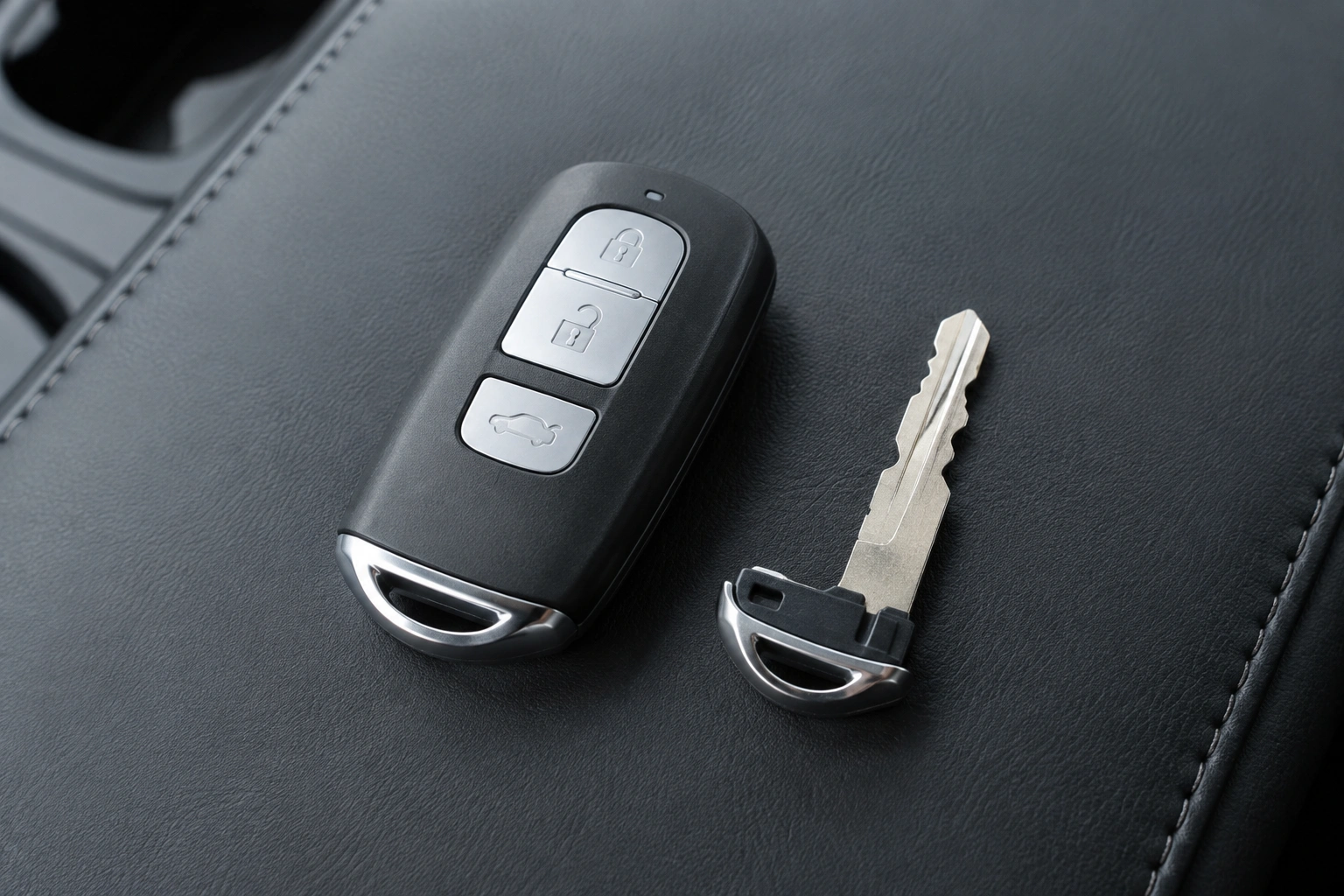
Quick diagnosis: what your Mazda key fob symptoms usually mean
The symptom tells you a lot. Use this quick comparison first if you’re stranded or locked out:
| Symptom | Most likely cause | What to try first |
|---|---|---|
| Fob does nothing at all | Dead fob battery, damaged fob, or worn contacts | Replace the fob battery and inspect the battery contacts |
| Fob works only very close to the car | Weak fob battery or signal interference | Try the spare fob and replace the battery if needed |
| Push-button start won’t recognize the key, but doors may still unlock | Weak fob battery or vehicle-side smart key issue | Use the emergency start method in the owner’s manual |
| Locks, dash, and starting all seem weak or sluggish | Weak or dead vehicle battery | Test the car battery |
| Fob works sometimes but not others | Loose battery contact, worn buttons, moisture, or internal damage | Check the fob for damage and test a spare |
If the doors unlock but the push-button start won’t recognize the key, that can point to a weak fob battery or a vehicle-side issue with the smart key system. If the dashboard lights are dim, the car struggles to start, or the locks act sluggishly too, the vehicle battery may be involved.
Here’s the practical shortcut: compare what happens with locking, unlocking, and starting. When all three fail together, the fob battery or the fob itself is usually the first place to look. When the fob seems fine but the car acts weak, test the vehicle battery next.
Most likely causes, in order
In a Mazda, I’d usually check causes in this order:
- Key fob battery
- Vehicle battery
- Signal loss or interference
- Damaged fob or lost connection
That order matters because it keeps you from replacing a full fob when a coin battery would have fixed the issue. It also keeps you from assuming the car is broken when the real problem is simply a weak battery in the remote.
For context on how modern keyless entry systems behave, NHTSA explains vehicle safety and electronic system basics in a way that helps owners understand why electrical issues can affect multiple functions at once.
Step 1: Check and replace the key fob battery
This is the first fix worth trying because it solves a large share of key fob complaints. Mazda fobs vary by model and year, so don’t assume the battery type or opening method from a random video. Check your owner’s manual or the battery already inside the fob before you buy a replacement.
Look for these signs before you open anything:
– The range has gotten worse over time
– The fob only works after pressing the button several times
– The car says it can’t detect the key, even when you’re holding it nearby
– The red indicator light on the fob, if equipped, seems dim or inconsistent
When you replace the battery, pay attention to orientation. A fresh battery installed backward can look exactly like a dead one. Also inspect the contacts inside the fob. If they’re bent, dirty, or loose, the new battery may not make solid contact.
A simple example: if your Mazda unlocks only when you stand right next to the driver’s door, but not from your usual distance, a weak battery is more likely than a major failure. If the fob works again immediately after a battery change, you’ve probably found the cause.
Step 2: Try the emergency start and unlock methods
If the fob battery is dead, you may still be able to get into the vehicle and start it. Mazda models with smart keys typically include an emergency key or a backup way to access the car when the fob battery is flat. The exact method varies, so use your owner’s manual for the correct procedure for your model.
This matters in two situations:
– You’re locked out and need access now
– You can get in, but the push-button start won’t recognize the fob normally
A common pattern is this: the car unlocks with the mechanical emergency key, but the smart functions are dead. That usually points to the fob battery rather than the vehicle battery. If the car still won’t start after you use the emergency method, the problem may be on the vehicle side or the fob may be more seriously damaged.
If you’re stranded, keep the spare key in mind. A working spare can save you a tow and also tell you whether the original fob is the real problem.
Step 3: Test whether the Mazda vehicle battery is the real problem
A weak car battery can look a lot like a dead fob battery. The difference is that a weak vehicle battery usually causes broader symptoms. You may notice slow cranking, dim interior lights, a sluggish dash, or warning lights that appear before the car starts.
Here’s the comparison that helps:
– Dead fob battery: the car may not detect the key, but the vehicle itself may still have strong electrical power
– Dead or weak vehicle battery: the locks, dash, and starting system may all act weak or inconsistent
If your Mazda is push-button start and the fob battery is fine, but the car barely wakes up or the electronics seem weak, test the vehicle battery before replacing the fob again. A new fob battery won’t fix a car battery that can’t supply proper power to the smart key system.
Edmunds has a useful overview of car battery symptoms and replacement basics if you want a broader reference point before deciding whether the issue is inside the car or inside the remote.
Step 4: Resync or reprogram the Mazda key fob if it lost connection
If a new fob battery doesn’t help and the spare works normally, the original fob may have lost its connection to the vehicle or developed an internal fault. Some Mazda key fob issues can be resolved with a resync or reprogramming process, but the exact procedure can vary by model and year.
What owners can usually try themselves:
– Replace the fob battery
– Use the emergency key or backup start method
– Test whether a spare fob works
– Check the owner’s manual for any model-specific reset or start procedure
What usually requires a dealer or automotive locksmith:
– Full key fob programming or reprogramming
– A fob that the vehicle no longer recognizes at all
– Smart key system faults
– Replacement of a lost or completely nonworking fob
This is where owners often waste time: they keep swapping batteries when the fob isn’t actually losing power. If the battery is known good, the buttons feel normal, and the fob still won’t communicate, a connection issue becomes more likely.
Use this decision rule:
– Try battery replacement first
– If that fails, compare the original fob with the spare
– If the spare works and the original doesn’t, suspect reprogramming or internal failure
In many cases, owner-level fixes are limited here. Mazda documentation and a professional locksmith or dealer may be needed, especially if the vehicle no longer recognizes the fob at all.
Inspect the key fob for physical damage, worn buttons, or water exposure
The outside of the fob can tell you a lot about what’s happening inside. Cracked shells, sticky buttons, missing rubber, or a fob that’s been through a wash cycle are all red flags. Water damage can corrode the circuit board or battery contacts, and that kind of damage often causes intermittent behavior before complete failure.
Worn buttons are another common clue. If one button works and another does not, the issue may be mechanical rather than electrical. For example, the lock button might respond while the unlock button feels mushy or requires extra pressure. That usually points to internal wear, not a car problem.
If the case is broken but the electronics still work, a replacement shell may help in some situations. If the board is corroded or the fob has been soaked, replacement is often the more realistic path.
When the spare key works but the original does not
This is one of the best diagnostic checks you can do. If your spare Mazda key fob works normally and the original does not, the car is probably fine. That narrows the issue to the original fob battery, the internal electronics, or the programming of that one fob.
Use the spare as a comparison tool:
– If both fobs fail, look at the vehicle battery or the car’s smart key system
– If only one fob fails, focus on the bad fob itself
– If the original works only after battery replacement, the fix was likely simple power loss
A spare key also gives you a safe fallback while you sort out the problem. If you don’t have one, that’s a good reason to get one made before the next battery or electronics issue leaves you stuck.
When to Consult a Locksmith or Dealer
Call a Mazda dealer or an automotive locksmith when the basics don’t solve it. That usually means one of these situations:
– The fob still doesn’t work after a new battery
– The spare works, but the original does not and you can’t resync it
– The fob is physically damaged or water-damaged
– You have no working spare
– The car does not recognize any fob at all
A locksmith can often test the fob, verify whether it transmits correctly, and determine whether the issue is with the remote or the vehicle. A dealer is usually the better choice when the car needs model-specific programming, when the smart key system itself needs attention, or when the vehicle’s onboard security system is the likely source of the fault.
How to prevent future Mazda key fob problems
A little prevention goes a long way. Replace the battery at the first sign of reduced range instead of waiting for a complete failure. Keep the fob dry, avoid dropping it on hard surfaces, and don’t leave it where buttons can be pressed repeatedly in a pocket or bag.
If your Mazda has been acting normal and then suddenly starts missing the fob, watch for early warning signs: shorter range, delayed response, or needing to press buttons more than once. Those are usually the moments when a simple battery change can still prevent a bigger inconvenience later.
For drivers who like to compare symptoms across brands, our related guide on Honda key fob troubleshooting shows a similar diagnostic flow, and our guide on when a key fob lock button stops working can help if only one button is acting up.
FAQ
Why is my Mazda key fob not working?
The most common reasons are a weak fob battery, a weak vehicle battery, signal interference, worn buttons, or a damaged fob.
Can I still start my Mazda if the key fob battery is dead?
Often yes, using the vehicle’s emergency access or backup start method described in the owner’s manual. If the car still won’t recognize the key, the issue may be beyond the fob battery.
Do I need to reprogram the key fob?
Not always. Try the battery first. If the battery is good and the spare fob works but the original does not, reprogramming or professional service may be needed.
Why does the fob work sometimes but not others?
Intermittent operation often points to a weak battery, loose contacts, worn buttons, or moisture inside the fob.
Could the car battery be causing the problem?
Yes. If the locks, dash, and starting system all seem weak, the vehicle battery may be part of the problem.
When should I replace the key fob instead of fixing it?
If the fob is water-damaged, corroded, cracked beyond repair, or still fails after battery replacement and testing, replacement may be the practical choice.
What should I do if the fob only works near the car?
That usually points to a weak fob battery, interference, or a developing fob issue. Replace the battery first and test the spare if you have one.
Can I unlock my Mazda with the physical key blade?
Many Mazda smart keys include a hidden emergency key blade for door access. Check your owner’s manual for the exact release and lock procedure for your model.
