
Honda Key Fob Not Working? A Practical Troubleshooting Guide for Honda Owners

If your Honda key fob suddenly stops unlocking the doors, only works at close range, or won’t start the car, don’t rush straight to a replacement. In a lot of cases, the problem is something simple: a weak coin-cell battery, a dead vehicle battery, interference, or a fob that lost sync.
The fastest way to save time and money is to diagnose the symptom first, then work outward from there. That approach tells you whether you need a battery swap, a reprogramming step, or professional help.
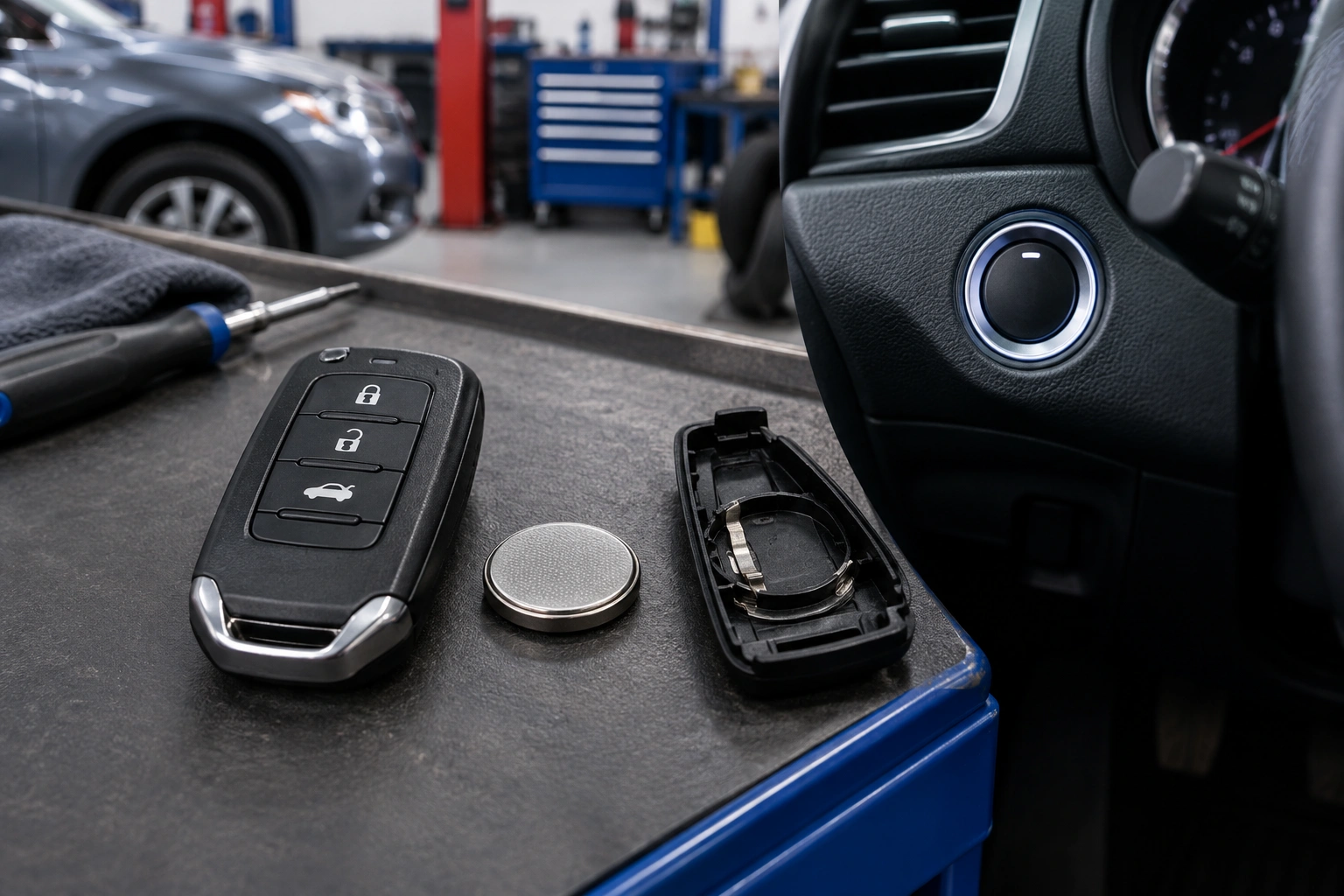
Start here: the fastest troubleshooting order
Follow this order before you buy parts:
-
Test the spare fob.
If the spare works, the original fob is the likely problem. -
Replace the fob battery.
This is the quickest fix for weak, intermittent, or short-range operation. -
Check the car battery.
If both fobs fail, or the car seems electrically weak, the vehicle battery becomes more likely. -
Try the emergency start or backup recognition method.
If the fob unlocks the doors but the car won’t start, use the owner’s-manual backup procedure. -
Consider reprogramming or replacement.
If a fresh battery and backup start method still do not help, the fob may need resyncing, programming, or replacement.
What the problem looks like
A Honda key fob issue usually shows up in one of a few ways:
- Nothing happens when you press lock or unlock
- The fob works only sometimes
- It works only when you stand very close to the car
- The doors unlock, but push-button start says the key is not detected
- One fob works and the spare does not
- Both fobs fail at the same time
That last one matters. If both Honda fobs stop working together, the car itself becomes a more likely suspect than the fob battery.
Quick diagnosis: battery, car, or programming?
Use this comparison to narrow things down before buying parts.
| Symptom | Most likely cause | Best next step |
|---|---|---|
| Fob works only close to the car | Weak fob battery or interference | Replace the fob battery and test away from phones or other electronics |
| Lock/unlock fails on one fob only | Dead battery, worn buttons, or damaged fob | Test the spare fob, then replace the battery |
| Both fobs stopped at once | Vehicle battery, receiver, or vehicle-side fault | Check the Honda’s 12V battery and dash warnings |
| Doors unlock but car won’t start | Weak fob battery, immobilizer detection issue, or backup-start issue | Try the emergency start method and then replace the fob battery |
| New battery didn’t help | Lost sync, damaged fob, or car-side issue | Try resync steps or contact a locksmith/dealer |
A simple rule helps here: if one fob works and the other doesn’t, the problem is usually in the bad fob. If both fail the same way, look at the vehicle.
First checks that take less than five minutes
Before opening the fob, do these quick tests.
Try the spare key fob
If the spare works normally, you’ve already narrowed the problem to the original fob. That saves you from chasing car-side issues that aren’t there.
If neither fob works, the issue is more likely with the vehicle battery, the keyless entry system, or a programming problem.
Move closer and remove interference
A weak signal can look like a dead fob. Try standing right next to the driver door, then try again near the start button.
Also remove obvious sources of interference:
- Another key fob pressed against it
- A phone sitting on top of the fob
- A thick metal key ring or magnetic holder
- A bag or pocket stuffed with electronics
If the fob suddenly starts working when you move it away from other devices, you may not have a broken fob at all.
Check whether the car battery is weak
Honda keyless entry and push-button start depend on the vehicle’s 12V battery. If the car battery is weak or dead, the fob may seem fine but the vehicle may not respond correctly.
Warning signs include:
- Dim interior lights
- Slow cranking
- Dashboard warnings
- Central locking acting strangely
- Both fobs failing at once
For a general overview of vehicle battery symptoms and starting issues, Edmunds’ battery guidance is a useful reference point.
Most likely cause: a weak Honda key fob battery
On many Honda smart key fobs, the battery is a replaceable coin-cell type, often a CR2032. That said, battery type can vary by model and year, so check the fob before you buy one.
A weak battery often causes a common symptom pattern:
- It unlocks only when you’re close to the car
- It works after several button presses
- The car detects it inconsistently
- The remote functions stop before the backup start function does
That pattern usually points to a battery that still has a little life left, not one that is completely dead.
How to replace a Honda key fob battery
This is a practical, model-agnostic process that fits many Honda smart keys.
What you’ll need
- The correct replacement battery, often a CR2032
- A small flat tool or plastic pry tool
- A clean surface
Basic replacement steps
-
Find the seam on the fob case.
Most Honda fobs split along a seam near the key ring area or around the edge. -
Open the case carefully.
Use gentle pressure. Don’t force it, and don’t dig into the circuit board.
Some Honda fobs open a little differently depending on the style, so if the case does not separate easily, check the specific owner’s manual or match the opening point to your exact fob design.
-
Note battery orientation.
Before removing the old battery, look at which side faces up. -
Remove the old battery.
If the battery is stuck, lift it out carefully rather than bending the contacts. -
Install the new battery.
Match the orientation exactly and double-check that the battery sits flat and touches the contacts properly. -
Snap the case back together.
Make sure the shell closes evenly and the buttons feel normal. -
Test lock, unlock, and start.
Try it at normal distance, then inside the car if your model uses a backup start method.
A common mistake is buying the wrong coin-cell size because “it looks close enough.” That can create a fob that still acts dead or has poor contact.
If your Honda fob uses a removable mechanical key, keep it safe while you’re opening the case. That key is your backup if the battery is fully dead.
For more general key fob battery troubleshooting, see our guides on a key fob lock button not working and a key fob unlock button not working.
If the fob unlocks the doors but won’t start the car
This split symptom is common on Honda smart keys.
What it usually means:
- The fob battery is weak, but not completely dead
- The car is having trouble detecting the immobilizer signal
- The vehicle battery is weak
- The fob needs a backup start procedure or re-sync
What to try next
-
Replace the fob battery first.
This is the cheapest and fastest fix. -
Try the emergency start method.
Many Honda models have a backup recognition method when the fob battery is low or the car won’t detect the key normally. Check your owner’s manual for the exact procedure, but it often involves holding the fob against or very near a designated backup area near the start button or steering column area, then pressing the brake and start button as instructed.
If the keyless entry system is dead, this method is the next thing to try before assuming the fob is ruined. It is specifically meant for situations where the fob battery is too weak for normal wireless detection but the chip inside the fob can still be recognized at close range.
-
Test the spare fob.
If the spare starts the car normally, the original fob is the problem. -
Check the vehicle battery.
If the car is slow to power up or both fobs fail, the issue may be on the vehicle side.
If the doors work but the car still says it cannot detect the key after a fresh battery, that’s when programming or a deeper vehicle-side issue becomes more likely.
Check the vehicle side before buying a new fob
A Honda owner can waste a lot of money by replacing a fob when the car battery is the real problem.
Look for these clues:
- Both fobs fail the same way
- The dash lights are dim or inconsistent
- The car has trouble starting even with the key present
- Locking and unlocking are erratic across all doors
- The issue began after the car battery went dead or was replaced
A weak 12V battery can sometimes affect the smart key system, push-button start, and the vehicle’s ability to recognize the fob. If the vehicle is acting electrically unstable, fix that first.
In other words: if the Honda itself is struggling to power up, the fob may be innocent.
When reprogramming or resyncing may be needed
Reprogramming is not the first step for most Honda key fob problems. Battery checks and spare-fob testing come first.
Still, resync or programming may be needed if:
- The battery is new, but the fob still acts inconsistent
- The fob was dropped, repaired, or opened
- A used replacement fob was purchased online
- The vehicle lost memory after a battery issue or service event
Programming becomes more likely when the fob does not work at all even after a fresh battery, the emergency start method does not help, and the spare fob works normally. In that case, the original fob may need to be paired again, or it may simply be failing.
A DIY resync may be reasonable on some Honda models, but the exact procedure varies. Check the owner’s manual or model-specific instructions rather than assuming one reset method fits every Honda.
If the fob is not being recognized at all after a new battery, a locksmith or dealer is often the better next step than guessing at a reset sequence.
Signs the fob itself is damaged
Not every failing fob is a battery problem. Sometimes the shell or internals are worn out.
Watch for these signs:
- Buttons feel mushy, stuck, or uneven
- The case is cracked
- The battery contacts are loose or bent
- The fob has water damage
- It only works if you twist it or press hard in one spot
- It fails even with a fresh battery and known-good car battery
That kind of behavior usually points to failing internal circuitry or worn contacts. At that stage, replacement often makes more sense than repeated repairs.
DIY fix vs dealer vs locksmith
Here’s the practical trade-off.
DIY
Best for:
– Battery replacement
– Basic cleaning
– Testing the spare
– Checking backup start procedures
Pros:
– Lowest cost
– Fast
– Good first step
Cons:
– Not useful for every programming issue
– Easy to buy the wrong battery or fob style
Locksmith
Best for:
– Replacement fob programming
– Faster service in many cases
– Situations where you need a mobile solution
Pros:
– Convenient
– Often less hassle than a dealer visit
– Can be a good choice for supported Honda models
Cons:
– Not every locksmith supports every Honda system
Dealer
Best for:
– Complex programming
– Immobilizer-related problems
– Cases where both fobs fail and the vehicle may be at fault
Pros:
– OEM-focused diagnosis
– Strong option for vehicle-side faults
Cons:
– Usually the least convenient route
– May take longer than a locksmith
If you want a broader look at Honda’s keyless entry and starting systems, Honda’s official site is a good starting point for owner resources.
Original Honda fob vs aftermarket replacement
An original Honda fob is usually the safer bet for compatibility and reliability. Aftermarket fobs can be cheaper, but they may require extra programming and may not match OEM performance as closely.
A practical decision rule:
- Choose OEM if you want the least guesswork
- Consider aftermarket if you understand it may take extra setup and you’re comfortable verifying compatibility first
If you’re replacing a heavily worn or water-damaged fob, a new unit is often more sensible than trying to rescue a failing one.
When to consult a locksmith
Call a locksmith or dealer when:
- Both Honda fobs fail
- A new battery doesn’t help
- The car won’t detect the key even with backup start steps
- You suspect immobilizer or receiver problems
- You bought a replacement fob that needs programming
- The fob is damaged beyond a simple battery fix
If the vehicle is stranded and the fob is not being recognized, a locksmith is one general option that may get you back on the road faster, especially if mobile service is available in your area.
FAQ
Why did my Honda key fob stop working all of a sudden?
The most common reasons are a weak battery, interference, a dead vehicle battery, or a fob that lost sync. Sudden failure doesn’t automatically mean the fob is broken.
Can I still start my Honda if the key fob battery is dead?
In many Honda models, yes, using a backup recognition method. Check your owner’s manual for the exact procedure for your model.
Why does my fob unlock the doors but the car won’t start?
That usually points to a weak battery, a detection issue, or a vehicle-side problem rather than a completely dead fob. Try the emergency start method before assuming the fob must be replaced.
How do I know whether it’s the fob battery or the car battery?
If one fob works and the other doesn’t, the fob is the better suspect. If both fobs fail at once, the car battery or vehicle-side system becomes more likely.
Should I replace the battery before reprogramming the fob?
Yes. Battery replacement is the low-cost first step and often solves intermittent or short-range problems.
What if both of my Honda fobs stopped working?
That points more toward the car battery, receiver, or another vehicle-side issue than two bad fobs at once.
Do I need a dealer for a Honda key fob problem?
Not always. Battery replacement and basic troubleshooting are often DIY. Dealer or locksmith help makes more sense for programming, immobilizer issues, or repeated failure after a battery change.
How do I know if the fob is damaged?
Cracked cases, worn buttons, water damage, and inconsistent operation after a new battery are all signs the fob itself may be failing.
The good news is that most Honda key fob problems can be narrowed down quickly with a spare fob, a fresh battery, and a little symptom-based troubleshooting. That keeps you from replacing parts you didn’t need in the first place.
