
10 Best OBD2 Scanner for Chevy: Top Diagnostic Tools in 2026

Chevy vehicles use onboard diagnostic systems to monitor the engine, transmission, emissions, and other key systems. An OBD2 scanner connects to the vehicle’s diagnostic port and reads trouble codes, live data, and warning light information, helping us understand a problem before visiting a repair shop.
The best OBD2 scanner for a Chevy should support the vehicle’s model year, read manufacturer-specific codes, and offer clear data that helps us diagnose common issues. We should also consider ease of use, code-clearing features, update support, and whether the scanner can perform advanced functions such as ABS or airbag scans. We tested and compared OBD2 scanners to find the models that make Chevy diagnostics clearer and more useful.
Best OBD2 Scanners for Chevy
We reviewed OBD2 scanners for compatibility, ease of use, features, and value. Our list includes reliable options for checking engine codes and monitoring your Chevy’s systems.
ANCEL AD310 OBD2 Scanner

We recommend the ANCEL AD310 for Chevy owners who want a simple, affordable tool for checking and clearing engine-related codes.
Pros
- Simple controls and a clear screen
- Reads and clears common engine codes quickly
- Compact design with a sturdy cable
Cons
- Does not diagnose airbags, ABS, or transmission systems
- No wireless connection or mobile app
- Some advanced tests may not work on every Chevy
We found the AD310 easy to use in a Chevy with a check engine light. It powers on through the diagnostic port, so we did not need batteries or a separate charger. The buttons felt straightforward, and the screen made the code information easy to read.
This scanner supports Chevy vehicles with the standard OBD2 port, including most 1996 and newer models. It can show live data, freeze-frame information, and emissions readiness status. Those features help us decide whether a problem needs quick attention or further testing.
The main limitation is its narrow focus. The AD310 handles engine and emissions codes but does not access systems such as ABS, airbags, or transmission controls. We also would not use it as a full replacement for a professional scan tool.
Its light weight and flexible cable make it convenient to keep in a glove box or toolbox. For basic Chevy troubleshooting and code clearing, the ANCEL AD310 offers useful functions without a complicated setup.
FOXWELL NT604 Elite

We recommend this scanner for Chevy owners who want broad system coverage and simple code checks without paying for advanced repair functions.
Pros
- Covers the engine, ABS, SRS, and transmission systems
- Works out of the box with no required software setup
- Includes a sturdy protective case and lifetime updates
Cons
- Does not support oil resets, battery registration, or ABS bleeding
- Some vehicles may require manual VIN entry
- Updates can take a long time
We found the NT604 Elite easy to start using. After connecting the cable to the Chevy’s OBD2 port, we could scan the main systems without creating an account or downloading software first. The 4.3-inch screen kept the menus readable during testing.
Its coverage goes beyond a basic check-engine reader. We could view live engine data, check I/M readiness, and read faults from systems such as ABS, air bags, and transmission control. That makes it more useful when a Chevy warning light points beyond the engine.
The scanner can clear eligible codes after we fix the underlying problem, but it does not repair faults. It also lacks common service functions, including oil reset, battery registration, throttle relearn, and ABS bleeding. We recommend checking compatibility for the exact Chevy model and year before ordering.
The included case made storage easier than a soft bag, and the scanner supports lifetime updates without an extra software fee. Overall, we see the NT604 Elite as a practical choice for home diagnostics, especially when we need more coverage than a basic OBD2 reader provides.
ANCEL AD410 Chevy OBD2 Scanner

We recommend the ANCEL AD410 for Chevy owners who want a simple, wired tool for checking and clearing engine codes without using a phone app.
Pros
- Quick plug-in setup with no battery or subscription
- Shows live engine data and code definitions
- Includes I/M readiness checks for emissions testing
Cons
- Reads engine and emissions codes only
- Does not diagnose ABS, airbag, or transmission systems
- Some manual instructions may feel unclear
We found the AD410 easy to use on compatible OBD2 vehicles. After connecting it to the port and turning on the ignition, the scanner powered up from the car and guided us through the menus without extra setup.
The built-in code descriptions helped us understand common check-engine warnings before deciding on the next repair step. Live data, freeze-frame details, and I/M readiness checks also gave us more useful information than a basic code reader.
For Chevy cars, SUVs, and light trucks from 1996 onward, coverage should be broad when the vehicle uses standard OBD2. However, the AD410 focuses on engine and emissions systems. We would choose a more advanced scanner if we needed ABS, SRS, transmission, service reset, or bidirectional functions.
FOXWELL NT301 OBD2 Scanner

We recommend the FOXWELL NT301 for Chevy owners who need a simple, affordable tool for checking engine codes and viewing basic live data.
Pros
- Reads and clears engine fault codes quickly
- Shows live data and emissions readiness
- Uses a clear screen with no app or subscription
Cons
- Does not scan ABS, airbag, or other advanced systems
- Requires a wired connection to the vehicle
- Compatibility can vary by Chevy model and year
We found the NT301 easy to use right out of the box. After plugging it into the diagnostic port and turning the ignition on, the scanner powered up without a separate battery or setup process. Its 2.8-inch color screen made the menus and code results easy to read.
The scanner handles common engine diagnostics well. We could read and clear check-engine codes, view sensor data, retrieve the VIN, and check emissions readiness. Live graphs for items such as coolant temperature, RPM, oxygen sensors, and fuel trims can help us spot changes while the engine runs.
Its dedicated readiness button and red-yellow-green indicator also make emissions checks more convenient. The built-in code descriptions provide useful direction, but we still need to confirm the cause before replacing parts.
The main limitation is its basic coverage. The NT301 does not diagnose Chevy ABS, airbag, air-conditioning, parking brake, battery, or other non-engine systems. We should also repair the underlying problem before clearing a code, since the warning will return if the fault remains.
Innova 5210 OBD2 Scanner

We recommend the Innova 5210 for Chevy owners who want code reading, live data, battery checks, and oil reset tools in one device.
Pros
- Reads engine codes and some ABS codes
- Shows live data and emissions readiness
- Includes battery and alternator testing
Cons
- Feature support varies by Chevy model and year
- The wired design limits mobility
- Some functions need coverage verification
We found the 5210 simple to connect and use. Its screen shows engine codes, RPM, temperature, fuel trims, and oxygen sensor readings without requiring a subscription. The attached cable also avoids pairing problems that can affect some wireless scanners.
The battery tester adds useful value for basic troubleshooting. We could check battery condition and alternator output before deciding whether a starting problem needed a new part or further testing.
Chevy coverage depends on the vehicle, especially for ABS codes and service resets. We recommend checking Innova’s coverage tool before buying. The included RepairSolutions2 app can provide repair guidance, suggested parts, and cost estimates, but the scanner remains useful without the app.
Innova 5610 OBD2 Scanner

We recommend the Innova 5610 for Chevy owners who want live data, service resets, and bidirectional testing in one wired scan tool.
Pros
- Tests selected vehicle functions, such as fuel pump operation and electronic parking brakes
- Reads enhanced data from engine, ABS, SRS, and transmission systems
- Includes free updates and access to RepairSolutions2 guidance
Cons
- Coverage and advanced features vary by Chevy model and year
- Some instructions may feel unclear during less common repairs
- The wired design limits movement around the vehicle
We found the 5610 useful for more than clearing a check-engine light. Its live data helped us watch engine readings while the vehicle ran, and its enhanced access added useful information from systems that basic code readers often miss.
The bidirectional controls give us a practical way to test certain parts before replacing them. Support depends on the Chevy model, so we would check Innova’s coverage tool before ordering, especially for ABS, airbag, transmission, and reset functions.
The scanner connects through the vehicle’s OBD2 port and uses a clear color screen. RepairSolutions2 can add code explanations and repair suggestions without a subscription, though using the app requires a compatible phone and wireless connection.
Overall, the Innova 5610 fits Chevy owners who handle their own repairs and want more testing ability than a basic reader provides. We would choose it for supported Chevy vehicles, but confirm coverage first to avoid paying for features the vehicle cannot use.
FOXWELL NT510 Elite for GM

We recommend this scanner for Chevy owners who want deeper system access, service resets, and active tests without a subscription.
Pros
- Scans many GM modules beyond the engine
- Supports useful resets and relearn procedures
- Includes lifetime software updates
Cons
- Works only with GM vehicles
- Features vary by model and year
- The small screen takes some practice
We used the NT510 Elite to look beyond basic check-engine codes. It can scan systems such as the ABS, airbag, transmission, body, and chassis modules on supported Chevrolet vehicles. Live data, freeze-frame details, and code clearing helped us check whether a fault remained after a repair.
The service functions add value for home maintenance. Depending on the Chevy model, we could access options such as oil reset, electronic parking brake service, steering-angle calibration, throttle relearn, ABS bleeding, battery registration, and crankshaft relearn. We would still confirm compatibility before buying because not every function works on every year.
Its bidirectional controls let us command certain components, including windows, locks, fuel pumps, and wipers. This made it easier to test a suspected part instead of replacing components based only on a stored code.
The 2.8-inch screen feels compact, and the corded design limits movement around the vehicle. Still, the controls are practical once we learned the menu layout. Since this version targets Chevrolet, Buick, Cadillac, and GMC vehicles from roughly 1996–2025, owners of other brands should choose a different model or add the needed software separately.
XTOOL IP500 for GM

We recommend the XTOOL IP500 for Chevy owners who want full-system scans, active tests, and service functions without a yearly update fee.
Pros
- Tests parts such as fuel pumps, cooling fans, and ABS motors
- Supports many GM service functions, including relearns and ABS bleeding
- Includes lifetime Wi-Fi updates
Cons
- Some features depend on the specific Chevy model
- It works mainly with GM vehicles
- A few users reported missing or unknown codes
We used the IP500 to look beyond basic engine codes, and its full-system scan made it easier to check the transmission, ABS, airbag, and body modules. The 5.45-inch touchscreen responded quickly after the software update and displayed live data in a clear format.
The bidirectional controls add useful testing power. We could command certain components, such as cooling fans and fuel-system parts, instead of relying only on stored fault codes. This can help narrow down a problem before replacing parts.
The scanner also includes more than 28 maintenance functions. Depending on the Chevy model, these may include crankshaft relearns, throttle relearns, electronic parking brake service, injector coding, and ABS bleeding. We would confirm compatibility before buying because the available functions vary by vehicle.
Built-in CAN FD support helps the tool work with newer GM vehicles, while the included OBD2 cable supports older models. The lifetime updates improve its value, although the scanner remains more useful for GM vehicles than for a mixed-brand garage.
LAUNCH Creader Elite X500 for GM
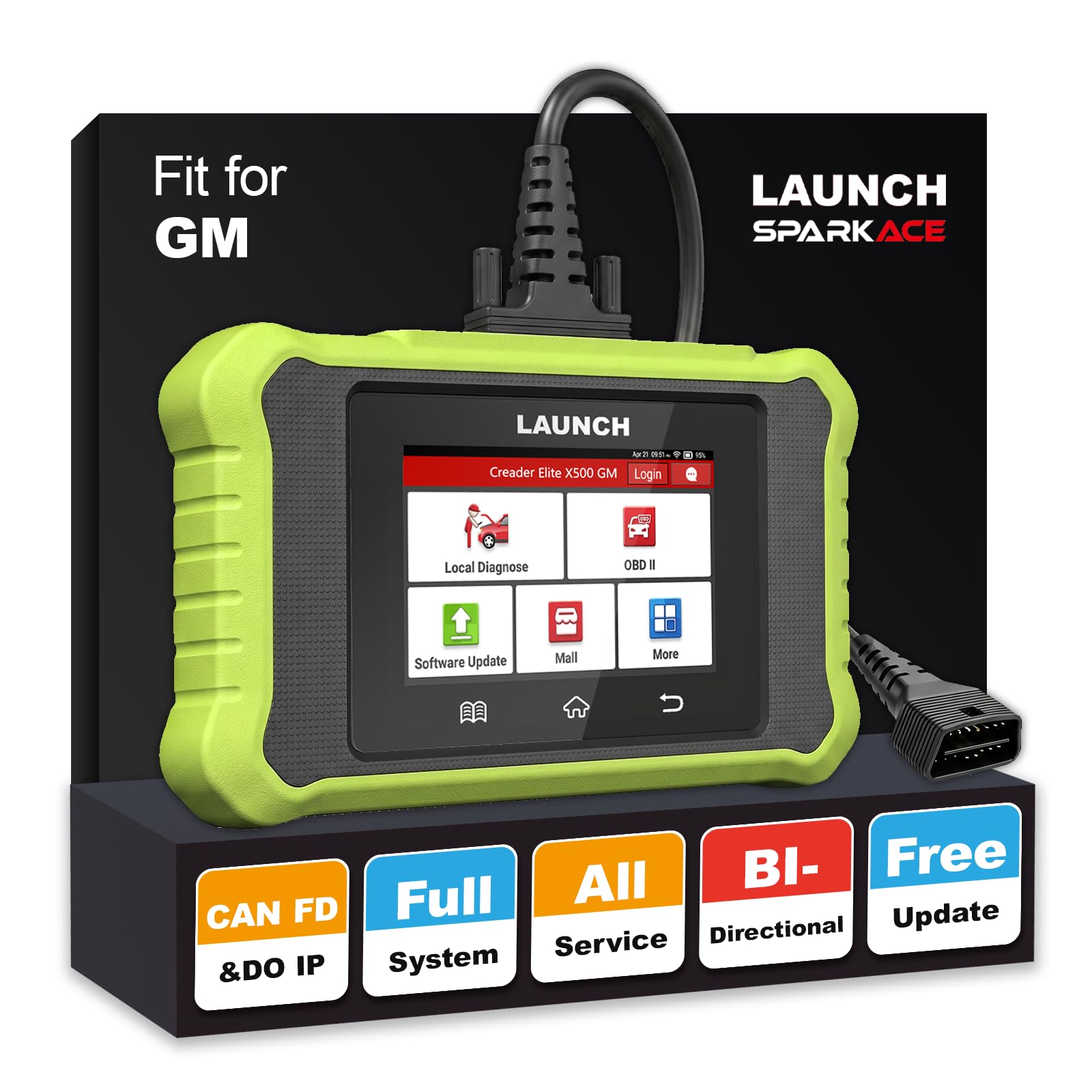
We recommend this scanner for Chevy owners who want full-system diagnostics, reset functions, and active tests in one tool.
Pros
- Scans many GM control modules, not just the engine
- Includes useful resets and bidirectional tests
- Offers Wi-Fi updates, live data, and a two-year warranty
Cons
- Some features depend on the Chevy model and year
- Its advanced tools may feel excessive for basic code checks
- The 4-inch screen limits how much data we can view at once
We found the X500 more capable than a basic code reader. It scanned systems such as the engine, transmission, ABS, airbag, body control, and steering modules on supported GM vehicles. Auto VIN also made setup faster.
The reset menu covers common tasks, including oil service, electronic parking brake, steering angle, battery, throttle, and transmission functions. We would still confirm support with the vehicle VIN because available functions can vary by year and trim.
Its bidirectional controls add useful testing options. We could command supported parts, such as lights, fans, windows, relays, and fuel system components, which can help narrow down a fault before replacing parts.
The Android interface felt familiar, and the scanner displayed live data as text, graphs, gauges, or digital values. Wi-Fi updates made maintenance easier, while the detachable cable helped with storage. For Chevy owners who want more than basic trouble-code reading, this tool offers strong coverage without requiring several separate devices.
FOXWELL NT710 for GM

We recommend the NT710 for Chevy owners who want advanced system testing and GM-specific functions beyond basic code reading.
Pros
- Performs full-system scans and active component tests
- Includes useful resets for ABS, TPMS, oil, and steering systems
- Offers lifetime software updates without a subscription
Cons
- Initial setup and Wi-Fi connection can take time
- Requires online registration before use
- May not charge properly with some high-speed USB-C chargers
We used the NT710 to scan more than the engine computer. It reached systems such as ABS, airbags, transmission, and tire pressure monitoring, giving us a broader view of the vehicle than a standard OBD2 reader.
The bidirectional controls proved useful during testing. We could command items such as fans, lights, windows, and fuel pumps instead of only reading stored codes. That helped us check whether a component worked before replacing it.
Its touchscreen and live-data graphs made sensor readings easier to follow. We could compare several data streams at once and save reports for later review. The tool also supports common GM service functions, including crankshaft relearn and steering angle resets.
Setup was less smooth. The scanner needs registration, and some users may have trouble connecting it to Wi-Fi during updates. We also found that a regular USB-C charger may work better than a high-speed phone charger.
For Chevy, GMC, Buick, and Cadillac vehicles, the NT710 offers strong coverage for home repairs and deeper troubleshooting. Its slower startup and setup requirements are worth considering, but the included functions make it more capable than a basic code reader.
Buying Guide
We should choose an OBD2 scanner based on our vehicle’s needs, our skill level, and the repairs we plan to handle. All scanners should support the standard OBD2 protocols used by most Chevy vehicles, but older models may need broader compatibility.
| Feature | What to look for |
|---|---|
| Code coverage | Read and clear engine, transmission, ABS, and airbag codes when supported |
| Live data | View sensor readings while the engine runs |
| Advanced tests | Check battery voltage, readiness monitors, and emissions systems |
| Updates | Receive software updates for newer vehicles and added functions |
| Connection type | Choose wired for steady use or wireless for phone-based access |
| Display | Select a clear screen with simple menus and readable text |
We should confirm the scanner covers our Chevy’s model year before buying. A basic reader may handle check-engine codes, while a more advanced unit can access systems such as ABS and air bags.
Live data helps us watch values such as coolant temperature, engine speed, and oxygen sensor activity. We should also check whether the scanner can show freeze-frame data, which records vehicle conditions when a fault occurs.
An easy-to-use interface reduces mistakes during diagnosis. We should consider update costs, warranty terms, cable quality, and whether the scanner stores or exports diagnostic reports.
Editor’s Choice
We recommend the BlueDriver Bluetooth Pro OBD2 Scanner for most Chevy owners. It works with many 1996 and newer Chevy models and connects to a smartphone through its mobile app.
The scanner reads and clears common check engine codes. It also provides repair reports with likely causes and suggested fixes, which helps us understand a problem before visiting a repair shop.
Key features:
- Reads and clears engine trouble codes
- Shows live data from vehicle sensors
- Provides repair suggestions
- Supports iOS and Android devices
- Stores scan reports in the app
- Requires no separate display or cable
BlueDriver does not replace a professional scan tool for every Chevy system. Features such as ABS, airbag, transmission, and body-module access may vary by model and year. We should check the app’s vehicle coverage before buying.
Its simple setup and clear reports make it a strong choice for routine diagnosis. We can use it for basic maintenance checks without learning complex scan-tool menus.
Conclusion
We should choose an OBD2 scanner for Chevy based on the tests we need to run. A basic code reader works for checking engine fault codes, while a model with live data and ABS or airbag support offers more useful coverage.
Before buying, we should confirm compatibility with our Chevy’s model year and systems. Features such as graphing, code definitions, repair reports, and wireless connections can also make diagnosis easier.
| Need | Suitable feature |
|---|---|
| Read engine codes | Basic OBD2 support |
| Monitor sensor data | Live data and graphing |
| Check ABS or airbags | Enhanced system coverage |
| Perform deeper repairs | Bi-directional controls |
We should also consider ease of use, update support, and warranty coverage. The best scanner gives us the functions we need without making us pay for tools we will not use.
FAQS
Will an OBD2 scanner work with every Chevy?
Most Chevy cars, trucks, and SUVs sold in the United States use the standard OBD2 system from model year 1996 onward. We should still check the scanner’s vehicle coverage before buying, especially for older models or advanced features.
Can a scanner read ABS or airbag codes?
A basic scanner usually reads engine and emissions codes only. We need a model with full-system or enhanced diagnostics to check systems such as ABS, airbags, transmission, and body controls.
Should we buy a Bluetooth scanner or a handheld model?
Bluetooth scanners work with a phone app and often offer live data, reports, and software updates. Handheld scanners include their own screen and usually provide a simpler setup. We can choose based on convenience, app quality, and price.
Can an OBD2 scanner reset the check engine light?
Most scanners can clear stored trouble codes, but we should repair the cause first. If the problem remains, the warning light will likely return.
What features matter most for a Chevy?
- Broad Chevy model coverage
- Live engine data
- ABS and airbag support, if needed
- Battery and charging-system tests
- Regular software updates
- Clear code definitions and repair guidance
Do scanners require subscriptions?
Some advanced scanners require a paid subscription for updates or repair data. We should review the update policy before purchasing.
