
10 Best OBD2 Scanner With Live Data for Catalytic Converter Codes: Top Diagnostic Tools

An OBD2 scanner reads a vehicle’s diagnostic trouble codes and can show live data from its sensors. This makes it useful when the check engine light points to a catalytic converter code, such as P0420 or P0430. Instead of relying on the code alone, we can watch readings from the oxygen sensors, fuel trims, engine temperature, and other systems.
The best OBD2 scanner for catalytic converter codes should display live data clearly, graph sensor readings, and support the vehicle’s required emissions systems. We should also consider update costs, compatibility, ease of use, and whether the scanner can record or compare data during a road test. These features help us separate a failing converter from problems such as an exhaust leak, faulty oxygen sensor, or engine misfire.
We compared scanners with these needs in mind to find the models that make diagnosing catalytic converter codes more clear and practical.
Best OBD2 Scanners With Live Data for Catalytic Converter Codes
We selected the best OBD2 scanners that display live data to help us assess catalytic converter codes. Our list focuses on scan accuracy, data coverage, ease of use, and compatibility with common vehicles.
FOXWELL NT301 OBD2 Scanner

We recommend the FOXWELL NT301 for basic catalytic converter troubleshooting because it reads engine codes and displays useful oxygen sensor and fuel-trim data without a subscription.
Pros
- Shows live oxygen sensor, fuel-trim, coolant temperature, RPM, and other data
- Includes graphing, I/M readiness checks, and EVAP and oxygen sensor tests
- Simple plug-in design with a clear color screen
Cons
- Does not scan ABS, airbag, transmission, or other non-engine systems
- Cannot perform advanced resets, calibrations, or bidirectional tests
- Vehicle support varies by year, model, and VIN
We found the NT301 easy to start using. It powers through the vehicle’s OBD2 port, so we did not need batteries or an app. The buttons and menus are simple enough for basic code checks.
For catalytic converter codes, the live data tools matter most. We could watch oxygen sensor readings, fuel trims, engine speed, and coolant temperature while the engine ran. Graphs helped us notice changes instead of relying only on stored fault codes.
The scanner also checks emissions readiness, which helps before an inspection. Its EVAP and oxygen sensor tests add useful information when diagnosing an emissions problem.
We would not choose it for full vehicle diagnostics. It cannot access systems such as ABS or SRS, and it lacks advanced functions. We also recommend checking compatibility before buying, especially for older, imported, or diesel vehicles.
Innova 5210 OBD2 Scanner

We recommend the Innova 5210 for drivers who want live engine data, battery testing, and useful readiness checks in one simple scanner.
Pros
- Shows live RPM, fuel trims, engine temperature, and oxygen sensor readings
- Tests battery and alternator condition
- Includes oil reset and emissions readiness tools
Cons
- Feature support varies by vehicle
- ABS coverage may be limited
- Suggested parts may not match the exact vehicle
When we used the 5210, its live data made catalytic converter diagnosis easier. We could watch oxygen sensor readings, fuel trims, and engine speed instead of relying only on a stored trouble code. This helps us compare sensor behavior before replacing expensive parts.
The built-in I/M readiness check also helps us see whether the vehicle has completed its emissions drive cycle. Clearing a code or disconnecting the battery resets these monitors, so the car needs to complete another drive cycle before testing.
We found the wired design simple and dependable because it draws power from the vehicle. The screen is easy to read, and the scanner can also check the battery and alternator. Its oil reset function adds value for routine maintenance.
Compatibility remains the main limitation. Some vehicles may not support every engine, ABS, or reset function, so we would check Innova’s coverage tool before buying. The RepairSolutions2 app can provide repair guidance without a subscription, but its part suggestions still need to be verified for the specific vehicle.
FOXWELL NT301 Plus
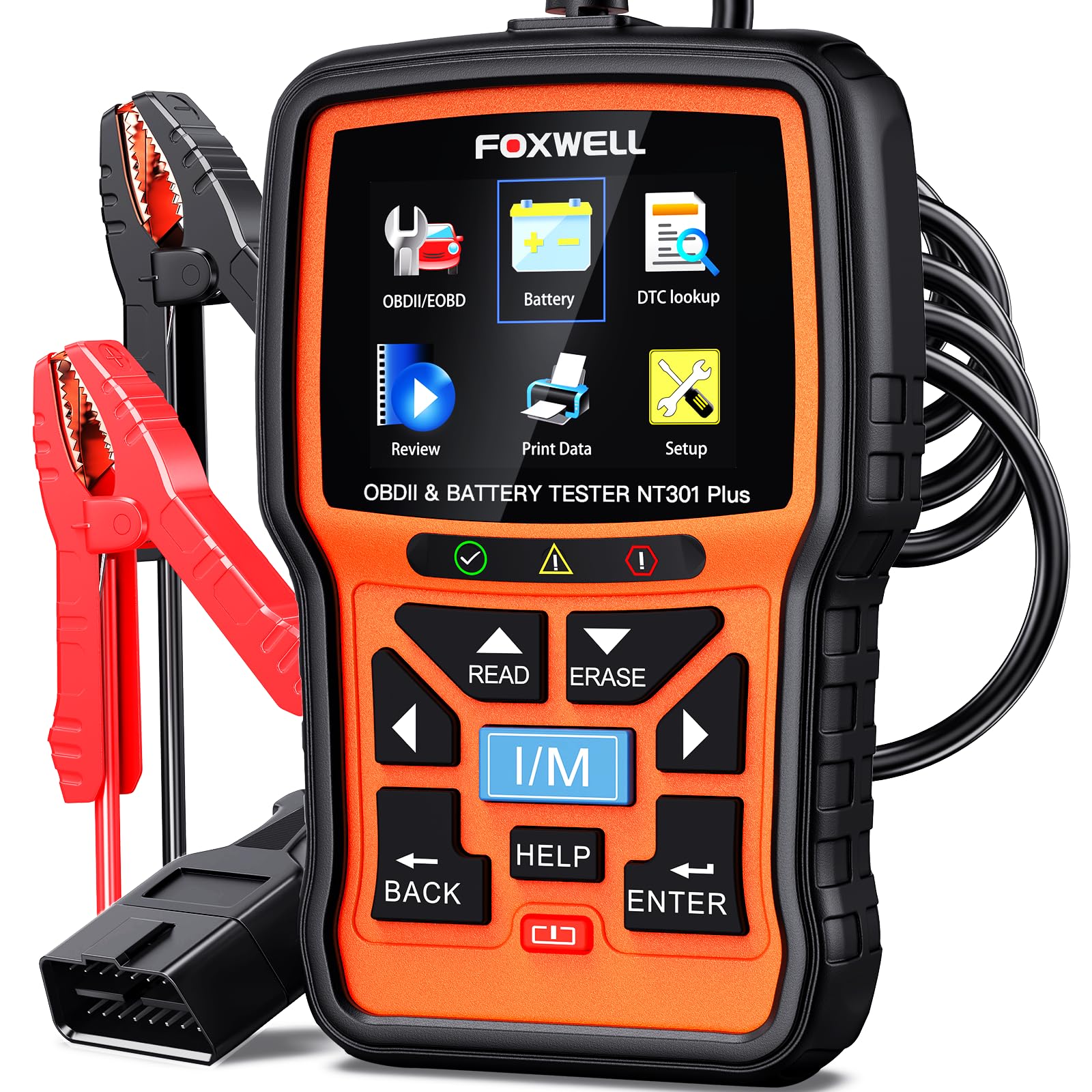
We recommend the FOXWELL NT301 Plus for DIYers who need live engine data, catalytic converter code support, and basic 12V battery testing in one affordable tool.
Pros
- Clear live data for RPM, coolant temperature, fuel trim, and sensor readings
- Built-in code lookup and readiness testing
- Includes battery, starting, and charging system tests
Cons
- Does not read ABS, airbag, or transmission codes
- Battery testing works only with 12V lead-acid batteries
- Windows is required for software updates
We found the 2.8-inch color screen easy to read while checking engine data. The tool quickly displayed trouble codes and provided plain-language explanations, which helped us understand whether a problem might involve the catalytic converter or another emissions component.
Live data made the scanner more useful than a basic code reader. We could watch fuel trims, sensor signals, coolant temperature, and RPM while the engine ran. Recording and playback also helped us review readings from intermittent problems instead of relying on a single snapshot.
The I/M readiness test showed whether the vehicle appeared ready for an emissions inspection. The EVAP test added another useful check for possible fuel-system leaks, although it should not replace a full professional diagnosis.
We also liked the included battery tester. It checked battery health, starting power, and charging performance, but it required the supplied battery clamp cable. This feature does not perform a load test and does not support battery registration.
The main limitation is system coverage. We would choose a different scanner for ABS, SRS, transmission, oil-reset, key-programming, or tire-sensor work. Compatibility also varies by vehicle, so we would confirm support before buying, especially for older, European, or less common models.
Autel AL319 OBD2 Scanner

We recommend the Autel AL319 for DIY users who want an affordable scanner that reads catalytic converter-related codes and shows basic live data.
Pros
- Simple plug-and-play operation
- Clear color screen with useful live data
- Reads codes, freeze-frame data, and I/M readiness
Cons
- Does not provide advanced manufacturer-specific diagnostics
- Small screen limits the amount of data shown
- Some listings may have unclear update support
We connected the AL319 to several OBD2 vehicles and found the setup quick. It draws power from the car, so we did not need batteries or a phone app. The controls felt straightforward after a short look through the menus.
For catalytic converter codes, the scanner can display generic codes such as P0420 and P0430, along with live readings from oxygen sensors and other engine data. That information helps us compare sensor activity and check whether the vehicle has completed its emissions monitors.
The I/M readiness screen proved useful after clearing a code or making a repair. It showed whether the catalytic converter monitor had run, which helped us avoid guessing about inspection readiness. The scanner also displayed freeze-frame data, giving us a snapshot of engine conditions when the code appeared.
We found its limits during deeper testing. The AL319 focuses on standard OBD2 engine diagnostics, so it may not access advanced vehicle systems or manufacturer-specific converter data. It also cannot confirm a failed catalytic converter by itself; we still need to check exhaust leaks, oxygen sensors, fuel control, and other possible causes.
ANCEL AD310 OBD2 Scanner

We recommend the ANCEL AD310 for drivers who want a simple, low-cost scanner that reads live engine data and helps investigate catalytic converter codes.
Pros
- Clear display and simple controls
- Reads live data, freeze-frame details, and emissions codes
- Compact design with no battery or charger required
Cons
- Supports engine and emissions systems only
- Does not provide advanced catalytic converter tests
- No wireless connection or printing feature
We connected the AD310 and reached the diagnostic menu quickly. Its buttons feel straightforward, and the screen shows trouble codes, monitor status, and live readings without requiring a phone app or subscription.
For catalytic converter concerns, the scanner can help us review related codes and watch data such as oxygen sensor readings and fuel-trim values. It cannot confirm that the converter itself has failed, so we still need further testing before replacing an expensive part.
The 2.5-foot cable gives us enough room to view the screen from the driver’s seat. The unit draws power from the vehicle’s OBD2 port, making it convenient for roadside checks and home use.
This model works with many 1996-and-newer OBD2 vehicles, including cars, SUVs, and light trucks. We should confirm compatibility first, especially with vehicles outside the supported OBD2 standards.
FOXWELL NT604 Elite

We recommend this scanner for drivers who want live data and access to engine, ABS, SRS, and transmission codes without paying for advanced service functions.
Pros
- Live data helps us review engine readings linked to catalytic converter faults.
- Reads several major vehicle systems, not only check engine codes.
- Includes a protective case and lifetime updates.
Cons
- It does not perform oil resets, battery registration, or ABS bleeding.
- Vehicle coverage depends on the make, model, and year.
- Updates can take time to download.
When we used the NT604 Elite, the menus felt easy to follow. The scanner starts with the included cable, so we could connect it and begin testing without installing software first.
For catalytic converter codes, live data gives us more than a basic code number. We could watch sensor readings and other engine values while the vehicle ran. That information can help us decide whether the issue may involve the converter, an oxygen sensor, an exhaust leak, or another engine problem.
The scanner also checks ABS, SRS, and transmission systems. Its I/M readiness screen helps us see whether the vehicle may be ready for an emissions test after repairs or code clearing.
We liked the sturdy case, which makes storage easier than a soft bag. The main limits are important, though. This tool reads and clears supported codes, but it does not repair faults or complete advanced resets and relearns.
Compatibility can vary by vehicle. We recommend checking the supported coverage before buying, especially for older models or less common brands.
ANCEL AD410 Live Data Scanner

We recommend the ANCEL AD410 for drivers who want an affordable way to read catalytic converter-related codes and review basic live engine data.
Pros
- Shows oxygen sensor readings, fuel trims, RPM, and coolant temperature
- Includes code definitions and I/M readiness checks
- Works without a phone, app, or subscription
Cons
- Reads engine and emissions codes only
- Does not provide ABS, airbag, or transmission diagnostics
- Live data depends on what the vehicle supports
We found the AD410 simple to connect and quick to use. After plugging it into the OBD2 port and turning on the ignition, the scanner displayed stored codes and helpful definitions on its color screen. The built-in lookups reduce the need to search for every code separately.
For catalytic converter problems, its live data can help us compare oxygen sensor readings and check fuel-trim changes. These readings do not prove that the converter has failed, but they give us useful clues before paying for repairs. The O2 sensor test and EVAP test add more basic emissions checks.
The I/M readiness screen also helps us see whether the vehicle has completed its emissions monitors after a repair or battery disconnect. We liked that the tool runs from the car, so we did not need to charge it or install an app.
The main limitation is its narrow coverage. The AD410 focuses on engine and emissions systems, so we would choose a different scanner for ABS, SRS, transmission, or service-reset work. Its manual could also explain the testing steps more clearly, especially for new users.
BLCKTEC 460T OBD2 Scanner

We recommend the BLCKTEC 460T for DIY users who want live data, full-system scans, and several service reset functions in one tool.
Pros
- Graphs, records, and overlays up to four live data streams
- Scans engine, transmission, ABS, and SRS systems
- Includes free lifetime updates and RepairSolutions2 access
Cons
- Some functions depend on the vehicle’s make, model, and year
- Advanced features require checking compatibility before purchase
- Designed for use in the United States and Canada
We found the live-data tools useful for investigating catalytic converter codes such as P0420 and P0430. The scanner can display sensor readings, record data, and compare multiple streams, which helps us check oxygen sensor behavior and other readings before replacing costly parts.
The 4.3-inch screen made basic testing easy, while AutoVIN and AutoScan reduced setup time. We could also view freeze-frame information, which shows the conditions present when the vehicle stored a fault code.
Beyond engine codes, the 460T scans several vehicle systems and includes service functions such as battery registration, throttle relearn, EPB reset, ABS bleeding, and oil reset. These features worked well for common maintenance tasks, but availability varies by vehicle, so we would confirm coverage first.
The included RepairSolutions2 app adds repair information, maintenance details, recalls, and stored scan reports without a subscription fee. We also like the free lifetime updates and two-year limited warranty. Overall, the BLCKTEC 460T suits owners who want more than a basic code reader, especially when live data matters.
Innova 5610 Bidirectional OBD2 Scanner

We recommend the Innova 5610 for DIY users who want clear live data, repair guidance, and advanced tests for catalytic converter-related codes.
Pros
- Shows live engine data for checking oxygen sensor and fuel-trim readings
- Offers bidirectional tests on supported vehicles
- Includes free updates and RepairSolutions2 app support
Cons
- Advanced features vary by vehicle
- Coverage does not include every make or model
- The wired design limits convenience during testing
We found the 3.5-inch screen easy to read while checking data streams. For catalytic converter codes, the scanner can help us compare oxygen sensor activity, fuel trims, coolant temperature, and other readings that may point to an exhaust or engine problem.
The 5610 also supports enhanced data for select ABS, SRS, transmission, and engine systems. Its bidirectional controls let us command certain components, such as a fuel pump or electronic parking brake, when the vehicle supports those tests.
RepairSolutions2 adds code explanations and possible repair information through a phone connection. That feature can save time, but we still need to confirm the vehicle coverage before buying because live data and reset functions differ by model and year.
The scanner works best for owners who want more than basic code clearing without paying for a full professional tool. It cannot prove that a catalytic converter has failed by itself, so we still need to inspect sensor readings, exhaust leaks, misfires, and fuel-system problems before replacing parts.
CrysGuard V519 OBD2 Scanner
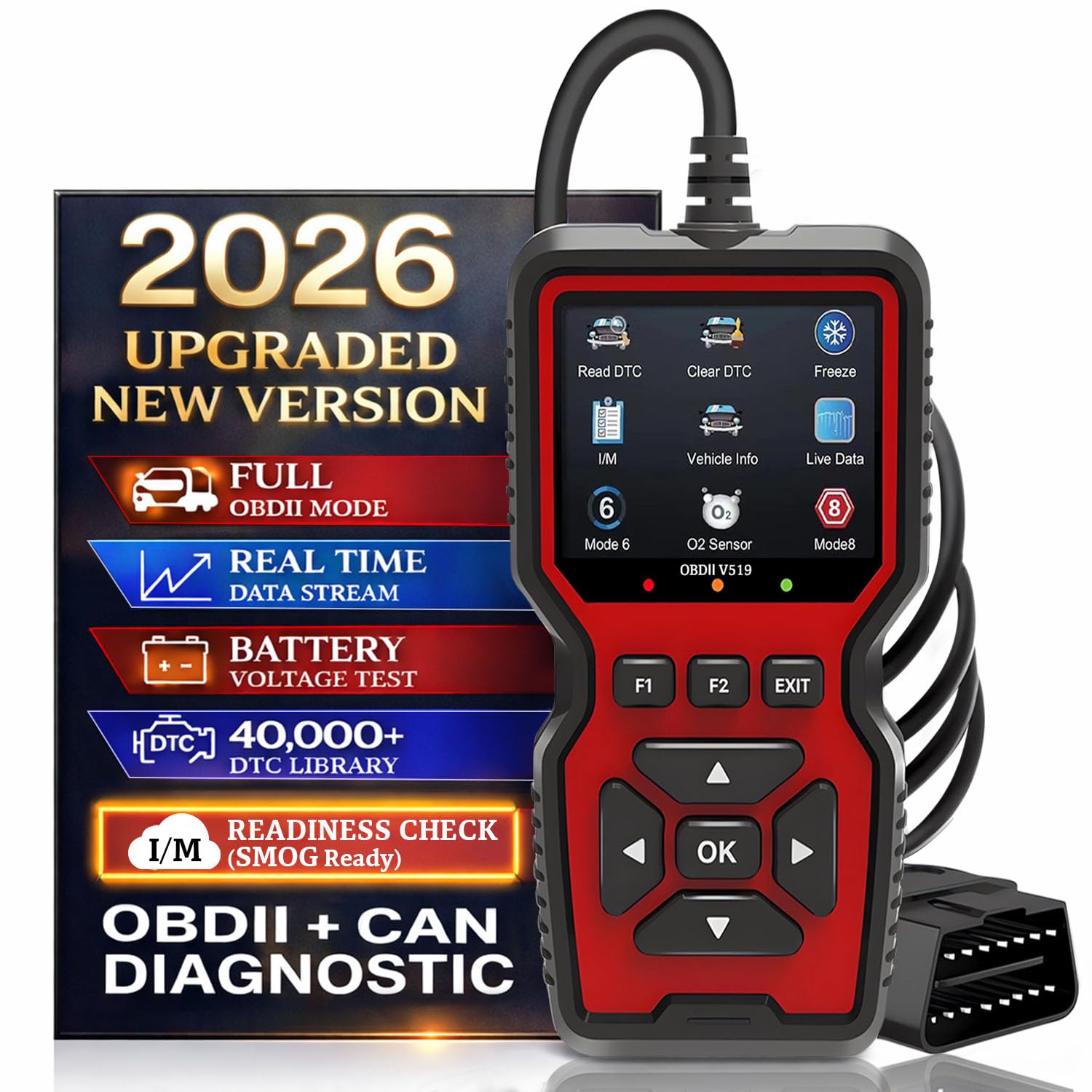
We recommend the CrysGuard V519 for drivers who want live O2 sensor and fuel-trim data, plus catalytic converter readiness checks, without using a phone app.
Pros
- Graphs live data, including O2 readings and fuel trims
- Checks CAT, EVAP, EGR, and other emissions monitors
- Includes freeze-frame data and a large built-in code library
Cons
- The lightweight case may not withstand drops well
- Its advanced functions may take time to learn
- Vehicle coverage can vary by make and model
We found the V519 simple to start: plug it into the OBD2 port, choose the vehicle, and read the stored codes. Its live-data graphs help us compare O2 sensor activity and fuel trims when checking possible catalytic converter problems.
The I/M readiness screen adds useful context. It shows whether the CAT monitor and other emissions tests have completed, which helps us avoid replacing parts based only on a check-engine code.
Freeze-frame data also helps us see the conditions present when a fault appeared. We liked the battery voltage test and the ability to save or replay diagnostic data, though some users may need practice with the deeper test modes.
With a 4.6-star rating from 157 customer ratings, the V519 has received positive feedback for its ease of use and code readings. We would choose it for home diagnosis, but we would still confirm repair decisions with vehicle-specific service information.
Buying Guide
We should choose an OBD2 scanner that supports live data, not only code reading. Live data lets us watch oxygen sensor readings, fuel trims, engine temperature, and catalyst-related values while the engine runs.
| Feature | Why it matters |
|---|---|
| Live data graphing | Helps us spot changes and patterns over time |
| O2 sensor data | Shows how the sensors before and after the catalytic converter behave |
| Fuel trim readings | Helps identify fuel or air problems that can affect catalyst codes |
| Freeze-frame data | Records engine conditions when a fault occurred |
| Code definitions | Explains the meaning of stored and pending codes |
| Readiness monitors | Shows whether emissions tests have completed |
| Vehicle coverage | Confirms compatibility with our car’s model year and system |
We should check whether the scanner displays data in graphs or only as numbers. Graphs make it easier for us to compare upstream and downstream oxygen sensor activity, but the scanner must still provide clear values and units.
Look for a device that reads pending, stored, and permanent codes. A useful scanner should also show freeze-frame records and emissions readiness status without requiring extra software or paid features.
We should confirm compatibility before buying. Some scanners support basic engine codes but cannot access enhanced manufacturer data, ABS, or other systems. Updates, app costs, screen size, cable length, and warranty terms also affect the product’s value.
Editor’s Choice
We choose the Autel MaxiAP AP200 as our editor’s pick for reading catalytic converter codes with live data. It connects to a phone through Bluetooth and supports key readings such as oxygen sensor voltage, fuel trims, engine temperature, and calculated catalytic converter data when the vehicle provides it.
| Feature | Details |
|---|---|
| Connection | Bluetooth to a smartphone |
| Live data | Graphs and sensor readings |
| Code support | Engine and manufacturer-specific systems |
| Best for | Home mechanics and regular diagnostics |
The AP200 can display oxygen sensor activity and fuel trim changes in real time. We can use these readings to compare sensor behavior, check for fuel mixture problems, and look for conditions that may affect catalytic converter performance.
We should confirm vehicle coverage before buying. Some advanced functions require in-app purchases, and the scanner may not access every module on every vehicle. For basic code checks and live engine data, it offers a practical balance of features, size, and price.
Conclusion
We should choose an OBD2 scanner that shows live oxygen sensor data, fuel trims, coolant temperature, and engine load. These readings help us compare catalytic converter performance with the vehicle’s operating conditions.
A good scanner should also display and clear diagnostic trouble codes, show freeze-frame data, and support graphing when possible. Wireless models offer convenience, while handheld units often provide a more stable connection.
Before replacing a catalytic converter, we should check for exhaust leaks, misfires, faulty oxygen sensors, and fuel system problems. A scanner helps us find these related issues, but it cannot confirm converter efficiency by itself.
Key features to look for:
- Live upstream and downstream oxygen sensor readings
- Short-term and long-term fuel trims
- Freeze-frame data
- Graphing and data recording
- Support for the vehicle’s OBD2 protocols
- Reliable connection and clear software
Using live data with a visual inspection and proper testing gives us a more accurate diagnosis and can prevent unnecessary parts replacement.
FAQs
Can an OBD2 scanner confirm a bad catalytic converter?
We can use a scanner to read trouble codes and review live data, but the tool cannot confirm the converter alone. Codes such as P0420 or P0430 may also result from an exhaust leak, faulty oxygen sensor, engine misfire, or fuel system problem.
Which live data should we check?
We should compare the upstream and downstream oxygen sensor readings after the engine reaches operating temperature. A properly working converter usually causes the downstream sensor signal to stay more stable than the upstream signal.
Can we test the catalytic converter while driving?
Yes. We can use a scanner with graphing and recording features to review oxygen sensor data during steady cruising and acceleration. We should follow traffic laws and avoid watching the screen while driving.
Will a basic code reader work?
A basic reader can retrieve codes, but it may not show live sensor data. We should choose a scanner that supports O2 sensor graphs, fuel trims, coolant temperature, misfire data, and freeze-frame records.
Should we replace the converter after seeing P0420?
No. We should inspect for exhaust leaks, misfires, fuel-trim problems, and damaged sensors first. Clearing the code without fixing the cause may allow it to return and could damage a replacement converter.
