
OBD2 Scanner Says No Codes but Check Engine Light Is On: What to Do

Quick Answer
If your OBD2 scanner says no codes but the check engine light is on, the scanner may not be reading every relevant code, the fault may be pending or manufacturer-specific, or the diagnostic system may have a communication problem. Start by checking the warning light, rescanning for stored and pending codes, and verifying that the scanner communicates with the engine control module. If the light stays on, a full-system diagnostic scan may be necessary. See this guide to OBD readiness and communication failures for additional diagnostic context.
What to check first
- Warning light: A flashing check engine light or severe engine symptoms require prompt attention.
- Scanner coverage: Check whether your tool can read pending, stored, and permanent emissions-related codes.
- Module connection: Confirm that the scanner successfully connects to the engine computer.
- Recent reset: Consider whether someone disconnected the battery or cleared diagnostic codes recently.
- Further diagnosis: Use a compatible enhanced scanner or consult a qualified automotive technician if the light remains on.
Important safety note
- Stop when necessary: Pull over safely if the engine overheats, oil pressure drops, or the vehicle develops severe shaking, smoke, or loss of power.
When an OBD2 scanner reports no codes while your check engine light stays illuminated, it can be confusing. You have checked the car’s computer, but the warning has not gone away.
I approach this as a diagnostic problem rather than proof that the vehicle has no faults. The next step is to determine what the scanner actually checked, whether the warning is being commanded on, and whether the vehicle needs a more capable scan tool.
In This Guide
Why Does the Check Engine Light Stay On Without Codes?
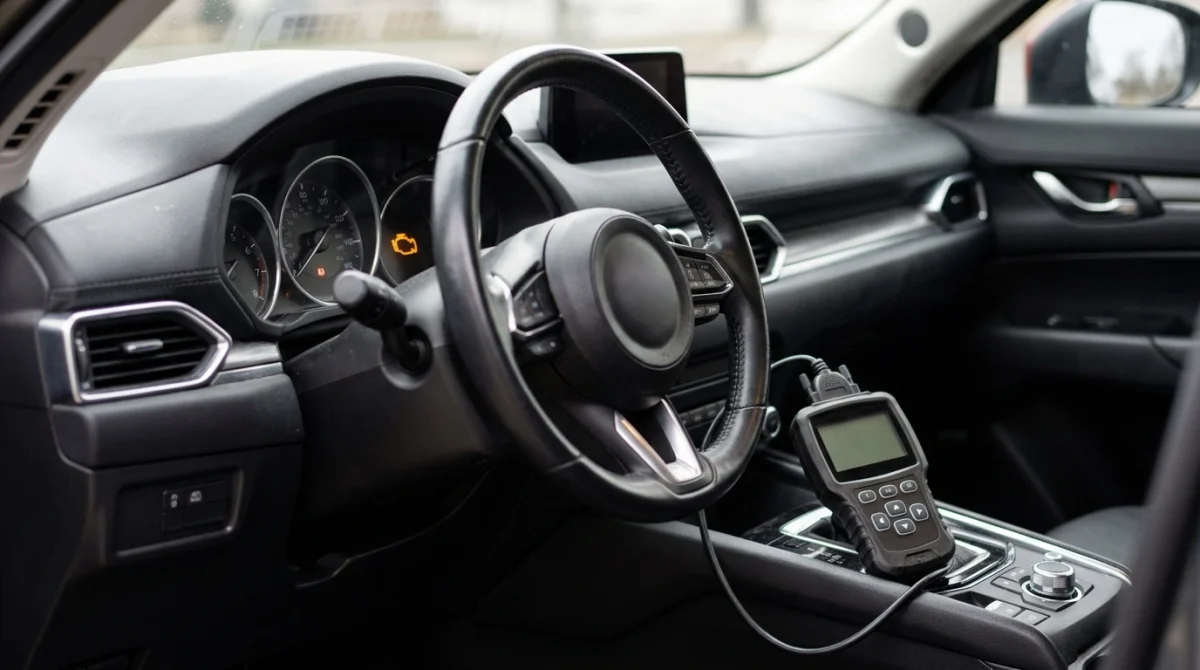
The check engine light can remain on even when a basic scanner displays no diagnostic trouble codes (DTCs). The result may reflect limited scanner coverage, a fault that has not met the criteria for a confirmed code, a communication problem, or a warning that needs further investigation.
An OBD2 system monitors certain engine and emissions-related functions and records diagnostic information when its detection criteria are met. A scanner retrieves the information it supports and can access; it does not automatically test every vehicle system.
1. The scanner is checking the wrong information
Some code readers primarily retrieve generic powertrain codes. They may not offer the enhanced diagnostic functions needed to access manufacturer-specific information or other vehicle modules.
For example, a vehicle may need a brand-compatible diagnostic tool to investigate a problem involving an electronic control module outside the basic emissions-related system. A generic scan that finds nothing does not rule out those other faults.
2. The fault is pending rather than confirmed
A pending code can indicate that the vehicle’s computer has detected a potential problem but has not yet met all the conditions needed to confirm it. Whether a scanner displays pending codes depends on its capabilities and the diagnostic mode selected.
Look for separate options labeled stored, confirmed, pending, and permanent codes. These categories provide different information, and not every scanner presents them on the same screen.
3. Someone recently cleared the codes
Disconnecting the battery or clearing diagnostic information can erase certain stored codes and reset emissions-monitor readiness. The computer may need to complete its self-tests again under the right driving conditions.
However, a recent reset does not automatically explain every illuminated warning. If the underlying problem remains, the light may return when the relevant monitor detects the fault again.
4. The scanner cannot communicate properly
A scanner may power up without successfully retrieving information from the vehicle’s engine control module. A connection problem, an incompatible communication protocol, or a fault affecting the diagnostic connector can interfere with the reading.
Check the scanner’s connection status and any error messages. A blank code list is meaningful only when the tool has successfully accessed the relevant diagnostic information.
5. The illuminated symbol may not be the check engine light
Several dashboard warnings can look similar at a glance. A tire-pressure warning, maintenance reminder, traction-control indicator, or other system light may require a different diagnostic approach.
Confirm the symbol against the owner’s manual before assuming the engine computer should contain a corresponding emissions-related code.
Section takeaway: A no-code result describes what the scanner retrieved, not the complete condition of the vehicle. Verify the warning, scanner coverage, and module communication before choosing a repair.
Can a Basic OBD2 Scanner Miss a Problem?
Yes. A basic OBD2 scanner can miss information that a more advanced diagnostic tool retrieves, particularly when the fault requires manufacturer-specific access or a different module to be scanned.
OBD2 means On-Board Diagnostics, the vehicle’s electronic system for monitoring and reporting certain faults. A diagnostic trouble code identifies a detected condition; it does not, by itself, prove which part needs replacement.
Generic codes versus manufacturer-specific codes
Generic codes follow standardized definitions for supported diagnostic functions. Manufacturer-specific codes can provide additional information, but access and interpretation depend on the vehicle and the scan tool.
Some enhanced tools also retrieve additional parameters and module information that ordinary code readers do not support. Compatibility should be checked for the exact make, model, year, and system involved.
What code categories should you check?
- Stored or confirmed codes: Faults recorded after the vehicle’s diagnostic criteria have been met.
- Pending codes: Detected conditions that may not yet qualify as confirmed faults.
- Permanent codes: Certain emissions-related records that cannot simply be erased with a standard clear command; the vehicle must verify that the fault has been resolved.
- Manufacturer-specific codes: Additional diagnostic information that may require enhanced, vehicle-compatible access.
These categories are not interchangeable. Availability and menu names vary by tool, so consult the scanner’s instructions rather than assuming every model supports all four.
What about readiness monitors?
Readiness monitors indicate whether the vehicle’s onboard diagnostic system has completed particular self-checks. They are not the same as trouble codes.
If several monitors show “not ready,” a recent battery disconnection, code clearing, or incomplete driving conditions may explain the status. It does not establish that a particular component has failed.
For more technical context, consult the OBDLink explanation of enhanced diagnostics, which describes the distinction between generic OBD2 access and additional manufacturer-specific information.
Section takeaway: Before replacing parts, make sure your scanner supports the diagnostic functions required for your vehicle. A more comprehensive scan can provide useful evidence, but the results still need interpretation.
What Should You Check First?
Start with simple, low-risk checks before paying for parts or attempting a repair. Preserve the existing diagnostic information and establish whether the warning needs urgent attention.
Step 1: Check the dashboard warning
Determine whether the engine-shaped check engine symbol is illuminated steadily or flashing. Also note any oil-pressure, temperature, charging, brake, or other warnings that appear at the same time.
If the engine runs roughly, loses power severely, overheats, or shows an oil-pressure warning, do not rely on a no-code scan to justify continued driving. Follow the owner’s manual and arrange assistance when necessary.
Step 2: Confirm the scanner is connected
Use the scanner manufacturer’s instructions for connecting to your vehicle. Verify that it identifies the vehicle or establishes communication with the relevant control module rather than merely powering on.
- Check for connection or communication error messages.
- Confirm that the selected vehicle information is correct when the tool requests it.
- Inspect the diagnostic connector visually for obvious damage or contamination without forcing tools or objects into it.
- If the tool cannot establish communication, stop treating its empty code list as a complete result.
Step 3: Read all supported code categories
Run another scan and review stored, pending, and permanent emissions-related codes where supported. Save the results before clearing anything.
If the scanner offers a live-data or vehicle-status screen, check whether it reports the malfunction indicator lamp (MIL) as commanded on. The MIL is the system status associated with the check engine warning, and this information can help a technician narrow the problem.
Step 4: Consider recent maintenance or battery work
Think about whether the battery was disconnected, the vehicle was serviced, or someone cleared the codes shortly before the light appeared. These events can affect stored information and readiness status.
Record when the warning first appeared and whether it changes after starting the engine or driving. Do not repeatedly clear codes to make the light disappear, because doing so can remove useful evidence.
Step 5: Arrange a compatible diagnostic scan
If the light remains on and your scanner finds nothing, ask a qualified technician to check the engine computer, the reported MIL status, communication quality, and any relevant manufacturer-specific information.
Locksmith’s note: If the concern also involves a key fob, immobilizer, or no-start condition, ask for the relevant security-system modules to be checked separately. A basic emissions scan is not a complete assessment of a vehicle’s keyless entry or immobilizer system.
Section takeaway: Confirm the warning, verify communication, save available results, and seek a more capable scan when necessary. Avoid clearing evidence before the cause is understood.
Does a Solid or Flashing Check Engine Light Matter?
Yes. The way the check engine light behaves helps determine how urgently you should respond, although it does not identify the underlying fault by itself.
| Observed condition | What it may mean | Recommended response |
|---|---|---|
| Solid check engine light | An emissions-related fault or another condition requiring diagnosis may be present. | Check the manual, scan the vehicle, and arrange diagnosis promptly. |
| Flashing check engine light | A serious engine fault, commonly associated with a misfire that can damage the catalytic converter, may be occurring. | Reduce risk, stop safely, and follow the manual’s guidance; arrange professional assistance. |
| Check engine light plus severe shaking or power loss | The vehicle may have a significant running problem even if the scanner shows no codes. | Avoid continued driving if unsafe; arrange inspection or towing. |
| Other warning lights also appear | A separate system fault or broader electrical or communication issue may be involved. | Identify each warning and use suitable diagnostics for the affected systems. |
A solid light does not automatically mean the vehicle is safe to drive, and a flashing light should not be ignored because a scanner reports no codes. Symptoms and the vehicle manufacturer’s instructions matter.
For broader vehicle-safety information, consult the National Highway Traffic Safety Administration. Its resources can help with vehicle safety concerns, recalls, and manufacturer-related information.
Section takeaway: Treat a flashing warning or serious running symptoms as urgent. Never let an empty scanner screen override a clear mechanical or safety warning.
Which Diagnostic Option Should You Use?
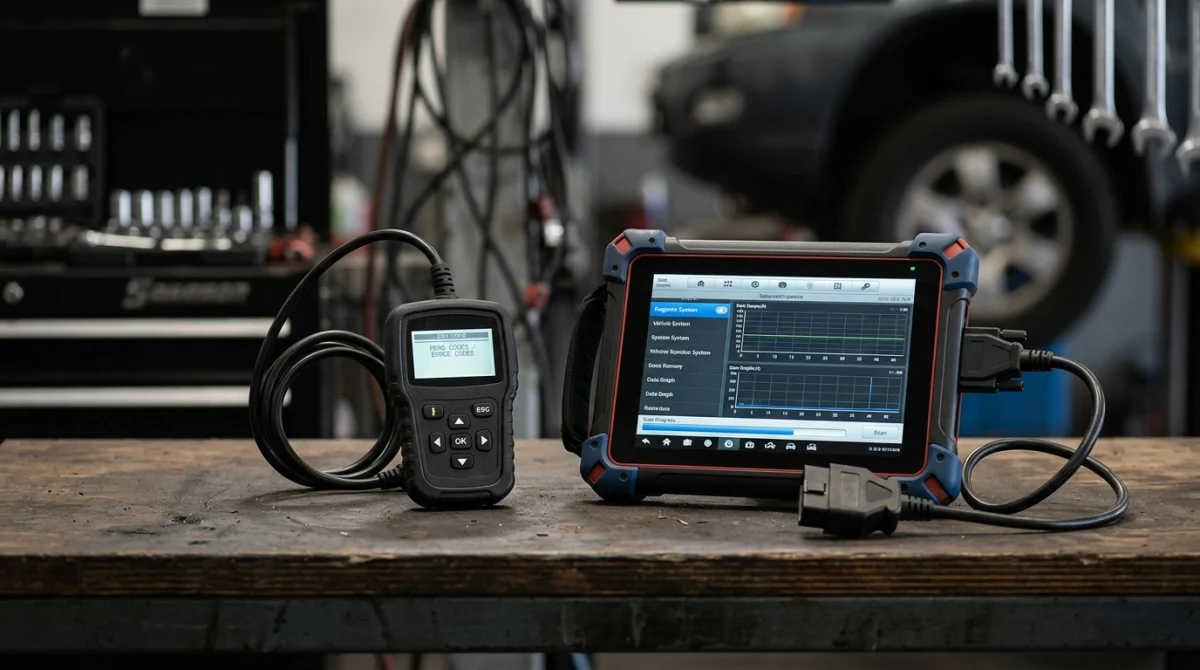
The best next step depends on what your existing scanner can access and how the vehicle behaves. A more advanced scanner may reveal additional information, while persistent communication problems may require hands-on electrical diagnosis.
| Diagnostic option | Best use | Main limitation |
|---|---|---|
| Basic OBD2 code reader | Checking supported generic powertrain codes. | May not support enhanced codes or other control modules. |
| Enhanced diagnostic scanner | Retrieving additional manufacturer-specific data when supported. | Coverage varies by vehicle, system, and tool. |
| Professional diagnostic service | Investigating persistent warnings, communication failures, and complex symptoms. | Requires an appointment and may involve additional testing or repair costs. |
When should you visit a repair shop?
Arrange professional diagnosis if the warning remains illuminated, the scanner repeatedly fails to communicate, or the vehicle has symptoms that you cannot explain. Tell the technician what the scanner displayed and whether the codes were recently cleared.
Ask what evidence supports the diagnosis before authorizing replacement parts. Depending on the findings, further work might involve checking wiring, electrical power, grounds, sensor data, or the operation of a monitored system.
Expert tip: Confirm the diagnostic scope before agreeing to a scan. Ask whether the service includes only generic engine codes or also checks manufacturer-specific codes and relevant control modules.
Repair prices depend on the vehicle, the fault, labor rates, and the tests required. There is no reliable universal price for resolving a check engine light with no codes displayed.
Section takeaway: Choose a diagnostic method that matches the vehicle and the suspected system. A scan is a starting point, not a guarantee that every fault has been found.
How Can You Avoid a Misdiagnosis?
The easiest way to waste money on this problem is to replace parts based on guesses. Keep the available evidence intact and make sure each diagnostic step addresses a specific possibility.
Keep a record of the symptoms
Write down when the light appeared, whether it flashes, and whether the vehicle starts and runs normally. Note recent maintenance, battery work, fuel purchases, or other changes that occurred shortly beforehand.
This information can help a technician reproduce the issue and decide which tests to perform. It is particularly useful when a warning appears intermittently.
Do not replace parts just because the light is on
A check engine light does not automatically mean the oxygen sensor, mass airflow sensor, catalytic converter, or any other individual component has failed. Several different faults can produce similar symptoms, and some problems involve wiring or communication instead.
Likewise, a new sensor may not solve a problem caused by a damaged connector or another underlying condition. Request supporting test results before approving a parts replacement.
Do not confuse a reset with a repair
Clearing codes or disconnecting the battery may change the displayed information, but it does not correct an unresolved mechanical or electrical fault. It can also reset readiness monitors and erase useful diagnostic records.
After a verified repair, the vehicle may need to complete its applicable self-tests before all readiness monitors return to a ready state. Follow the manufacturer’s guidance and local inspection requirements.
For additional vehicle maintenance and repair information, you can also consult AAA’s Auto Repair resources.
Section takeaway: Preserve diagnostic evidence, document symptoms, and ask for a test-based explanation before replacing parts. A warning that disappears temporarily is not proof that the cause has been fixed.
Frequently Asked Questions
Can a check engine light be on without any stored codes?
Yes, a scanner may show no stored codes if the relevant fault is pending, the tool cannot access the necessary information, or communication is incomplete. Check the MIL status and supported code categories, then arrange further diagnosis if the warning persists.
Will disconnecting the battery turn off the check engine light?
Disconnecting the battery can reset some diagnostic information on some vehicles, but it does not repair the underlying fault. It may also reset readiness monitors and erase useful records. Follow the vehicle manufacturer’s instructions rather than using a battery reset as a diagnostic shortcut.
Can a cheap OBD2 scanner miss engine problems?
Yes. Basic readers may have limited access to manufacturer-specific codes, enhanced data, or other vehicle modules. They can still be useful for generic emissions-related diagnostics, but an empty result does not prove that every system is fault-free.
Should I keep driving if the scanner finds no codes?
The lack of codes alone cannot determine whether driving is safe. Consider the warning light, engine behavior, and owner’s manual. If the light flashes or the vehicle overheats, shakes severely, loses power, or displays an oil-pressure warning, stop safely and seek appropriate assistance.
Can a loose gas cap cause a check engine light?
On vehicles that monitor the fuel-vapor emissions system, a loose or improperly sealed fuel cap can contribute to an emissions-related fault. However, it is only one possibility. Check the owner’s manual and cap condition, and do not assume it explains a warning when the scanner reports no codes.
How do I know if my scanner supports manufacturer-specific codes?
Check the scanner’s documentation and compatibility information for your exact vehicle make, model, year, and target system. Look for enhanced diagnostics or OEM-specific coverage. A generic OBD2 label alone does not guarantee access to every vehicle module or manufacturer-specific fault.
Final Takeaway
If your OBD2 scanner says no codes but the check engine light is on, do not assume the problem has disappeared or that the vehicle is fault-free. Verify the warning, confirm scanner communication, check all supported code categories, and preserve any available diagnostic data.
If the light persists, seek a compatible enhanced scan or professional diagnosis. Above all, prioritize safety when the warning flashes or the vehicle shows serious symptoms.
Research note: This guide explains general OBD2 troubleshooting principles. It does not represent a hands-on inspection of a particular vehicle, and the correct diagnostic procedure depends on the vehicle’s make, model, year, and system design.
Affiliate disclosure: This article may contain affiliate links. If you purchase through a qualifying link, the site may earn a commission at no additional cost to you.
