
Tesla Lost Car Key: What to Do When You Need Back In Fast

Losing a Tesla key card or key fob is stressful, but the recovery path is usually straightforward if you know which access method you still have. The first job is not “replace the key” — it is “get the car open and drivable again” using the fastest valid method for your setup.
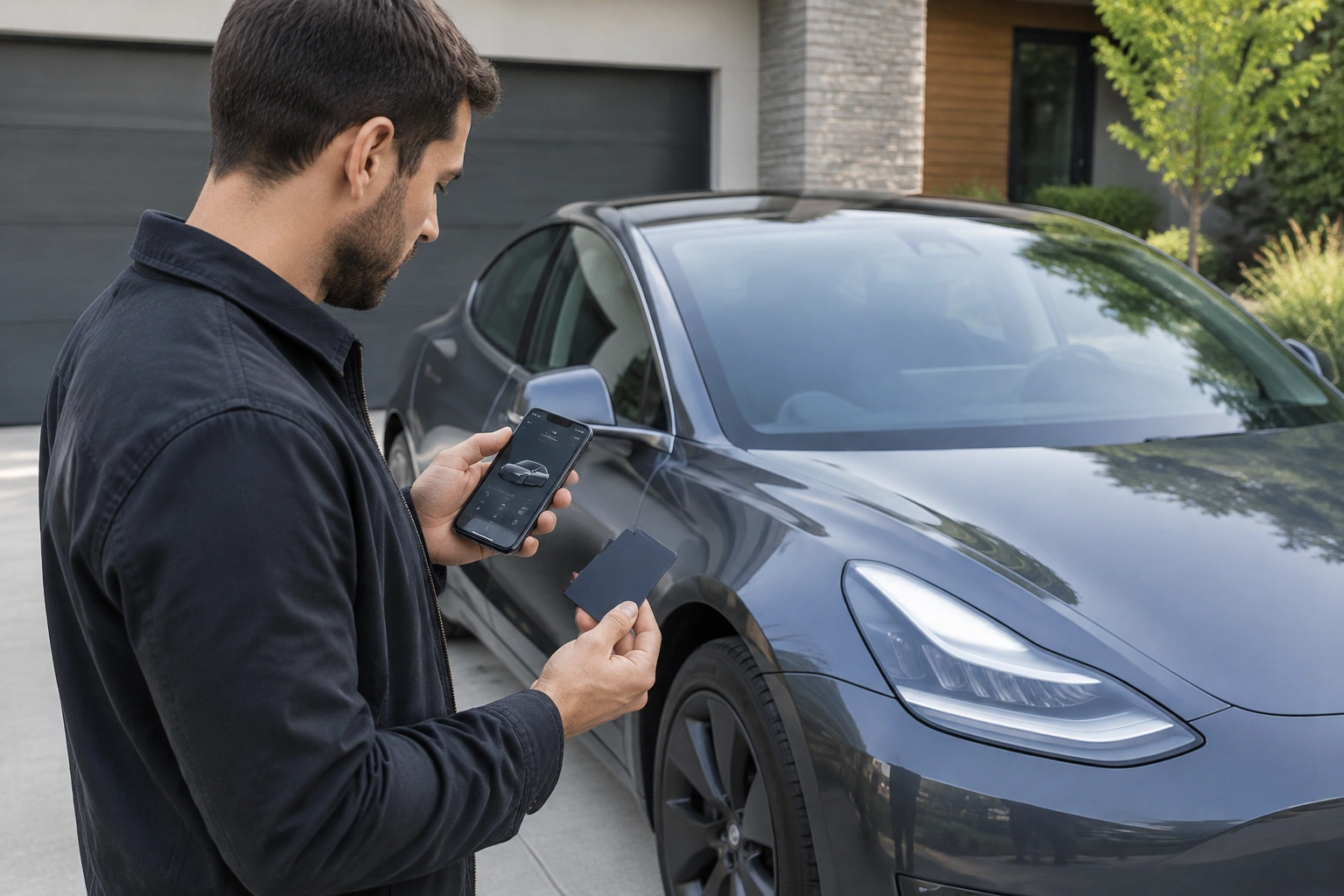
Tesla vehicles can use a phone key, key cards, or a key fob. That matters because the right fix depends on what you lost and what was already paired before the loss. If you already set up a phone key, you may be able to get in immediately. If you never set up phone key and all physical keys are gone, the process becomes more involved and usually means contacting Tesla directly.
Quick decision tree: what kind of Tesla key problem do you have?
-
Lost one key, but Phone Key still works
Use the phone key to unlock and drive, then replace the missing card or fob when convenient. -
Lost one key, and no Phone Key was set up
Use any spare card or fob if you have one. If you do not, you will likely need Tesla service to regain access. -
Lost all keys
This is the all-keys-lost case. Contact Tesla as soon as possible and be ready to verify ownership. -
Locked out away from the vehicle
If you cannot get inside to use a card and your phone is not already a key, your first move is to contact Tesla support or roadside assistance for coordination.
What to Do First If You Lost Your Tesla Key
Before you order anything, make one quick decision: Do you still have a paired phone key or another physical key?
Use this order of operations:
-
Check for a paired phone key.
If your phone was already set up as a key, open the Tesla app and try the normal unlock method from the phone. -
Look for a backup key card or key fob.
Many owners keep a spare at home or with a trusted family member. If you have one, that is the fastest way back in. -
If the missing key may be stolen, plan to remove it from the vehicle later.
That matters more when you suspect theft than when you simply misplaced it. -
If you have no working key method, contact Tesla support or service.
Don’t waste time trying generic car-key solutions; Tesla access is model- and system-specific.
A useful rule: if you can already unlock the car with a paired phone key, replacement can wait; if you cannot unlock the car at all, service becomes the priority.
Tesla Key Card vs Key Fob vs Phone Key
The recovery process is easier when you know which access method you lost.
| Access method | Immediate access if lost? | Replacement difficulty | Typical convenience | Tesla service needed? |
|---|---|---|---|---|
| Phone key | Only if another key method exists | No physical replacement, but setup matters | Highest once configured | Sometimes, if you need account or vehicle help |
| Key card | Yes, if you have another paired key method | Usually simpler than a fob | Basic, tap-to-unlock access | Sometimes for pairing or total key loss |
| Key fob | Yes, if you have another paired key method | Usually more involved than a card | Most convenient physical option | Sometimes for pairing or total key loss |
The trade-off is simple:
- Key cards are practical and usually the easiest physical backup.
- Key fobs are more convenient for daily use, but replacement can be less simple.
- Phone key is the most convenient overall, but only after it has already been configured.
Tesla’s support documentation indicates that Tesla vehicles may support phone key, key cards, and key fobs, and that extra backup key cards and key fobs may be available through the Tesla Shop, depending on model, region, and current availability. Tesla’s Model 3 documentation also states that a Model 3 requires at least one authenticated key card or key fob at all times, and if only one key card remains on the key list, you cannot delete it. Tesla vehicle keys | Model 3 key management
Prerequisites Before You Try to Regain Access
Gather these before you contact Tesla or start replacing anything:
- Your Tesla account login
- The vehicle VIN
- Proof of ownership or registration details
- A phone that may already be set up as a key
- A backup key, if you have one
- Your Tesla app access
Why this helps: if you are locked out and need service, the fewer missing details you have, the faster Tesla can verify the vehicle and tell you the next step. If the key was stolen rather than simply lost, you should also think about security first, not just convenience.
How to Unlock and Start a Tesla Without the Lost Key
If you already have a working backup method, use that first.
If your phone key is already set up
- Open the Tesla mobile app.
- Approach the vehicle with the phone.
- Unlock the car using the app or the normal phone-key behavior your vehicle already recognizes.
- Enter the car and drive as usual.
The important limitation here is that the Tesla app alone is not the same as Phone Key. If Phone Key was never set up, signing into the app does not normally unlock the car by itself. The app can still be useful for account access and some remote functions, but it is not a substitute for an already-paired phone key.
If Phone Key was set up but your phone is dead or unavailable, the fallback is usually a backup key card or key fob if you have one. If you do not, you may need Tesla help to regain access.
If you have a backup key card
- Tap the key card on the vehicle’s card reader area.
- Unlock the car.
- Use the card again as needed to drive and lock the vehicle.
For Model Y, Tesla’s manual says that when a phone key has a dead battery, or is lost or stolen, a key card can be used to unlock, drive, and lock the vehicle. That is a good example of why a backup card matters. Model Y keys manual
If you have a key fob
Use the fob as you normally would. If it still works and the vehicle recognizes it, you can regain access without waiting for replacement.
What to Do If Your Phone Key Was Never Set Up
This is the point where many Tesla owners get stuck.
If the phone was never paired as a key, the Tesla app by itself is not enough to unlock and drive the vehicle. At that point, your options are narrower:
- Use another already-paired key card or key fob, if one exists.
- Contact Tesla service for help if all keys are unavailable.
- If the vehicle is somewhere inaccessible, use Tesla support or roadside assistance to coordinate next steps.
Do not assume that signing into the app on a different phone will solve the problem. The phone key feature has to be configured with the vehicle first.
How to Order a Replacement Tesla Key Card or Key Fob
If you have at least one working access method, replacement is usually a normal follow-up step rather than an emergency.
In practice, the ordering path can vary by model and region, but the usual options are:
- Through the Tesla app or your Tesla account, if Tesla enables the order flow for your vehicle
- Through Tesla’s online shop, where available
- Through Tesla Service, especially if the vehicle needs verification or pairing help
If you are already locked out, Tesla may require you to verify ownership before it will help with a replacement or key pairing. If you still have a working key, ordering is usually simpler.
Replacement key card
A replacement card is usually the simpler and more economical option. It is also easier to keep as a backup because it is small and does not need a battery.
Replacement key fob
A replacement fob is the more convenient physical option, but it is typically the more premium one. If you want easy daily access and are willing to pay more for it, the fob is the better fit. If you mainly want a reliable backup, the card makes more sense.
A practical decision rule:
– Choose a key card if you want the simplest backup.
– Choose a key fob if you want more convenience and expect to use it often.
How to Pair or Program a New Tesla Key
Pairing a new Tesla key is not the same as buying one.
Tesla’s Model 3 key management instructions indicate that replacement key cards can be purchased and then paired by following the vehicle’s key setup steps. The exact steps can vary by model, so the safest approach is to follow the on-screen prompts in the car or Tesla’s model-specific instructions rather than assuming one process fits every Tesla.
In general, pairing is easiest when:
– you already have at least one authenticated key,
– you can sit in or stand near the vehicle,
– and the car can be placed into key-management mode.
If you lost all keys, self-pairing may not be available in the normal way. That is when Tesla service becomes the more realistic route.
When to Contact Tesla Service Center or Roadside Assistance
Choose the support channel based on the situation:
Contact Tesla service when:
- you lost all keys,
- the phone key was never set up,
- you need a replacement to be added to the vehicle,
- or the vehicle needs account-level help.
Contact Tesla Roadside Assistance when:
- the car is locked in a place that is hard to reach,
- you cannot safely get to the vehicle,
- or you need help coordinating access and movement.
Tesla service is the more likely path for key pairing and account verification. Roadside assistance is generally more about the vehicle being stranded, inaccessible, or difficult to move; it may help coordinate towing or access logistics, but it is not usually the direct fix for a missing key.
How Much a Tesla Replacement Key Costs and How Long It Takes
Tesla does not publish one universal price or timeline that fits every model and location, so avoid anyone who promises an exact number before checking your vehicle and region.
What you can expect in practical terms:
- Key cards are usually the lower-cost replacement.
- Key fobs are usually more expensive.
- All-keys-lost situations take longer because Tesla has to verify ownership and help restore access safely.
- Local service availability affects timing more than most people expect.
A practical estimate, based on how these jobs are usually handled, is:
- Replacement key card: often the fastest and least expensive route
- Replacement key fob: typically costs more and may take longer to source
- All keys lost: can take the longest, especially if Tesla service has to verify ownership and complete pairing
If you still have a working phone key or backup key, you can usually replace the missing item on a normal schedule. If you are completely locked out, the timeline depends on service availability and whether the vehicle can be accessed at all.
What to Do If You Lost All Tesla Keys
This is the hardest version of the problem.
If every physical key is gone and the phone key was never set up, the vehicle cannot be recovered the same way as a simple misplaced card. In that case:
- Contact Tesla service.
- Have your VIN and ownership information ready.
- Explain that all keys are lost, not just missing.
- Ask what the next access step is for your specific model and location.
Tesla will typically want to confirm that you are the owner or authorized user before it restores access. Be ready for some combination of:
– VIN
– account login
– registration or proof of ownership
– government ID
– and, in some cases, a service appointment to pair a new key
Whether the vehicle can be handled remotely or needs to be brought in depends on the model, local process, and whether Tesla can verify and pair the new key without the car being present. In many cases, a service appointment is the realistic next step, and towing may be needed only if the vehicle cannot be accessed or moved safely.
If the missing key might be stolen, tell Tesla that clearly. A stolen key is a security issue, not just a convenience issue.
Security Steps After a Tesla Key Is Lost or Stolen
If the key is just misplaced at home, security is less urgent. If you suspect theft, act faster.
Tesla’s Model 3 documentation specifically says to remove old key cards from Controls > Locks > Keys for security purposes after replacement. That is the right mindset: once a missing key is no longer needed, take away its access.
Use this security checklist:
– Remove the missing key from the vehicle’s key list when possible.
– Change any related account credentials if you think your Tesla account was exposed.
– Confirm which keys are still authorized.
– Keep the new backup in a separate place from the primary key.
One important note: Tesla Model 3 documentation also says you cannot delete the last remaining authenticated key card or key fob from the key list. That is a built-in safeguard, and it means you need at least one valid key on hand during normal key management.
Can Tesla Disable or Revoke a Lost Phone Key or Key Card?
Yes, in many cases you should remove the missing key from the vehicle’s key list as soon as you can.
If you still have access to the car through another key or a paired phone key, remove the lost key right away. That is the fastest way to revoke access. If you no longer have access, Tesla service may need to help you secure the vehicle and restore control.
The key point is timing:
– If the key is lost but you still have access, remove it immediately.
– If the key may be stolen, do not wait.
– If you cannot access the key list, contact Tesla service.
Can a Locksmith Help With a Tesla Lost Key?
Sometimes, but not always.
A locksmith may be useful if you need help with entry or towing coordination, but a traditional automotive locksmith is often not the right solution for Tesla key pairing, account verification, or all-keys-lost recovery. Tesla access is more specialized than a standard metal-key or transponder-key job.
A locksmith is more realistic when:
– you need non-destructive entry help,
– the vehicle must be moved,
– or you need assistance reaching the car.
A locksmith is usually not a realistic fix when:
– all Tesla keys are lost,
– the phone key was never set up,
– or Tesla must verify ownership and pair the replacement.
Common Mistakes to Avoid
A few errors cause most of the frustration here:
-
Assuming the app alone will unlock the car.
It won’t help unless Phone Key was already configured. -
Confusing a key card with a key fob.
They are not replaced or used the same way. -
Waiting too long to secure a stolen key.
If theft is possible, treat it as a security issue. -
Assuming every locksmith can handle a Tesla.
Tesla key recovery is more specialized than many traditional car-key jobs. -
Trying to solve all-keys-lost cases like a routine duplicate.
Those cases usually need Tesla involvement.
Troubleshooting Lockout Scenarios
Dead phone
If your phone battery is dead, a paired phone key will not help. Use a backup card or fob.
No backup key
If you have no backup and the phone key was never set up, go straight to Tesla support.
Car is parked somewhere awkward
If the Tesla is at an airport, garage, or tow-restricted location, coordinate before you attempt anything risky.
Not sure whether the key is lost or stolen
If you truly cannot tell, assume the more cautious path. Replace the key and remove access once you are back in control.
Practical Examples of Tesla Lost-Key Recovery
Scenario 1: You lost a key card, but your phone key works
This is the easiest case. Use the phone to get in, then order a replacement card and remove the missing one from the key list if needed.
Scenario 2: You lost the key fob at home, but you still have a key card
Use the card to drive, then replace the fob later if you want the convenience back.
Scenario 3: You lost all keys and never set up phone key
This is the one that usually requires Tesla service. Have your VIN and ownership documents ready.
Scenario 4: You think the key was stolen
Regain access with whatever backup you have, then secure the vehicle by removing the missing key from the authorized list.
How to Prevent Getting Locked Out Again
The best backup plan is boring, and that is exactly why it works:
- Keep one spare key card in a separate place.
- Set up phone key before you need it.
- Store your VIN and ownership documents somewhere easy to find.
- Make sure a family member or trusted person knows where the backup is.
- If you use a key fob, treat it like a primary access device, not a casual spare.
If you want a calmer recovery next time, the goal is simple: always have one working backup that does not depend on the missing item.
For more general recovery help, you may also find these guides useful: how to find a lost car key and how to replace a lost car key without the original.
FAQ
Can the Tesla app unlock the car if Phone Key was never set up?
Usually no. The app can still be useful for account access and some remote features, but it does not normally unlock the car by itself unless Phone Key was already configured.
What if my phone key is set up but my phone is dead?
Use a backup key card or key fob if you have one. If you do not, contact Tesla service for the next step.
Can I order a replacement Tesla key online?
Sometimes, depending on the model and region. In other cases, Tesla may route you through the app, online shop, or service center after ownership verification.
Will a locksmith replace a Tesla key card or key fob?
Usually not for pairing or all-keys-lost recovery. A locksmith may help with entry or towing coordination, but Tesla service is often needed for access restoration.
What should I do first if all Tesla keys are lost?
Contact Tesla service, gather your VIN and ownership documents, and explain that all keys are lost. If the car is inaccessible, ask whether towing or a service appointment is needed.
