
Can a Phone Interfere With a Key Fob Signal? How to Tell and What to Try First

If your key fob suddenly works better when you move your phone away, yes — your phone or something attached to it can be part of the problem. That said, phone-related interference is usually situational, not constant. In other words, the phone is more likely to contribute to a weak or unreliable signal than to completely “block” a healthy fob every time.
The trick is figuring out whether the phone is the real cause, or just the easiest thing to blame. After years of working around electrical gremlins in cars, I can tell you this: the best fix is usually a simple isolation test, not a long list of guesses.
How a Key Fob Signal Works
A key fob talks to the vehicle using a low-power radio frequency signal. On a standard remote, that signal is sent when you press a button. On a proximity key or smart key system, the car and fob exchange low-frequency and radio-frequency signals so the vehicle can recognize the fob nearby.
That setup is convenient, but it also means the system can be affected by distance, shielding, and nearby electronics. In practice, phones usually cause problems by changing placement or adding shielding around the fob more than by “blocking” the signal outright.
That’s why a fob can seem fine one minute and unreliable the next. The issue may not be the fob itself; it may be the way the fob is being stored or carried.
Most Likely Causes, Ranked by Probability
When a key fob acts up and a phone is nearby, I’d sort the likely causes like this:
- Weak key fob battery
- Phone or phone accessory close to the fob
- Phone case, wallet, or charging accessory adding shielding or changing placement
- Vehicle-side receiver or antenna issue
- Other electronic interference nearby
That order matters because a weak fob battery is still one of the most common reasons for poor range or inconsistent operation. A phone can absolutely be involved, but it’s usually not the first thing I’d blame unless the problem appears only when the phone is in a certain spot.
For broader troubleshooting, our guide on why your key fob signal feels weak is a useful next read once you’ve ruled out obvious interference.
Quick Symptom Check: Interference or a Weak Fob Battery?
Here’s the practical difference I look for.
| Symptom | More like phone interference | More like weak key fob battery |
|---|---|---|
| Works when phone is moved away | Yes | Sometimes, but less likely |
| Problem changes by pocket, purse, or console position | Yes | Not usually |
| Range gets worse over time in all situations | Less likely | Yes |
| Fob works near the car but not at a distance | Possible | Yes |
| Problem is intermittent and location-specific | Yes | Sometimes |
| Fob is dead or nearly dead all the time | No | Yes |
A phone-related issue usually changes with placement. For example, the fob may work fine when the phone is in your jacket pocket, then fail when both are crammed into the same front pocket. A weak battery tends to be more consistent: poor range, sluggish response, or one button working while another doesn’t.
Warning signs that point more toward a weak key fob battery than phone interference:
– The fob only works when you stand very close to the car
– The problem shows up in multiple locations, not just one pocket or bag
– The fob is slow to unlock, but the pattern doesn’t change when you move the phone
– The fob has been in use for a long time and the behavior is getting less reliable
If you want a deeper comparison of signal problems, this guide on radio interference and key fobs covers the same troubleshooting angle from a wider interference standpoint.
Step-by-Step Tests to Rule Out the Phone
The goal here is to change one thing at a time. If you change five things at once, you won’t know what actually fixed it.
1) Move the phone away from the fob
Start with the simplest test: separate the phone and the key fob.
Try these common real-world setups:
– Same pocket: move the phone to a different pocket and test again
– Purse or bag: put the fob in a different compartment, or carry it outside the bag for a moment
– Center console: remove the phone from the console and place it farther from the fob
– Dashboard mount: if the phone is mounted near where you keep the fob, move the fob away from the mount and test
– Wireless charging pad: remove the phone from the pad and retest
What it means if this changes: if the fob starts working normally after the phone is moved, the setup around the phone is likely part of the problem. If nothing changes, keep going.
2) Test with the phone completely away from the car
If moving the phone within the cabin doesn’t help, leave the phone several feet away from the car and try the fob again.
What it means if this changes: a better result here suggests the phone, its case, or something attached to it is contributing. If there’s still no change, the phone is less likely to be the cause.
3) Test with the phone off or in airplane mode only if needed
If you still want to isolate the phone further, test with the phone powered off or in airplane mode.
This is a lower-priority test, not the first one I’d use. Turning off Bluetooth, Wi‑Fi, mobile data, or NFC can be worth trying, but it’s usually a low-probability check unless the phone is very close to the fob and you want to eliminate wireless activity one step at a time.
What it means if this changes: if the fob works better only when the phone is off or in airplane mode, that suggests the phone is involved somehow. If nothing changes, wireless features are probably not the real issue.
4) Test again with a spare key fob, if available
If the spare fob works normally in the same conditions, that points away from the vehicle and toward the original fob or its battery.
What it means if this changes: if the spare works and the original doesn’t, the original fob is the more likely problem. If both behave the same way, look harder at the vehicle side.
5) Replace the fob battery
If the fob still acts up after the phone is moved away, replace the battery before assuming the car is at fault.
What it means if this changes: if a new battery fixes the issue, the old battery was the problem. If the problem stays the same after replacement, the issue is less likely to be battery-related.
6) Suspect the vehicle receiver or antenna
If the phone is out of the picture, the spare fob behaves the same way, and a fresh battery doesn’t help, the issue may be on the vehicle side — the receiver, antenna, or another part of the smart key system.
That’s more likely when:
– Both fobs act the same way
– The problem happens in multiple locations
– The fob works only at very short range
– The issue comes and goes without any phone nearby
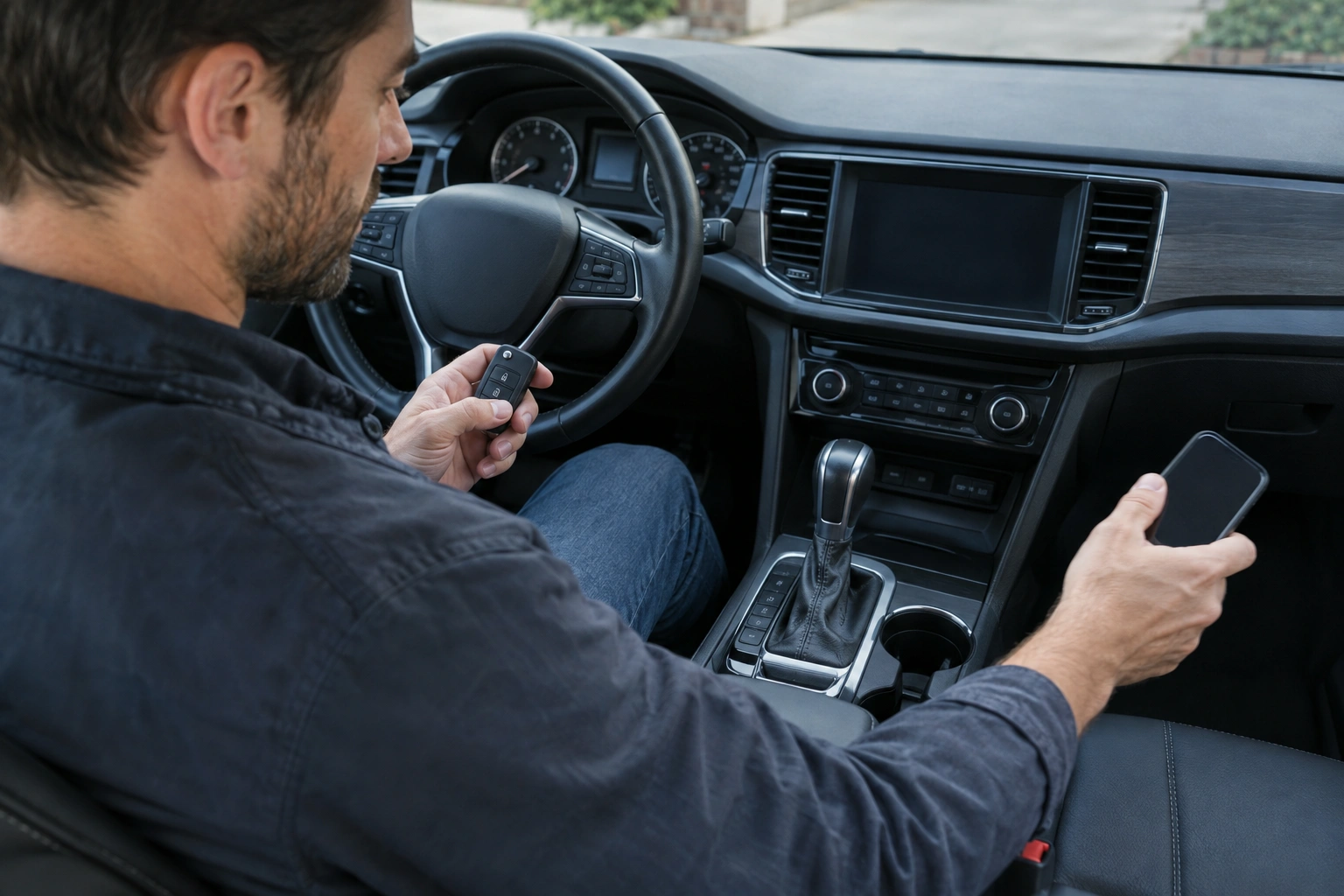
If the car is struggling to recognize the fob consistently, the vehicle may need diagnosis. The NHTSA is also a good reference point for general vehicle safety and owner information, especially if the issue affects entry or starting in a way that could leave you stranded.
For a related symptom, this article on why a key fob battery low warning can stay on after replacement is helpful if you already changed the battery but the problem didn’t clear up.
Phone Cases, MagSafe, Wireless Chargers, and Other Accessories
In practice, the accessory is often more suspicious than the phone itself.
A thick phone case, MagSafe wallet, magnetic mount, or wireless charging pad can change how the phone sits relative to the fob. In many cases, the more likely problem is physical placement or shielding from nearby materials, not true radio interference from the phone’s wireless features.
Here’s the practical breakdown:
- Magnetic accessories: these can matter because they often keep the phone and other metal items bundled tightly together. That can make a weak-signal setup more noticeable, especially in a purse, pocket, or console.
- Metal cases or wallets: these may block or weaken the signal path more than a plain case would.
- Wireless charging pads: these can be a factor if the phone is sitting close to the fob or another key ring, but the location is often the bigger issue than the charging itself.
- MagSafe: the magnet system itself is not automatically a key fob problem. The more plausible issue is that it encourages a tighter stack of phone, wallet, mount, or metal accessories in the same spot.
- Phone features like Bluetooth, Wi‑Fi, NFC, or mobile data: these are worth testing, but they are usually lower-probability causes than simple proximity, shielding, or poor placement.
If you suspect the accessory rather than the phone, test the phone naked — no wallet case, no magnetic mount, no charger — and see whether the problem disappears.
Can Bluetooth, Wi‑Fi, NFC, MagSafe, or Wireless Charging Interfere?
Short answer: sometimes, but not usually in the way people expect.
- Bluetooth: possible but low-probability. Turning it off is a reasonable test, especially if the phone is right next to the fob.
- Wi‑Fi: also low-probability. It’s worth disabling only as a test, not as the first explanation.
- NFC: usually unlikely to be the main cause. It’s a short-range feature, so it’s more of a “try it if nothing else changes” test.
- MagSafe: the magnets themselves are not the same thing as RF interference. The more likely issue is how the magnetic accessory changes placement or adds metal and thickness near the fob.
- Wireless charging: more likely to matter because of placement and the charging hardware around it, especially if the phone and fob are stacked together on a pad or in a tight console area.
If you want the quickest practical answer, start by moving the phone and only then test wireless features if the problem is still unclear.
Other Common Sources of Interference Besides Your Phone
Don’t stop at the phone if the first test fails. Other common culprits include:
- Another key fob stored nearby
- A wireless charger in the car
- A laptop or tablet in the same bag
- A metal container or heavy key organizer
- A garage full of electronics or charging equipment
- Nearby RF-heavy equipment, depending on location
A phone may get blamed simply because it’s the item you carry every day, but the real issue can be whatever else is packed around it. A purse with a phone, spare fob, metal makeup case, and charging cable can create a very different signal environment than a clean pocket.
The practical move is to simplify the setup. Carry only the fob, then test. Add the phone back in later. If the problem returns, you’ve narrowed it down.
What to Do if the Fob Still Fails After Moving the Phone
If the fob still acts up with the phone far away, follow this order:
- Replace the fob battery first if it’s old, weak, or you don’t know when it was last changed.
- Test the spare fob if you have one.
- Compare the results:
- If the spare works and the original doesn’t, the original fob is likely the issue.
- If both fail the same way, the vehicle side is more suspicious.
- Then suspect the vehicle receiver or antenna if the problem persists with both fobs and a fresh battery.
That decision path is usually faster than bouncing between theories. A weak key fob battery can mimic interference, especially if the fob works only when you stand very close to the car. If the battery is old, replace it before chasing more complicated explanations. That’s a low-cost, sensible next step.
If the car is struggling to recognize the fob consistently, the vehicle may need diagnosis rather than another round of guesswork. The NHTSA is also a good reference point for general vehicle safety and owner information, especially if the issue affects entry or starting in a way that could leave you stranded.
For a related symptom, this article on why a key fob battery low warning can stay on after replacement is helpful if you already changed the battery but the problem didn’t clear up.
When to Consult a Locksmith
Call a locksmith or automotive key specialist when the fob still fails after you’ve moved the phone away, checked the spare fob, and replaced the battery. That’s the point where professional diagnosis starts to save time.
You should also get help sooner if:
– You only have one working fob
– The car won’t unlock or start reliably
– The problem is getting worse
– You suspect the vehicle receiver or antenna, not the fob
– You need a backup plan before you get stranded
An automotive locksmith can test the fob, check signal behavior, and help determine whether the problem is the transmitter, the battery, or the vehicle side of the system. If you’re comparing repair options or trying to understand whether a replacement is worthwhile, resources from Edmunds and Car and Driver can also help you stay grounded in the bigger picture of vehicle ownership and maintenance.
FAQ
Can a phone really interfere with a key fob?
Yes, but usually through proximity, shielding, or the way the phone and fob are stored together rather than because the phone is constantly “jamming” the signal.
Should I turn off Bluetooth or Wi‑Fi first?
Not first. Move the phone away from the fob first. If you still want to test wireless features, Bluetooth and Wi‑Fi are reasonable low-probability checks.
Does NFC cause key fob problems?
Usually not. It’s worth testing only if moving the phone doesn’t change anything and you want to rule out every phone feature one by one.
Can MagSafe interfere with a key fob?
The magnets themselves are not the main concern. The more likely issue is the way MagSafe accessories keep the phone, wallet, or metal items bundled together in a tight space.
Can wireless charging interfere with a key fob?
It can contribute, mainly because the charging pad often puts the phone in a spot where shielding or close placement makes the fob act worse.
What’s the most likely fix if the phone seems to be the problem?
Move the phone away from the fob and test again. If that helps, adjust where you carry the phone or fob. If it doesn’t, check the fob battery and the spare fob next.
The Bottom Line
Yes, a phone can interfere with a key fob signal — but usually in a specific setup, not as a universal rule. Start by moving the phone away from the fob and testing again. If that changes nothing, move on to the fob battery, the spare fob, and then the vehicle receiver or antenna.
That order is the fastest way to separate a phone-placement problem from a real key fob or vehicle issue.
