
Key Fob Not Working After Reprogramming? Here’s How to Narrow It Down

If your key fob stopped working after you reprogrammed it, the frustrating part is that the procedure may have looked successful. The car might have flashed the blinkers, accepted the sequence, or briefly responded — and then nothing. That usually means one of three things: the fob battery is weak, the vehicle battery voltage was low during the process, or the programming sequence never fully “stuck.”
The good news is that you can usually sort those possibilities out without guessing. A known-good spare fob is one of the fastest ways to separate a fob problem from a vehicle-side problem: if the spare works, the issue is likely the original fob; if it doesn’t, the vehicle or programming process is the better place to look.
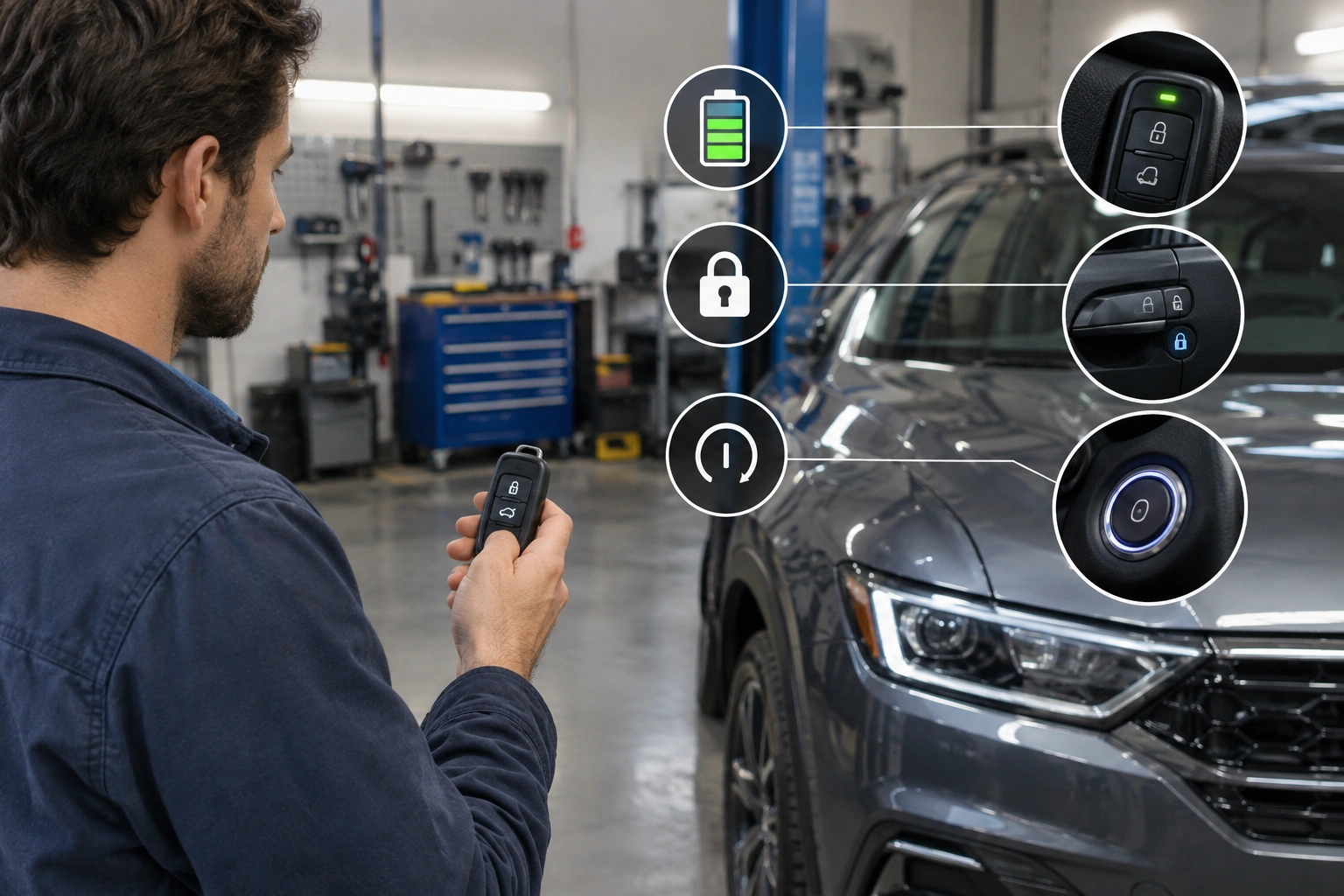
Quick diagnosis: what symptom are you seeing?
Before you repeat the process, match the symptom to the likely cause.
| Symptom after reprogramming | What it usually points to | Best next step |
|---|---|---|
| No response at all from lock/unlock buttons | Weak fob battery, bad contact inside the fob, incompatible replacement fob, or a programming failure | Check the fob battery and contacts first |
| Intermittent response or short range | Weak fob battery, damaged fob housing, or a marginal button/contact issue | Replace the fob battery and inspect the shell |
| Locks work, but the car won’t start | Immobilizer/transponder issue, not just remote programming | Check whether the vehicle recognizes the transponder or smart key |
| Car starts, but remote buttons don’t work | Remote transmitter problem, incomplete programming, or receiver issue | Retry the programming sequence and verify compatibility |
| Multiple known-good fobs fail | Vehicle receiver, immobilizer, or low vehicle battery voltage | Test the car battery and consider professional diagnosis |
That split matters. Remote lock/unlock and engine authorization are related, but they are not always the same system. A fob can be “programmed” for one function and still fail the other.
Most likely causes, ranked by probability
In the real world, these are the most common reasons a key fob not working after reprogramming problem shows up:
-
Weak key fob battery
This is the easiest thing to miss. If the fob battery is low, the car may not receive a strong enough signal during programming, or the fob may work only intermittently afterward. -
Low vehicle battery voltage
A weak car battery can interrupt the process or leave the vehicle in an unstable state. Even if the dash lights come on, voltage may still be too low for reliable programming. -
Incomplete programming sequence
Timing and sequence matter. If the vehicle needed a specific mode, button order, or ignition cycle and one step was missed, the fob can appear accepted without fully storing the data. -
Incompatible replacement fob
Aftermarket fobs are not all equal. Some are made for a specific trim, frequency, or model year range. If the fob doesn’t match the car, no amount of repeating the steps will fix it. -
Fob hardware or vehicle-side fault
Water damage, a broken contact, a damaged transmitter board, a bad receiver, or an immobilizer issue can all look like “bad programming.”
That lines up with the general warning that physical damage or a failed internal component can stop a fob from working, even if the programming steps seemed to go through. Once the basics are ruled out, hardware and vehicle-side faults become much more likely.
Step 1: Check the key fob battery and basic fob behavior
Before you touch the programming steps again, deal with the fob battery.
A weak coin-cell battery can create confusing symptoms. The remote may work only when you stand close to the car, or it may work once and then quit. In some smart-key systems, a very weak battery can even make the car say “Key Not Detected” or “No Key Present” after a battery change, even though the vehicle still remembers the fob’s code.
Here’s the practical move:
– Install a fresh battery of the correct type.
– Make sure the battery is oriented correctly.
– Check that the contacts are clean and springy.
– If the fob case was opened, make sure the shell closes tightly and the buttons aren’t sticking.
If the fob works better after the battery change, you probably found the weak link. If nothing changes, move on.
For a deeper battery-focused checklist, see our guide on what to check next after replacing a key fob battery.
Step 2: Confirm the vehicle battery and electrical state
A car battery that’s weak enough to cause voltage drop can interfere with programming, even if the vehicle still cranks or the dash still lights up.
That’s why I like to check the vehicle’s electrical state before repeating the procedure. If the battery is old, the car has been sitting, or you recently had a jump start, don’t assume the fob is the only problem.
Look for these clues:
– The starter sounds sluggish
– Interior lights dim when accessories are on
– The dash resets or behaves oddly
– The vehicle has recently needed a jump
If the battery is suspect, charge it or test it before trying again. Reprogramming a fob with unstable voltage is a waste of time, and on some vehicles it can make the process seem random.
If your issue started after a jump start, our article on key fob not detected after a jump start may help you separate a battery-voltage issue from a true fob fault.
Step 3: Verify whether programming actually succeeded
This is where a lot of people get tripped up. The car may give you one sign that looks like success, but that doesn’t always mean the whole process completed.
A successful attempt usually has one or more of these signs:
– The vehicle acknowledges the programming mode
– The locks cycle or blinkers flash as expected
– The remote works immediately after the final step
– The fob continues working after the car is shut off and restarted
A failed attempt often looks like this:
– The car enters programming mode but never confirms the fob
– The remote works once and then stops
– Only one function works, such as unlock but not lock
– The car exits programming mode before the last step is finished
Some vehicles also need a full exit-and-relock cycle, or a complete shutoff and restart, before the programming is truly stored. In other words, a brief response during the sequence is not always the same thing as a saved pairing.
If the result was inconsistent, don’t assume the fob is bad yet. Confirm the exact vehicle-specific procedure and test the fob again only after the car has fully exited programming mode.
Step 4: Repeat or resync the programming procedure correctly
If the car and fob are compatible, repeating the procedure is often the next smart move.
That “exactly” is the part that matters.
Different vehicles can require:
– A specific ignition position
– A door-open or door-closed condition
– All existing fobs present during the process
– A final lock/unlock press
– A short wait before testing
If you rushed one step, missed the final confirmation, or used instructions for the wrong model year, the fob may not stick.
My rule: if you’re going to retry, do it once with the correct vehicle procedure in front of you, not from memory. If the second attempt behaves the same way, stop and reassess instead of burning time on the same sequence.
Remote functions vs. immobilizer/start functions: what each failure means
This distinction saves a lot of confusion.
If lock and unlock fail
That points more toward the remote transmitter side of the fob, the battery, the programming sequence, or the vehicle’s receiver.
If the car unlocks but won’t start
That points more toward the immobilizer or transponder chip. In other words, the car may hear the remote signal but still not accept the key for engine authorization.
If a push-to-start car says “Key Not Detected”
That does not always mean the fob “forgot” its programming. In some vehicles, the code is still stored in non-volatile memory, and the issue is simply that the fob can’t transmit reliably because of a battery or contact problem.
That’s why I don’t lump all key fob failures together. The fix for a dead remote button is not always the fix for a no-start condition.
One quick transmission check: is the fob sending anything at all?
Before you assume the car is rejecting the fob, do a simple signal check. If your phone has a camera that can see infrared, point the fob at the camera and press a button; some fobs use an IR signal for certain functions and you may see a faint flash. If nothing is visible, that suggests the fob may not be transmitting. If you do see a flash or the fob otherwise behaves like it is sending, the problem is more likely on the vehicle side, not the fob itself.
That test is not perfect for every key fob design, but it is a fast way to separate “fob is dead” from “car isn’t receiving.”
When the problem is likely the fob, the receiver, or the immobilizer system
A pattern tells you more than a single failed test.
It’s probably the fob if:
- A fresh battery didn’t help
- The buttons feel mushy or inconsistent
- The case is cracked or water-damaged
- One fob works and the problem fob does not
It’s probably the vehicle receiver if:
- Two or more known-good fobs fail
- The car never responds to the remote, even at close range
- The locks and warning lights don’t react during programming
It’s probably the immobilizer if:
- The remote functions work, but the engine won’t authorize
- You see security warnings or start-disable messages
- The car behaves differently with a mechanical key than with the smart fob
If multiple fobs fail the same way, the odds shift away from the fob itself and toward the vehicle side.
DIY limits: vehicles that require dealer or locksmith tools
Some cars can be programmed at home. Others simply can’t be finished without a scan tool, security access, or manufacturer-level procedure.
In many cases, the remote lock/unlock functions may be DIY-programmable, while immobilizer registration, transponder pairing, or smart-key enrollment still requires professional tools. That split is important: you might be able to make the buttons work at home, but still need a dealer or locksmith to authorize the key for starting the vehicle.
That’s especially true when:
– The vehicle requires immobilizer registration
– The system needs security codes
– The model year restricts DIY pairing
– The replacement fob is a special OEM-only part
A dealer diagnostic tool can usually see more than a basic DIY process, especially if the problem is in the receiver, immobilizer, or body control module. A locksmith may be faster and sometimes less expensive than a dealer, but capability depends on the vehicle and the equipment they carry.
If the car accepts some steps but never completes the final registration, that’s a strong sign you’ve reached the limit of what home reprogramming can do.
When to Consult a Locksmith
Call a locksmith or dealer when:
– You’ve tried a correct battery check and a careful retry
– Multiple fobs fail
– The fob is clearly incompatible
– The vehicle needs immobilizer or security access
– You suspect water damage, a broken circuit board, or a bad receiver
That’s also the point where replacing the entire fob becomes more reasonable than continuing to troubleshoot the old one. A battery swap is cheap; a full replacement is more expensive, but it makes sense when the circuit board or transponder has failed.
For general remote-button failure patterns, our guide on key fob lock button problems can help you tell the difference between a button issue and a full programming issue.
Common mistakes that make reprogramming seem broken
A lot of “bad programming” complaints turn out to be one of these:
– Using a weak fob battery
– Ignoring a weak vehicle battery
– Following instructions for the wrong model year
– Treating remote failure and immobilizer failure as the same problem
– Buying an incompatible aftermarket fob too early
The fastest path is usually the boring one: battery check, vehicle battery check, confirm the exact procedure, then decide whether the fob or vehicle side is at fault.
FAQ
Why did my key fob stop working after reprogramming?
Usually because the programming didn’t fully stick, the fob battery is weak, or the vehicle battery voltage was low during the process. Hardware faults and incompatible replacement fobs are also common.
Can a weak key fob battery prevent reprogramming from working?
Yes. A weak battery can make the signal too unreliable for the vehicle to recognize consistently, especially during pairing.
Do I need to reprogram the fob again after changing the battery?
Sometimes, but not always. If the fob still doesn’t respond after a battery change, repeating the correct vehicle-specific procedure is worth trying.
How do I know whether the fob or the car is the problem?
If one known-good fob works and another doesn’t, the fob is more likely at fault. If multiple fobs fail, look at the vehicle receiver, immobilizer, or battery voltage.
Is a dealer always necessary?
No. Many remote lock/unlock functions can be programmed at home. But if the vehicle requires security access, immobilizer registration, or specialized tools, a locksmith or dealer is the realistic next step.
What if the remote works but the car won’t start?
That usually points to the transponder or immobilizer side, not just the remote transmitter.
Should I replace the whole fob or just the battery?
Replace the battery first. If that doesn’t change anything and the fob has visible damage, water intrusion, or an incompatible board, full replacement starts to make more sense.
Can I fix this without guessing?
Yes. Work in this order: fob battery, vehicle battery, confirm the programming result, then decide whether the issue is remote, immobilizer, or hardware related.
Authoritative references
For general vehicle security and keyless-entry context, see NHTSA’s vehicle safety information, Edmunds car ownership advice, and Car and Driver’s automotive guides.
