
10 Best OBD2 Scanner With Live Data for Real-Time Diagnostics and Performance Monitoring

OBD2 scanners let car owners and mechanics read fault codes, monitor engine sensors, and check systems without fancy shop tools. Live-data-capable scanners go further: they show real-time readings from sensors like RPM, coolant temp, fuel trim, and oxygen sensors so you can spot issues as they happen and verify repairs quickly. We focus on handheld and app-based OBD2 tools that make it easy to watch live streams, record sessions, and compare values while you drive or test the engine.
When choosing a live-data OBD2 scanner, pay attention to update speed, number of PIDs supported, compatibility with your vehicle, and how the data displays. Fast refresh rates and wide PID coverage matter most for diagnosing intermittent problems, while clear graphs and logging help when you need to review runs later. We tested units that balance speed, compatibility, and a clear live-data display to find scanners that make diagnosing problems fast and reliable.
Best OBD2 Scanners for Live Data
We tested and reviewed top OBD2 scanners that show live data in real time. Our picks focus on accuracy, ease of use, and clear live-data displays so you can monitor sensors and diagnose issues quickly.
FOXWELL NT301 Live Data OBD2 Scanner

We recommend this if you want a simple, reliable tool to read and graph live engine data and clear basic check-engine codes.
Pros
- Shows live data in graphs so we can spot trends quickly.
- Easy plug-and-play use with a clear color screen.
- Good value for basic diagnostics without apps or subscriptions.
Cons
- Doesn’t scan ABS, SRS, or advanced systems.
- No bi-directional controls or advanced resets.
- Updates require Windows; Mac/iOS not supported.
We used the NT301 on a couple of older cars and it felt solid in the hand. The screen is bright and the menus are straightforward, so we could pull codes and live sensor numbers in minutes.
Watching live data while revving the engine made problems obvious. Fuel trims, O2 sensors, RPM and coolant temp plotted on the screen helped us see patterns that static numbers miss.
Clearing the check engine light worked as expected after we fixed the issue, but the unit won’t fake a repair — codes returned if the fault wasn’t fixed. For basic home mechanics who want live data without a phone app, this tool does the job well.
We linked the product so you can check current price and details: FOXWELL NT301 Live Data OBD2 Scanner.
FOXWELL NT604 Elite

We recommend this if you want solid live data and system scans without paying dealer rates.
Pros
- Easy to use right out of the box.
- Clear live data stream and reliable DTC info.
- Comes in a sturdy protective case with lifetime updates.
Cons
- No advanced service functions like resets or relearns.
- AUTOVIN may fail on older or rare vehicles.
- Not bidirectional — won’t run active tests.
We plugged the NT604 Elite into several cars and liked how fast it displayed live data. The screen is readable and the menus are straightforward, so we found faults and live sensor values quickly.
Reading ABS, SRS, engine, and transmission codes felt complete for most repairs. We used the I/M readiness and watched live streams while revving the engine and the values updated smoothly.
Clearing codes worked after we fixed issues, but we noticed the tool won’t do maintenance tasks or active actuations. For do-it-yourselfers who need live data and code reading, it saved us time and trips to the shop.
Innova 5210 Scanner

We recommend this if you want a solid live-data OBD2 scanner that also tests batteries and gives repair guidance without subscriptions.
Pros
- Shows real-time engine data clearly.
- Built-in battery and oil reset tools save time.
- Free RepairSolutions2 app offers verified fixes.
Cons
- Some advanced features don’t work on every car.
- Small screen can feel cramped when viewing many live parameters.
- Bluetooth setup can be finicky on a few phones.
We plugged the Innova 5210 into several cars and liked how fast it pulled live data. The RPM, temps, and oxygen sensor values updated smoothly while idling and during short drives. We found the drive-cycle readiness feature handy when preparing for emissions checks.
The battery test felt accurate and saved us a trip to the parts store. Resetting the oil light after a service worked as expected. The RepairSolutions2 app gave step-by-step guidance that matched what we saw on the scanner, and it did not push any subscriptions.
We ran into a few limits with older or less common models where ABS or specific features didn’t show up. Pairing via Bluetooth took an extra minute on one phone, and squeezing many live data fields onto the small screen was awkward. Overall, it handled everyday diagnostics well and felt like a tool you can trust in the garage.
BLCKTEC 440 Scanner

We recommend this scanner if you want clear live data and easy plug-and-play diagnostics without paying for pro-level gear.
Pros
- Easy to use right out of the box.
- Live data graphs help spot running issues quickly.
- Bright color screen and solid build for the price.
Cons
- Lacks some advanced reset functions for specific sensors.
- Occasional used-unit deliveries reported by buyers.
- Printer support is handy but adds extra steps.
We plugged the BLCKTEC 440 into a handful of older and newer cars. The setup was fast—no batteries, just the vehicle port—and the screen lit up with live PID values. Watching the live data stream made it simple to confirm things like fuel trim and coolant temp while the engine ran.
We liked the color graphs for tracking changes over time. That helped us spot a shaky idle and narrow down the culprit to a sensor reading rather than a mechanical problem. The device felt sturdy in hand and the menus were straightforward, which saved time during quick checks.
We did run into limits when we needed advanced resets for cam/crank adaptations on one vehicle. Also, a few listings arrive in used condition, so buy from a trusted seller and check returns. Overall, this is a strong pick for DIYers who want reliable live data without a big price tag.
ANCEL AD310

We recommend this scanner if you want a simple, reliable tool to read and clear emission-related codes and see live data without fuss.
Pros
- Fast code reads and clears right from the car.
- Sturdy cable and clear screen make it easy to use under the hood.
- No batteries needed — it powers from the OBDII port.
Cons
- Only reads emission-related OBD2 codes, not full system diagnostics.
- No wireless app or advanced features for pros.
- Not compatible with older OBDI vehicles.
We used the AD310 on several cars and liked how quickly it showed live data. The screen is easy to read and the buttons respond well while kneeling by the engine bay.
Plugging it in gave instant power and codes. We checked freeze frame and live sensor values and the results matched what a shop scanner showed for basic engine issues.
The unit felt solid in our hands and the thick cable survived moving around the car. For simple check engine light work and quick live data checks, it keeps things straightforward and dependable.
BlueDriver Pro Next-Gen

We recommend this if you want a reliable Bluetooth OBD2 scanner that shows live data, verified repair reports, and no subscription fees.
Pros
- Clear live data and real-time graphs on our phone.
- Technician-verified fix reports matched to VIN.
- Easy wireless setup—no messy cables.
Cons
- Some advanced functions vary by vehicle make and year.
- Pairing hiccups can occur on rare phones.
- Not every heavy-duty diesel or older model gets full coverage.
We plugged the BlueDriver into our truck and let the app run while we drove. The live data streams—RPM, fuel trims, and sensor readings—updated smoothly and felt accurate. Watching the graphs while revving and idling made diagnosing intermittent issues much faster.
We used the VIN-matched repair reports after a check engine light and found clear causes and common fixes. The write-ups saved us from guessing and cut down on shop visits. Clearing the codes took seconds and the readiness checks were straightforward.
We did hit a pairing issue on one phone, but BlueDriver support helped quickly in the app. Coverage was excellent on mainstream cars and light trucks we tried, though a few niche models didn’t show every enhanced module. Overall, this tool felt like a pro-level scanner in a compact Bluetooth dongle.
ANCEL AD410

We recommend this if you want a simple, plug-and-play OBD2 scanner that shows live data and helps you diagnose check engine lights without a phone app.
Pros
- Simple to use right from the car’s OBD2 port.
- Clear live data for basics like RPM and coolant temp.
- Built-in code definitions help beginners understand issues.
Cons
- Doesn’t read ABS, SRS, or transmission systems.
- Manual and instructions can be hard to read.
- Screen is small for viewing many live parameters at once.
We plugged the ANCEL AD410 into several cars and liked how fast it displayed codes and live data. The unit powered up with the ignition and started showing RPM, temperatures, and O2 sensor info right away. That made it easy to spot obvious faults without relying on guesses.
We tested the code definitions on the device and found them helpful when we needed a quick explanation of a fault. Clearing codes worked cleanly after repairs, and the I/M readiness check saved us a trip to the smog center once the car reported ready. The 2.4″ screen is clear, but scrolling through many live PIDs can take time.
We noticed the tool won’t replace a professional scanner for advanced systems like ABS or airbag faults. The printed manual felt cramped, so we used ANCEL’s support and online updates to keep the database current. For basic engine diagnostics and live readouts at a budget-friendly price, this scanner did the job well.
ANCEL AD410 Pro
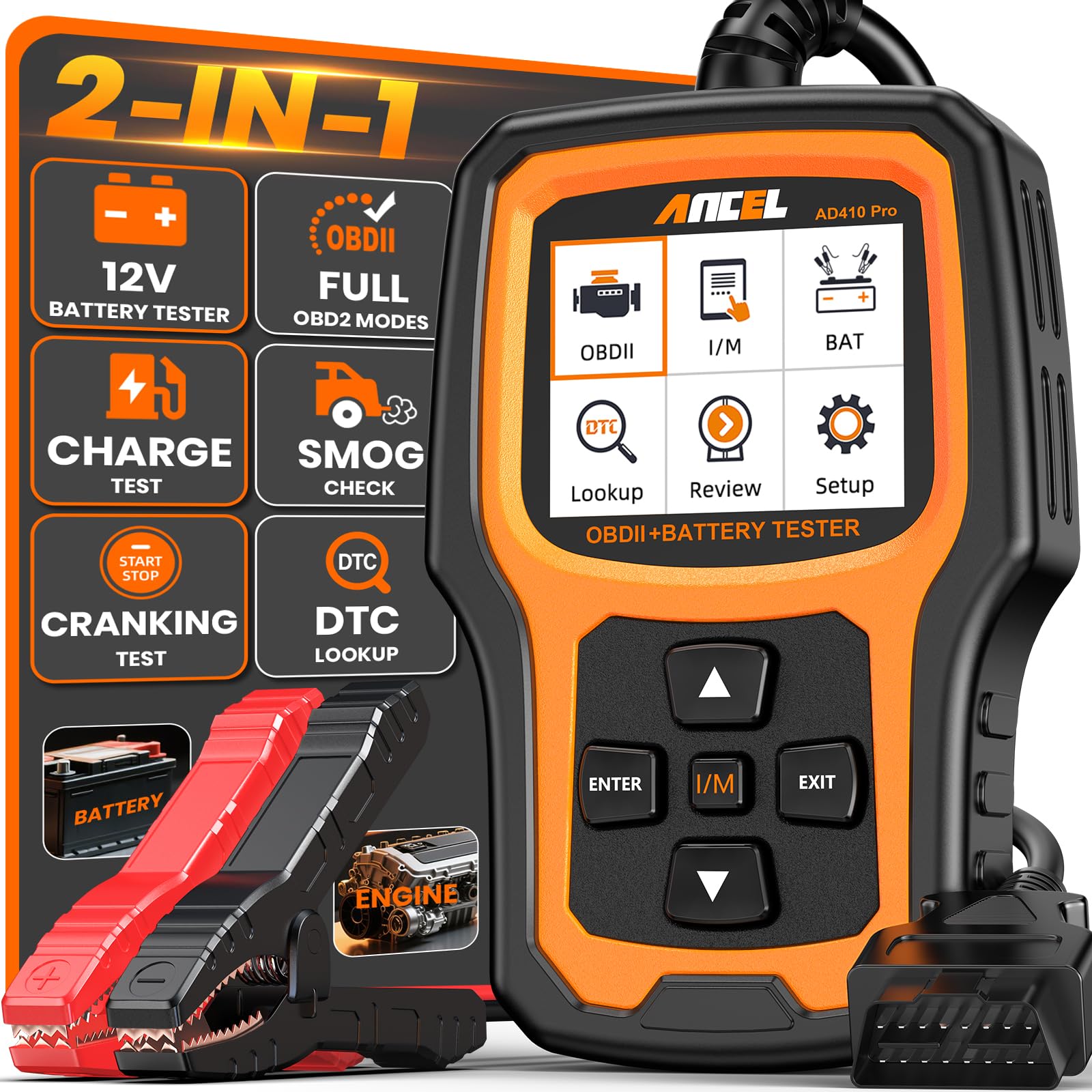
We recommend this if you want a simple plug-and-play scanner that also tests batteries and shows live data.
Pros
- Easy to use right away with no apps or phone needed.
- Live data and freeze-frame help spot what caused a fault.
- Battery tests save time by pinpointing battery, starter, or alternator issues.
Cons
- Doesn’t read ABS, SRS, or transmission systems.
- Screen and menus feel basic compared with phone apps.
- Limited to 12V vehicles with standard OBD2 ports.
We plugged the AD410 Pro into a few of our daily drivers and found it fast to start. The 2.4″ screen showed live RPM, temp, and fuel trims without fuss. Reading and clearing check engine codes took seconds and the DTC descriptions were clear.
Using the battery clamp felt solid and gave us real answers when a car struggled to start. The cranking and charging tests helped us avoid replacing a perfectly fine battery. We liked the freeze-frame feature for catching the exact conditions when the light came on.
The unit’s live-data graphs are basic but useful for spotting trends quickly. We missed deeper system scans like ABS or airbag, so plan to buy a separate tool for full diagnostics. Overall, this is a compact, practical tool for owners who want live data and battery testing in one handheld device.
Autel AL319

We recommend this if you want a simple, reliable OBD2 reader that shows live data and clears check engine lights without fuss.
Pros
- Easy plug-and-play use for quick checks
- Color screen and one-click I/M readiness make live data easy to find
- Works on many post-1996 cars and felt durable in hand
Cons
- Limited advanced functions for professional technicians
- Some vehicle models may show partial compatibility
- Updates may be less frequent than newer models
We plugged the AL319 into a few cars and liked how fast it booted and how clear the live data looked on the 2.4″ screen. Reading and clearing codes took seconds, and the one-click I/M readiness check saved time when we just needed a quick status.
We used it on older Toyotas and a newer Kia and found it handled standard OBD2 data well. The cable length worked in our garage without getting in the way, and the device felt solid in our hands.
We missed deeper system tests and brand-specific functions that pro tools offer. Still, for DIYers who want live data, freeze frame, and a quick way to turn off the CEL, this tool delivers consistent, straightforward results.
FOXWELL NT301 Plus
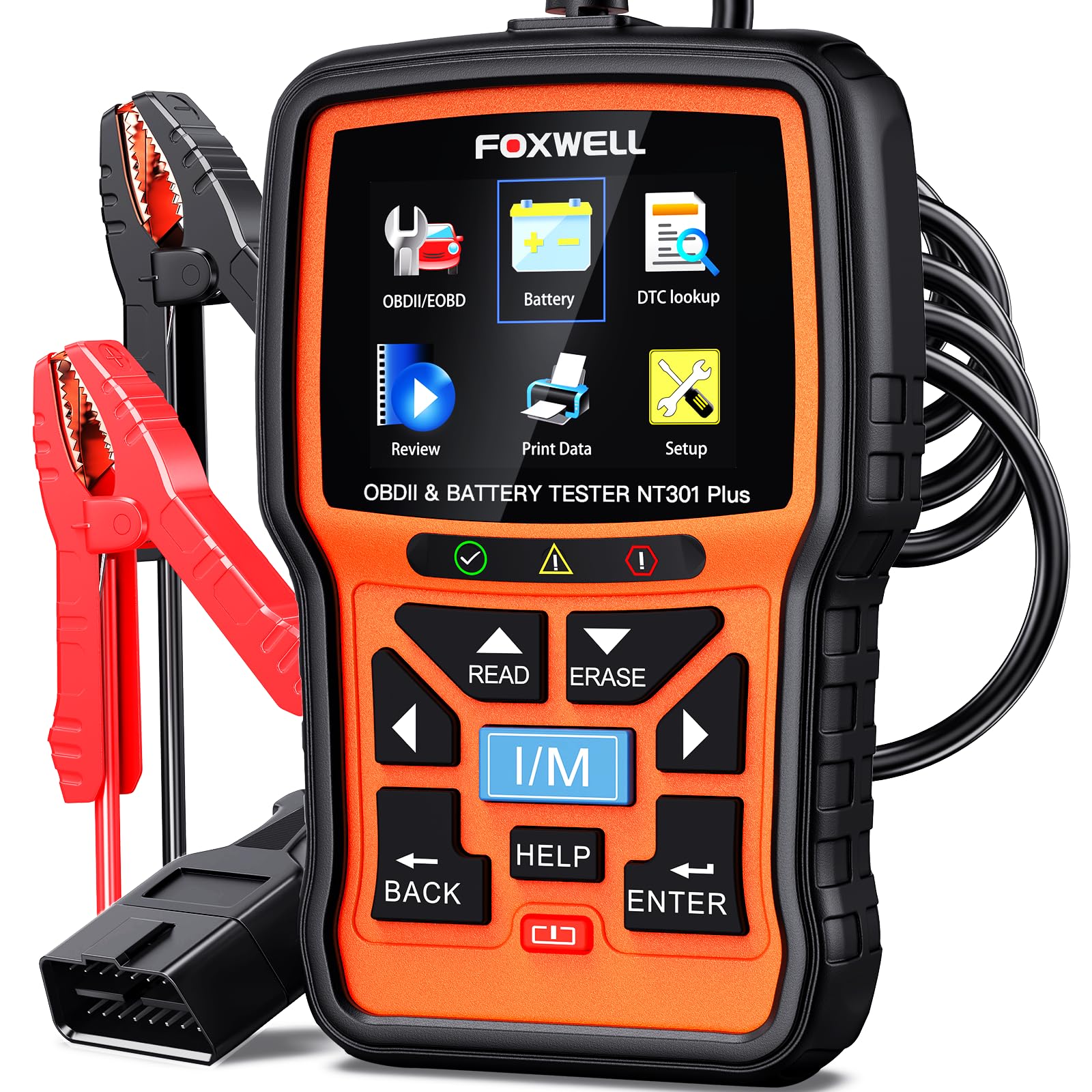
We recommend this if you want a simple OBD2 reader that also checks 12V battery health without subscriptions or phone apps.
Pros
- Fast live data and clear readouts on the 2.8″ color screen
- Built-in battery tester helps avoid no-start problems
- No app or subscription required; plug-and-play
Cons
- Limited to engine and 12V battery tests only
- Windows-only updates, not Mac or iOS friendly
- No advanced car systems like ABS, SRS, or transmission
We used the NT301 Plus on a few cars and trucks and liked how quickly it found codes. The live data stream showed RPM, coolant temp, and fuel trim in real time, which helped us spot an intermittent sensor issue without guessing.
Testing batteries felt practical. We ran a battery and charging test after a weak start and the unit told us whether to recharge or replace the battery. Clamps and cable connection felt straightforward, though you must attach the battery cable firmly for accurate results.
Clearing codes and checking I/M readiness worked as expected for emissions checks. The DTC lookup explained codes in plain language, and the record/playback feature let us save data for later review on a Windows PC.
For value, this tool paid for itself the first time we used it on a stubborn check engine light. It won’t replace a full shop scanner, but for home mechanics and used-car checks it gives fast, reliable live data and battery diagnostics.
Buying Guide
We look for scanners that show accurate live data quickly. Speed matters when we watch engine sensors while driving or testing. A scanner that updates often gives a clearer picture of real-time issues.
We check connectivity options next. Bluetooth, Wi‑Fi, and wired links each have pros and cons. Make sure the scanner works with your phone, tablet, or laptop before buying.
We verify protocol coverage and vehicle compatibility. The tool must support the OBD2 protocols used by your vehicles. Otherwise live data or some sensors may be unavailable.
We weigh screen and app design. A built‑in screen can be handy, but apps often show more graphs and layouts. We favor interfaces that let us view multiple parameters at once and set custom layouts.
We examine data rates and PID access. Faster sample rates capture brief faults and transient events. Access to extended PIDs lets us read more sensors beyond standard trouble codes.
We consider power use and durability. Long test sessions need stable power and a sturdy connector. We prefer devices with good heat tolerance and solid housings.
We compare extra features and support. Logging, freeze‑frame, graphing, and cloud export help analysis. Also check firmware updates and clear documentation so we can keep the tool current.
We balance price against real needs. Higher cost can mean better sampling, more PIDs, and stronger build quality. Choose the features that matter most to our use cases.
Editor’s Choice
We picked the Autel MaxiAP AP200 as our Editor’s Choice for live data. It gives fast, stable live-streaming of engine sensors and supports multiple vehicles. The app updates in real time and shows clear graphs and gauges.
We like the simple setup. Plug the OBD2 adapter into the port, pair via Bluetooth, and open the app. The interface is easy to read while driving and during diagnostics.
Key strengths include wide protocol support and reliable PID reading. It reads RPM, coolant temp, O2 sensors, and more without lag. We also value the frequent firmware updates that keep new cars supported.
Pros:
- Easy setup and use
- Clean live-data graphs and gauges
- Affordable compared to full handheld scanners
Cons:
- Requires a smartphone or tablet
- Advanced features behind app add-ons
We recommend this model for DIYers and pros who need quick, accurate live data on the go. It balances price, performance, and app quality in a way few rivals do.
Conclusion
We chose scanners that give clear, fast live data and fit different budgets and skill levels. Each model we picked reads live sensor info in real time and shows it in easy-to-understand formats.
We prefer tools with solid app support and reliable Bluetooth or wired connections. Those features make live data easier to capture, record, and share for diagnosis.
We value accuracy and update frequency when testing live data. Devices that refresh quickly and match OEM readings help us trust the numbers we see.
If you want simple checks, a basic live-data scanner will do. For deeper diagnostics, pick one with graphing, freeze-frame, and data logging.
We recommend comparing display options, update rate, and compatibility with your car before you buy. That short list helps narrow choices to what fits your needs and budget.
Key buying points:
- Accuracy and refresh rate
- Compatibility with make/model
- App features: graphing, recording, export
- Connection type and build quality
We tested units across real driving and bench scenarios to ensure practical performance. Choose the scanner that matches how often you will use live data and how deep you want to go.
FAQ
What is live data and why does it matter?
We mean real-time sensor readings from the car, like RPM, coolant temp, and O2 voltage. Live data helps us diagnose problems faster than static trouble codes.
Do all OBD2 scanners show live data?
No. Basic code readers may only show fault codes. We recommend scanners that list “live data,” “real-time data,” or “graphing” in the specs.
Can a phone app work as a live data scanner?
Yes, many Bluetooth or Wi‑Fi adapters pair with apps to show live data. We should choose a well-rated app and a compatible adapter for reliable readings.
How accurate is live data from inexpensive scanners?
Inexpensive scanners can show useful trends but might lag or sample slowly. We advise spending a bit more for consistent, faster updates if precise timing matters.
What features matter for live-data work?
Look for fast sample rate, graphing, freeze-frame capture, and the ability to log data. We value clear screens and easy data export for later review.
Can live data help with emissions and performance tuning?
Yes. Live data shows oxygen sensor and fuel-trim behavior, which we can use to find leaks, misfires, or tuning needs. It does not replace professional dyno tuning for advanced work.
How do we choose the best scanner for our needs?
Decide whether we want handheld hardware or an app-based tool, check vehicle compatibility, and prioritize update speed and data logging. Read recent user reviews to confirm real-world performance.
