
Why Your Key Fob Panic Button Isn’t Working: A Practical Troubleshooting Guide

If your key fob panic button not working problem showed up out of nowhere, don’t assume the whole remote is dead. In a lot of cases, the issue is something simple: a weak battery, dirty contacts, a worn button, or a vehicle-side alarm problem. The trick is separating a fob problem from a car problem before you buy parts you don’t need.
Here’s the quickest way to think about it:
- Nothing happens when you press panic: suspect the fob battery, the button itself, or the fob’s internal circuit board.
- Panic works sometimes but not always: that often points to worn contacts, a failing switch, or a battery that’s on its way out.
- Lock/unlock works but panic does not: the panic switch can fail on its own even when the rest of the fob still works.
- More than one key fob has the same problem: look at the car’s alarm, receiver, body control module, or settings instead of the remote.
How the Panic Button Works
The panic button is just another transmitter function inside the key fob. When you press it, the fob sends a signal to the vehicle’s receiver or body control system, and the car triggers the alarm. If any part of that chain fails, the horn or alarm won’t sound.
That means the problem can live in three places:
- Inside the fob — weak battery, worn button, corrosion, damaged circuit board.
- In the car — alarm system, receiver module, fuse, body control module, or settings.
- In the connection between them — loss of programming or sync.
A useful comparison: if the lock and unlock buttons work but panic does not, the fob is still transmitting something. That narrows the problem, because the battery and transmitter may be partially healthy while the panic switch or its circuit path has failed.
The Most Likely Causes, in Order
Here’s the order I’d check them in, based on the kind of failures I saw most often in the shop.
1. Weak or aging key fob battery
A weak battery can sometimes still handle basic lock/unlock use but fail when the panic function needs a stronger or cleaner signal. That’s why a fob can seem “mostly fine” right up until one button stops behaving.
If your battery is old, or you don’t know when it was last changed, replace it first. It’s the cheapest test and the easiest to undo if it doesn’t help.
2. Dirty, bent, or corroded battery contacts
Even a new battery won’t help if the contacts inside the fob aren’t making solid connection. Dirt, oxidation, or a slightly bent spring can cause intermittent operation. That often shows up as a button that works only when you press it hard or hold it at an angle.
3. Worn panic button or damaged circuit board
Buttons wear out. The rubber pad can get soft or torn, the internal contact can stop lining up, or the solder joint on the board can crack after years of use or a drop onto the floor.
This is especially likely if the panic button feels mushy, sticks, or works only after repeated presses.
4. Water damage or corrosion
A fob that has been through rain, a spill, or a washing machine can fail in strange ways. Sometimes only one button quits first. Other times the whole remote becomes unreliable.
5. Lost programming or sync issue
Less common for a single-button failure, but possible on some vehicles. If the fob lost sync, reprogramming may help. If the hardware is damaged, reprogramming won’t fix it.
6. Vehicle-side alarm or receiver problem
If multiple fobs fail to trigger the alarm, the car may be the problem. That could mean a receiver issue, a fuse, a body control module fault, or a panic function that is disabled by design or settings.
Step-by-Step Troubleshooting That Makes Sense
The goal is to avoid guesswork. Follow the low-cost checks first.
1. Replace the battery before anything else
If the battery is more than a couple of years old, or you don’t know when it was last changed, start there. Use the correct battery type for your fob, and make sure it sits firmly in the holder.
A fresh battery can solve the issue if the old one was weak or the contacts were marginal, but it’s not a guaranteed fix on its own.
2. Inspect the battery contacts
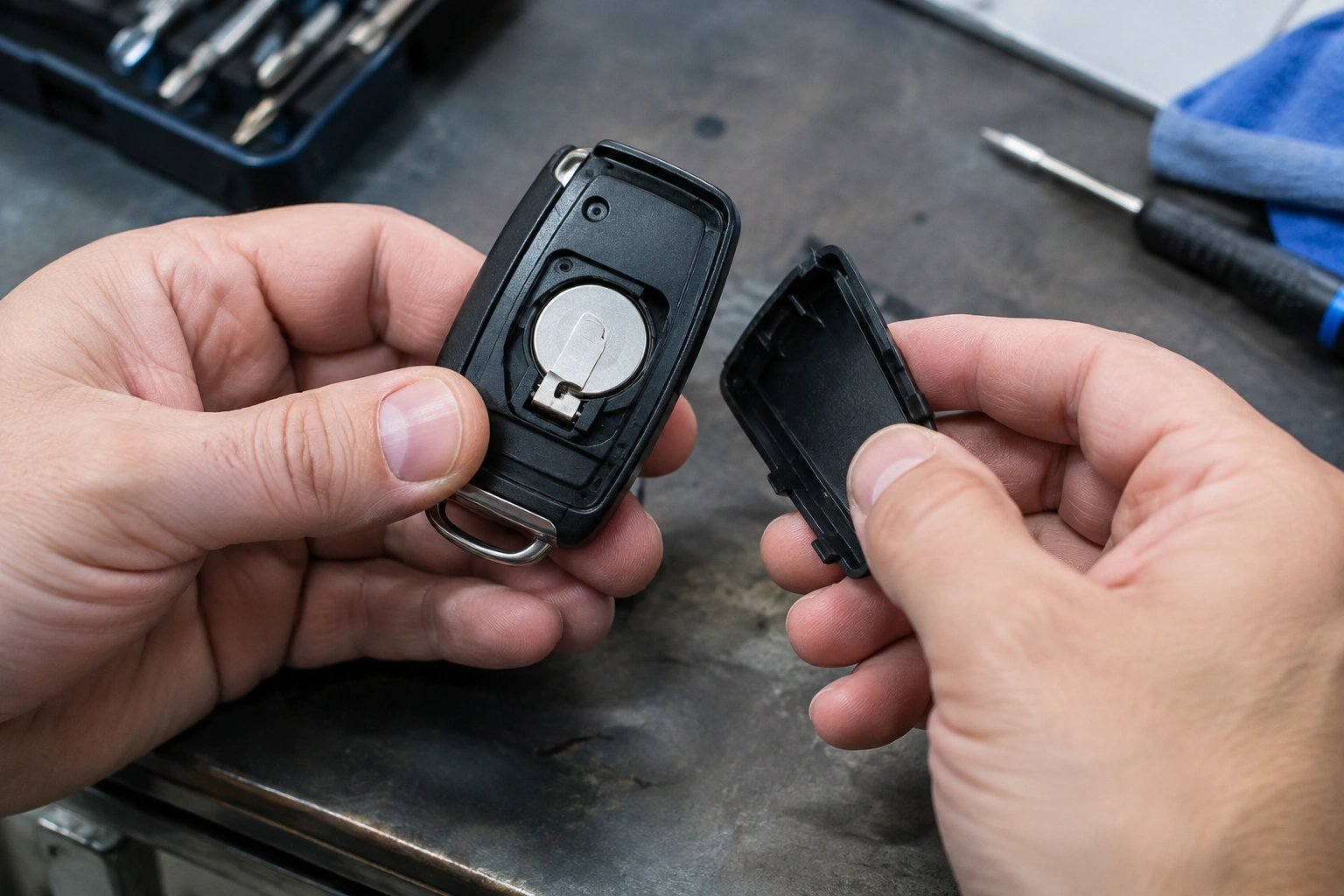
Open the fob carefully and look for:
- white or green corrosion
- bent metal tabs
- a loose battery
- cracks in the plastic that prevent the case from closing tightly
If you see light corrosion, clean it gently with a dry cotton swab or a small amount of electronics-safe contact cleaner. Don’t soak the board.
3. Test the panic button in a safe place
Try it outside, in an open driveway or parking area, not in a garage or enclosed space. You want to hear whether the horn or alarm responds without disturbing people nearby.
If the alarm sounds only when the button is pressed hard, that points to worn button contacts or a failing internal switch.
4. Check whether other buttons still work
This is one of the best clues you have.
- Lock/unlock works, panic doesn’t: likely a button or circuit path issue inside the fob.
- Nothing works: battery, contacts, or a broader fob failure.
- Two fobs fail the same way: likely a car-side issue.
5. Look for signs of water damage or impact damage
If the fob was dropped, cracked, or exposed to moisture, the problem may be inside the case. Corrosion around the battery area or on the circuit board usually means the issue is getting worse, not better.
6. Reprogram only after the basic checks
If the battery is good, the contacts are clean, and the fob still won’t trigger the panic function, then reprogramming may be worth trying on a model that supports it. But if the button or board is physically damaged, programming won’t bring it back.
How to Test Whether the Fob Is Transmitting
You don’t need fancy equipment for every diagnosis, but you do need a way to separate “fob not sending” from “car not receiving.”
A practical quick test is to try a known-good spare fob, if you have one. If the spare triggers the alarm and the original does not, the original fob is the likely problem. If neither one works, the vehicle side deserves more attention.
You can also use the vehicle itself as a simple response check. Press panic from close range in a safe area and listen for any horn chirp, light flash, or alarm response. If the car responds to one function but not another, that helps narrow the fault to the button or circuit inside the fob. If there is no response at all from a known-good fob, the issue is more likely in the car’s receiver, alarm system, or settings.
Some vehicles also have a backup or diagnostic method in the owner’s manual that can help confirm whether the remote is being recognized. Since behavior varies by model, check your manual before assuming the panic feature works the same way across brands.
For broader context on remote and fob issues, our guides on what to do when a key fob is not detected and how to start a car when the key fob is not detected can help you sort out battery versus vehicle-side symptoms.
When the Problem Is the Car, Not the Fob
If the panic button doesn’t work on more than one remote, the car deserves a closer look.
Possible vehicle-side causes include:
- a blown fuse tied to the alarm or body control system
- a receiver module problem
- the alarm system being disabled by settings or factory behavior
- a body control module fault
- a vehicle that only allows panic in certain conditions
A disabled alarm usually looks different from a malfunctioning receiver or module. If the car’s alarm was intentionally disabled by settings, valet mode, or factory behavior, you may still see normal keyless-entry behavior, but the panic function may be intentionally muted or limited. If the receiver or module is failing, the problem is usually broader: multiple fobs may stop responding, the car may not recognize the remote consistently, or other remote functions may become unreliable too.
Some vehicles require the ignition to be off, the doors closed, or the fob within range. Others may limit how the panic function behaves based on security settings. That’s why your owner’s manual matters more here than generic advice.
A good reference point is the NHTSA’s vehicle safety guidance on staying aware of vehicle systems and warnings. It won’t diagnose your fob for you, but it’s a reliable place to start when you’re dealing with alarm-related safety concerns.
Repair, Replace, or Reprogram?
Here’s the practical trade-off.
Replace the battery
Choose this first if the fob is old, intermittent, or the battery history is unknown. It’s the lowest-risk step and often solves weak-signal problems.
Repair the fob
Repair makes sense when the case is intact, but the button is worn, the contacts are dirty, or the board has only minor damage. If the panic button is the only failure, repair can be more sensible than buying a whole new remote.
Reprogram the fob
Try this when the fob seems healthy but may have lost sync. Reprogramming helps with communication problems, not broken hardware.
Replace the entire fob
Replacement is usually the better choice when the board is corroded, the case is cracked badly, or the button damage is obvious. As a simple rule of thumb, if the panic button is the only thing failing but the fob still has obvious physical damage or repair would require opening and rebuilding the electronics, replacement is usually the better long-term option.
If you’re comparing repair versus replacement, Edmunds and Car and Driver both have helpful owner-focused automotive guidance that can give you a broader sense of when a component is worth fixing versus replacing.
When to Consult a Locksmith
Call a locksmith or dealer when:
- two or more fobs fail the same way
- the car’s alarm never responds, even with a known-good fob
- the fob has severe water damage or a broken circuit board
- reprogramming is needed but your vehicle’s system is restricted
- you’ve confirmed the battery and contacts are fine, yet the panic button still won’t work
A locksmith can often test the fob and determine whether the issue is in the remote or the vehicle. A dealer may be necessary for some programming or module-related problems, especially on newer or more restricted systems.
Preventing Future Fob Problems
A few habits go a long way:
- replace the battery before it gets weak enough to create intermittent symptoms
- keep the fob dry and away from spills
- avoid pressing the buttons through tight pockets or bags
- don’t force the case open with metal tools
- if the fob gets wet, open it quickly and let it dry before using it again
The panic button is often the first part of a fob to show wear because it gets bumped, pressed accidentally, or used less often than lock and unlock. Catching it early usually means a simpler fix.
FAQ
Why does my key fob panic button work only sometimes?
That usually points to a weak battery, dirty contacts, or a worn button inside the fob. Intermittent behavior is often a sign that the connection is borderline rather than completely dead.
Can the panic button fail while lock and unlock still work?
Yes. That happens when the panic switch or its circuit path is damaged, even though the rest of the fob still sends signals.
Does the panic button depend on the car battery?
Indirectly, yes. The car needs enough electrical power for the alarm system to respond. If the vehicle battery is weak or the alarm circuit has a fault, the panic function may not sound even if the fob is fine.
Can I reset the panic button?
Usually you don’t reset the button itself. If the issue is sync-related, reprogramming may help. If the button or board is physically damaged, a reset won’t fix it.
How do I know if the fob is broken or the car is the problem?
Test a second fob if you have one. If both fail, suspect the vehicle. If only one fails, the fob is the likely culprit.
Should I replace the battery or the whole fob first?
Replace the battery first unless you already see obvious damage. It’s the fastest and cheapest test, and it often tells you whether the problem is simple or more serious.
If your key fob panic button not working issue survives a battery swap and a careful inspection, don’t keep guessing. At that point, the problem is usually either a worn fob or a vehicle-side alarm issue, and the next step should be testing, repair, or replacement based on what you’ve already ruled out.
